TL;DR
- Use AI to amplify the material you've already proven works, not to generate from a blank page.
- AI works best when it can see your real member context, which is why an all-in-one tool beats a sprawling stack.
- Used this way, AI amplifies your voice instead of replacing it, so members keep paying to hear from you.
You pop open Claude (or ChatGPT), and a feeling of guilt rises in your throat. Like it's cheating, or like your members would think less of the work if they knew. Then it's Thursday night, the newsletter goes out Friday morning, and your draft is an empty page with a blinking cursor. So you push down the guilt, open the LLM of your choice, paste in your outline, and ten minutes later you have something… somewhat passable. But it doesn't quite sound like you—and that feeling is still nagging you.
Meanwhile, you keep hearing how other creators use AI to speed up, sharpen, and ship more without breaking a sweat. So what’s the secret behind the best ways to use AI as a creator, and the least useful?
It's not the tool, it's whether you diagnosed the problem before reaching for it. Most creators skip straight to "should I use AI here or not" without asking what's actually broken first: is it that the writing doesn't sound like you, that you've got nothing to say, or that you're just typing the same message for the fifth time this week? Each of those has a different fix, and they're not interchangeable — training AI on your voice doesn't help if the real problem is volume, and automating your sends doesn't help if the real problem is that nothing sounds like you. Skip the diagnosis and you either avoid AI out of guilt or hand it everything out of exhaustion, and both cost you your voice in the end. The creators who use AI well aren't smarter about the tools — they've just done that thinking once, so it's a habit instead of a fresh decision every time.
This guide covers those habits: how to diagnose what's actually wrong before you reach for AI, train it on your real voice, pressure-test drafts before they ship, decide what stays human, and keep your tool stack lean enough to use.
First, diagnose where AI could help most
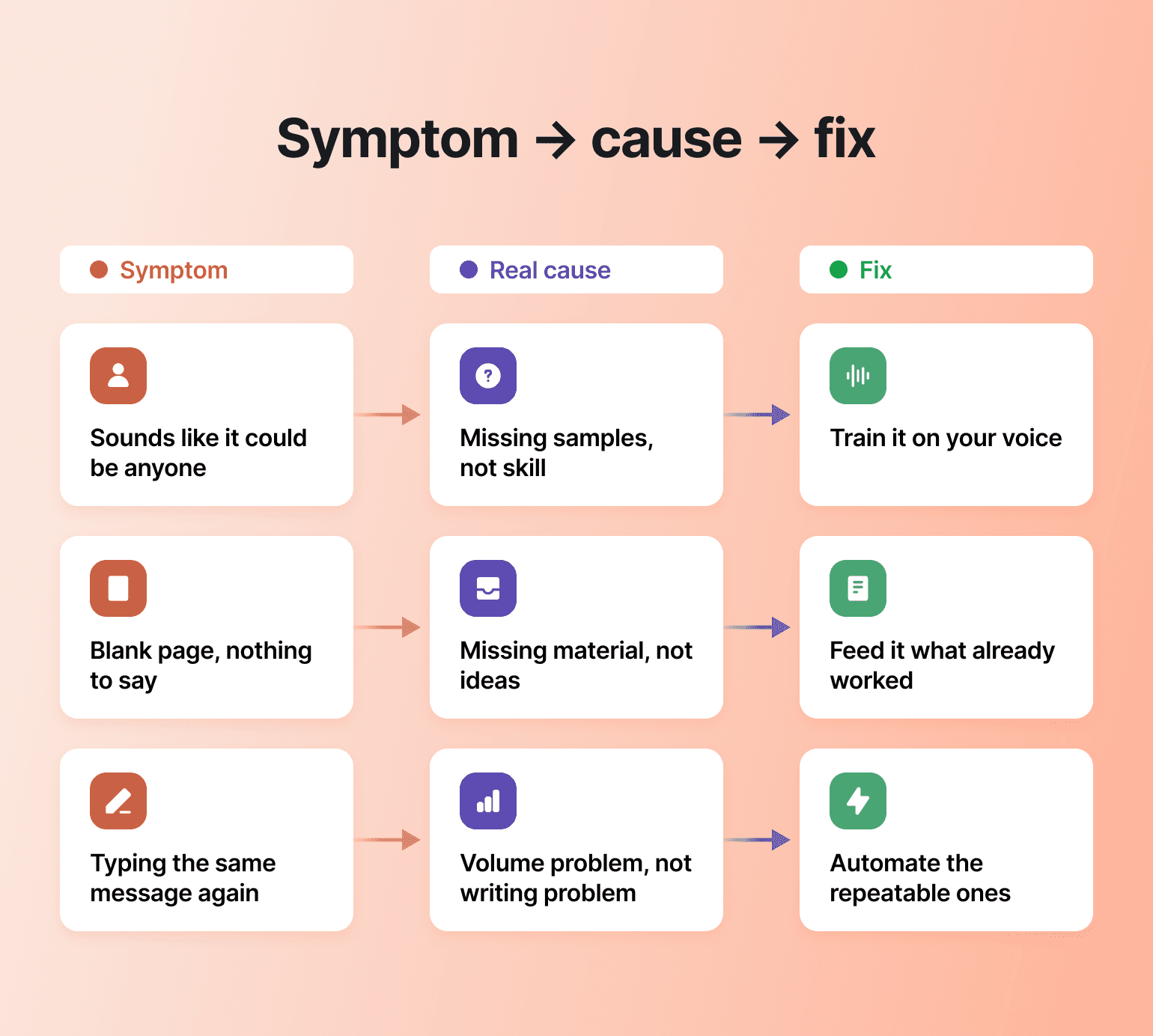
Before you ask AI to write anything, name the actual symptom you're dealing with. The fix only works if you've matched it to the right cause:
- Your copy sounds like it could've come from anyone. You're missing samples, not skill. AI has nothing of your actual cadence, tics, or opinions to copy, so it defaults to the average of everything else written on the topic. Fix this by training it on your real voice before you ask it to write anything new.
- You find yourself staring at a blank page with nothing to say. You're missing material, not ideas. Your best thinking already exists somewhere—an old post, a call transcript, a half-written email—it's just not in front of you. Fix this by feeding AI what already worked instead of starting cold.
- You're typing the same message for the fifth time this week. This is a volume problem, not a writing problem. The welcome DM, the "how do I change my email" reply, the event reminder don't need your voice fresh every time—they need to exist once and fire on their own. Fix this by handing the repeatable, low-stakes sends to AI and saving your attention for the ones that actually need you.
Here's the part most people get backwards: upgrading to a smarter AI model barely moves the needle on its own. MIT Sloan researchers tracked what actually drove better output and found the model only explains about half the improvement. The other half comes from what you hand it. Match the symptom to the cause, and a decent model with the right input will outperform a better model with none.
Make it sound like you
Feed AI real samples of your past writing so it can match your cadence. Samples give the tool concrete patterns to follow. A prompt that only says "make it friendly" or "sound like me" gives the tool too little to work with. When you train AI with your voice samples, the output can sound much closer to you because you gave it concrete patterns to follow.
Generic AI-isms can be read as you checking out. In a space people pay to be in, where they joined for your perspective and your turns of phrase, flat content signals absence. Members feel something is off before they can name it—and the community feels less alive, which shows up in engagement and renewals.
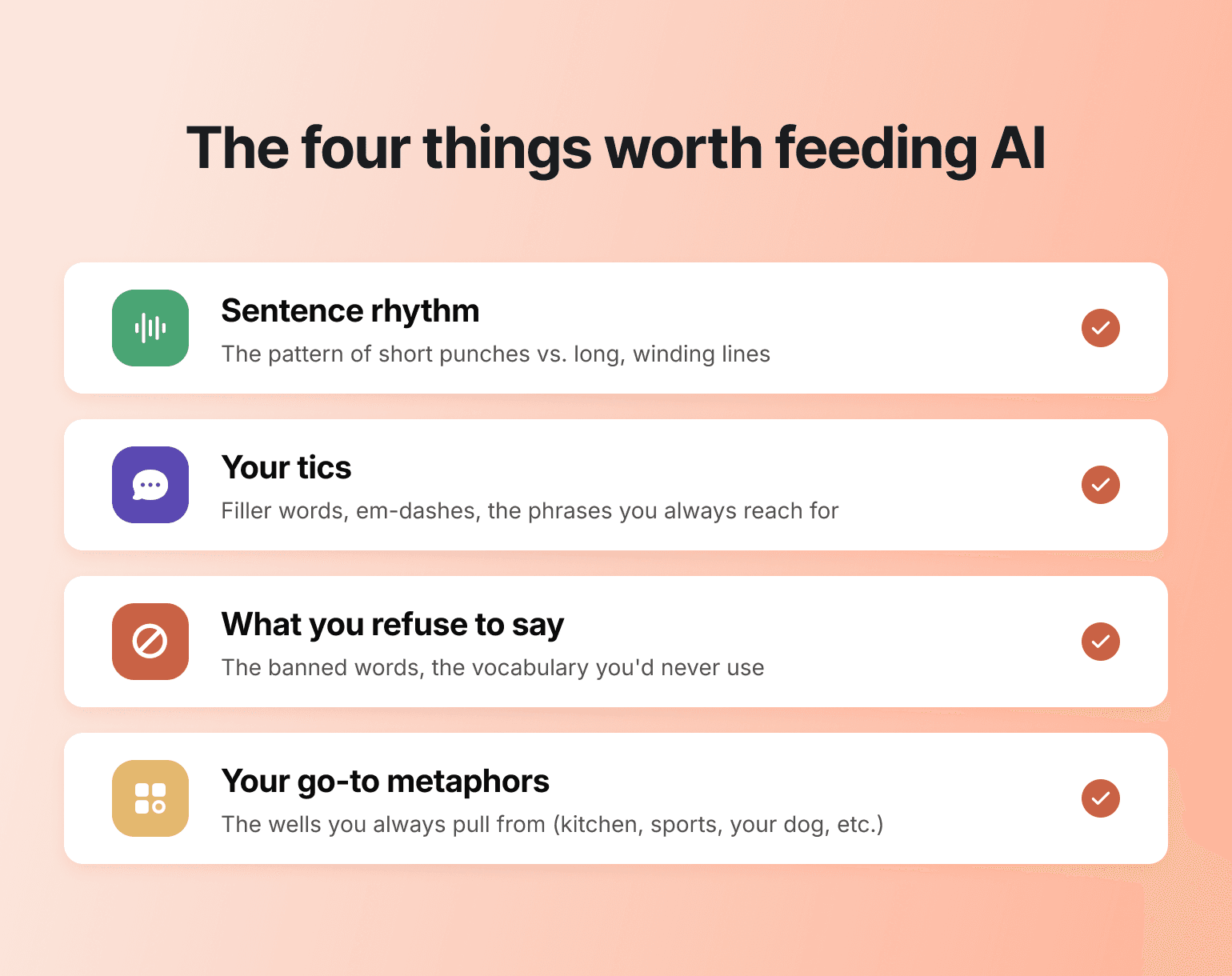
Gather three to five pieces that reflect your real voice, then ask AI to analyze them before it imitates anything. Pick the samples deliberately—the ones where members replied, screenshotted, or quoted you back. When you ask AI to analyze them, give it concrete things to look for:
- Sentence length variance. Do you write three short punches and then a long, winding one? That rhythm is half your voice. Ask the AI to map the pattern, not just describe the tone.
- Your filler words and tics. The "honestly," the em-dashes, the parenthetical asides, the way you start a paragraph with "Look —" when you're about to push back. These are fingerprints. Tell the AI to keep them, not smooth them out.
- What you refuse to say. Voice is also what's missing. If you never use "leverage" as a verb, or you've banned "unlock" from your vocabulary, write that into the style guide as a do-not-use list. AI defaults to those words; you have to defend against them.
- Your go-to metaphors. If you reach for kitchen analogies, sports references, or stories about your dog, tell the AI so it pulls from the same well. It'll work with whatever you hand it.
Then just let it write. Give it the style guide and a real assignment, and compare what comes back against a piece you wrote. If it lands close, your voice profile works; if it's off, tell the AI what's missing and refine.
Choose topics based on what already worked
Whatever you point AI at—a post, a feed, an event, an onboarding flow—build it around what's already working instead of a blank prompt. Take content: feed AI your proven pieces first, then ask for new angles, and apply your own expertise to fit what comes back to your strategy, your vision, and your actual community.
When you ask AI to write on a topic with no input, the tool has little of your judgment or point of view to work from. You end up with content that sounds like everyone else's AI-generated content because it isn't anchored in anything only you would say. For anyone running a community, that blandness is especially risky: members pay for your judgment, your voice, and your perspective. They can get a generic answer from their own AI anywhere else.
The fix is to give it something only you have. Pull together the raw material you've already made—an old lead magnet, a few past emails, a call transcript—and hand it over with a quick audio note laying out the focus for this week. Let AI turn that into a rough first draft, then edit and revise until the piece sounds like it came from you.
Some old pieces make better inputs than others, so don't hand over everything you've ever published. You're looking for the work that proved itself: the few posts still pulling traffic and replies a year on, or the one members keep bringing up in the comments months later. That's the piece with a real idea inside it. Start there, ask AI for ten fresh angles on it, and the spark stays yours while the amplification is the part you hand off. That's what makes the process feel earned—you're multiplying your own proven thinking, not outsourcing it.

Most AI advice for creators is generic. Ours isn't.
Pressure-test an idea by wearing different hats
AI is useful for generating drafts, and it's just as useful for stress-testing them. Before a post goes live, have AI role-play the people who'll read it and tell you where it's weak, so you fix it before members do.
The mechanics are simple: paste your draft into a session and prompt the AI to argue against you as a skeptical member with an editor's eye. The weak spots surface while they're still private—and that’s your chance to perfect the positioning.
Say you've drafted an announcement raising your membership price. Before posting, spin up three personas and put each one to work:
- The skeptic with a renewal coming up. Prompt: "You're a member whose annual plan renews in three weeks. Read this announcement and tell me the exact sentence where you'd open a new tab to compare alternatives." You'll usually find you led with the increase instead of what's changing on their side of the equation.
- The founding member who paid full price on day one. Prompt: "You joined in the first cohort, no discount, no perks. Read this and tell me whether it acknowledges long-time members like you at all." This is the persona that catches the missing nod to grandfathered rates, or the thank-you you skipped because you were focused on the math.
- The lurker who reads but never posts. Prompt: "You've been a member for six months and have never commented. Does anything in this announcement give you a reason to stay?" Useful because lurkers are the silent majority of most churn.
You get to rewrite while the risk is still private, instead of learning the same things from cancellation replies on Monday morning.
Keep a human on anything a member feels
Keep human approval on anything emotional or high-stakes. Lauren LeGallais, Circle’s community ops coordinator, ran into this directly. She needed to change a notification setting that would reset everyone's preferences, and she didn't want our most engaged members—the ones who show up consistently to help others—to suddenly notice things had gone quiet.
So she had Claude (connected to her community through Circle's MCP) read across the busiest threads to find her top contributors, then cross-reference that against those who'd been active recently. With that short list, she sent each of them a personal DM by first name before the change went live. The result: a change that could have felt abrupt landed as a warm heads-up instead. AI did the finding and cross-referencing; the care, and the decision to reach out, stayed hers.
Draw the line by message type
A useful strategy is to draw the line by message type. A few examples of where each one lands:
| Level of AI-assistance | Message type |
|---|---|
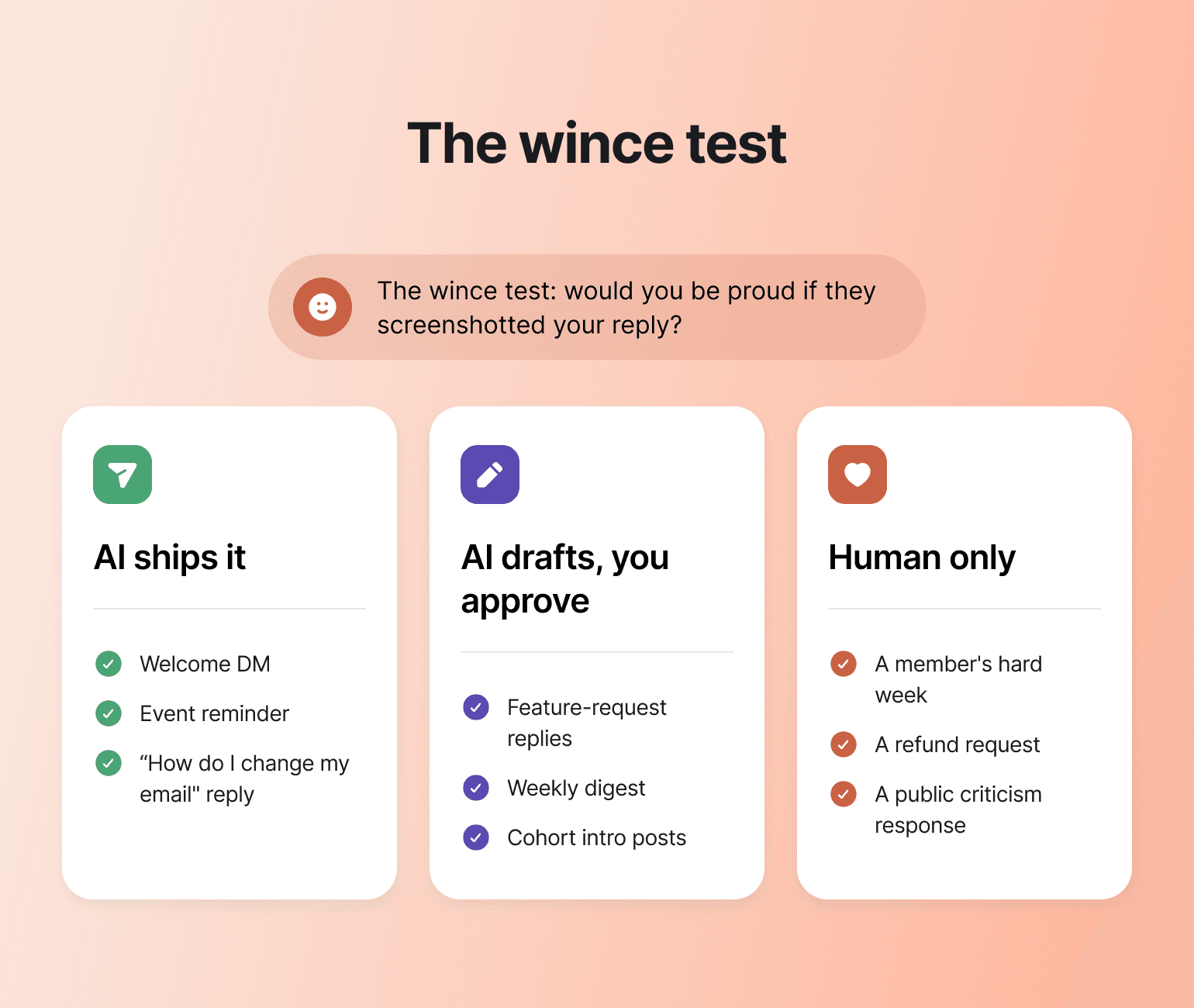
| Fully automated (AI ships it). None of these carry emotional weight, and a delay helps no one. | The day-one welcome DM with the orientation link. The "your event starts in an hour" reminder. The reply to "how do I change my email?" |
| AI drafts, you approve. The pattern is repeatable but the wording matters, so you scan before it sends. | Replies to feature requests, The weekly digest, Intro posts for new cohort members. |
| Human only, no AI in the loop. The reply you'd write at 11pm because it's been sitting with you all day—that one is yours. | A member posting about a job loss, a health scare, or a hard week. A refund request from someone who's been with you for years. A response to public criticism of your work. |
A quick gut check before you let AI send anything: if the member screenshotted your reply and posted it back to the community with the caption "look what they sent me," would you be proud of it, or would you wince? If you'd wince, write it yourself.
That nuance protects member retention, because the relationship stays human where it counts. Good Inside, Dr. Becky's parenting membership, needed a private home for conversations too sensitive for an Instagram post, so the team built automated moderation to protect psychological safety while keeping the empathetic work human. The community now serves more than 125,000 parents, with a 47% monthly active member rate.
💡 Community tip: Before an AI-assisted message goes out to members, send it to your own account first and read it back the way a member would. A ten-second test catches the tone that's slightly off or the line that lands wrong, and it's a habit worth keeping even once you trust the setup.
Give AI more context, not more tools
AI gets more personalized when it has more of the right information. Past a certain point, every tool you add means paying twice for overlapping features and scattering your member data across systems that don't talk to each other—more cost and more drag than it returns.
When your community, courses, email, and payments sit in separate tools, every AI workflow works off a partial picture of each member; when they live in one creator tech stack, it works off the whole.
Circle AI is built to help you manage this balance. It acts on your behalf where the work is operational, and hands it back to you where the work is personal.
Augment Business School ran courses on one platform and community on another for two years, and the split created friction for students and undercut a premium brand. After migrating, they doubled their student base within four months and now serve more than 6,000 students across 94 countries. Everything runs on Circle—courses, community, a branded app, and Workflows that segment students and send geography-based routing DMs.
Once your foundation is lean, one foundation video or post can become a newsletter, social clips, a course outline, and a dozen scheduled posts—all in your voice, with your unique context. For the full mechanics of turning one asset into many, work from a dedicated content repurposing playbook rather than guessing.
The habit that keeps your community yours
The habit is simple: choose where AI belongs before it touches the member relationship. The creators who win with AI keep their voice and judgment in the work, with a human hand on anything a member feels, while letting the busywork disappear. AI should work from your real member context and amplify what already resonated.
That is why one connected platform matters: when your community, courses, email, and payments live in one place, every AI workflow reasons from your members' real activity instead of a partial copy, so you get to scale your reach while keeping yourself in the relationship. And owning that platform protects your recurring revenue: borrowed reach on someone else's platform can vanish with an algorithm change. A community you own keeps the relationship in your hands.
Keep your voice. Let AI carry the busywork.
Community content creator AI FAQ
Is it cheating to use AI for community content?
No, as long as the thinking stays yours. Use AI to expand your proven ideas while you keep final judgment. Feed it your own material and edit everything that ships, and you're multiplying your own work.
Will my members be able to tell I used AI?
Voice-trained, human-edited content reads as you; generic, voiceless content doesn't. Members notice whether a real person reviewed and shaped anything they will feel, even if they can't always say why.
Should I tell my members I use AI?
You don't need to label every AI-assisted draft, but don't hide it either. Members care less about whether a tool touched the work and more about whether a real person stands behind it. If you're using AI to handle FAQs or onboarding nudges, being open about it can even build trust—it signals you're spending your actual attention on the conversations that need you.
Will using AI make my community feel less personal?
Only if you point it at the wrong things. Used on the operational layer—onboarding sequences, event reminders, surfacing which threads need you—AI gives you back the hours to be more present where it counts, not less. The communities that feel impersonal are usually the ones where the founder is too buried in busywork to show up at all.

Head of Product Marketing
JK Sparks is Circle's Head of Product Marketing, shaping the positioning, messaging, and go-to-market strategy behind the company's biggest product launches.