12 Best Patreon alternatives for serious creators in 2026
For years, Patreon has been the default platform for creators who want to earn recurring income from their audience. But as the creator economy matures, many creators are starting to outgrow it.
If you want to sell digital products, launch a course, or build a community, Patreon can feel somewhat limited. On top of that, recent changes, including a 10% platform fee for new creators and ongoing uncertainty around Apple’s in-app billing rules, have pushed many creators to start exploring alternatives.
If you need help narrowing down the best alternatives to Patreon, you’ve come to the right place. In this guide, we’ve rounded up the top 12 Patreon alternatives to help you pick the right solution based on your use case, budget, and future growth plans.
Why creators are leaving Patreon
So what exactly is pushing creators to explore Patreon alternatives? Here are the biggest factors behind that shift:👇🏼
Higher platform fees that cut into revenue
One of the biggest sticking points is cost. Patreon now charges a 10% platform fee for new creators, on top of standard payment processing fees (typically around 2.9% + $0.30 per transaction). If you’re a creator earning meaningful revenue, those percentages can quickly add up, especially compared to platforms that charge flat monthly pricing or lower transaction fees.
Apple’s in-app billing mandate
Another major concern is the ongoing situation with Apple’s App Store rules. To keep the Patreon iOS app available, Patreon has had to move toward Apple’s in-app purchase system for subscriptions, which can carry a 30% fee on transactions made through the app. While not every payment is affected, the uncertainty around how these policies will evolve is making many creators uneasy about building their entire business on the platform.
Limited tools for growing a creator business
Patreon works well as a membership and content subscription platform, but it’s relatively limited when it comes to running a broader creator business. There’s no built-in course platform, limited customization and branding options, and only basic community tools like comments and chats. If you want to host courses, run events, build a full community, or create a branded member experience, you’ll often need to rely on multiple external tools.
Multiple tools = higher ongoing costs
Platform risk and lack of ownership
Finally, some creators worry about the risks of building their entire income on a single platform. Changes to fees, policies, or billing rules can happen quickly, and creators don’t fully control the platform experience.
This is one reason more creators are building owned communities instead. According to our 2026 Community Trends report, 46% of creators say having a community gives their business a clear competitive advantage, helping them build deeper relationships and long-term audience loyalty.
How to choose the right Patreon alternative
Now that we’ve looked at why creators are moving away from Patreon, the next question is: what should you switch to instead?
The right platform will largely depend on what kind of creator you are and how you monetize your audience. If you sell digital products, such as ebooks, templates, or design assets, you’ll want a platform built for product sales. These typically offer storefronts, download delivery, and flexible pricing options for one-time purchases.
If you’re a community builder, choose a platform designed to facilitate discussions, events, and member-to-member interaction.
Here’s a quick table to help you self-identify which type of platform might suit your creator business best:
| Creator type | What you're trying to do | Features to prioritize | Best platform type |
|---|---|---|---|
| Fan-supported creators | Accept tips or small recurring contributions from your audience | Simple payments, membership tiers, low transaction fees | Tip-jar and membership platforms |
| Digital product sellers | Sell ebooks, templates, music, software, or other downloads | Product storefront, file delivery, flexible pricing, sales pages | Digital product platforms |
| Course creators & educators | Teach through structured programs, workshops, or learning content | Course builder, lesson organization, progress tracking, student management | Online course platforms |
| Community builders | Build an engaged member space where people interact with each other | Discussions, events, member profiles, networking features | Community platforms |
| Creator businesses | Run multiple revenue streams from one place | Courses, memberships, community features, branding, analytics | All-in-one creator platforms |
Of course, as you filter through your list of Patreon alternatives, don’t forget to evaluate factors such as:
- Ease of use: Will you need to spend months learning the tool, or will you be able to use it right away? And will it be easy for your members to get used to?
- Branding and customization: Can you white-label it? Can you customize it to match your brand and preferences?
- Integration capabilities: Will it work with your existing tools, such as your CRM, payment gateways, project management software, and email marketing tools?
- Security and privacy: Is it compliant with GDPR? Does it support 2FA and provide strict access controls to protect user data? You definitely don’t want to end up in hot water when it comes to data protection and security.
- Customer support: At some point, you might run into a technical problem or need help understanding how something works. Check independent third-party review sites like G2, Capterra, and Trustpilot to choose a platform that offers excellent customer support.
12 Best Patreon alternatives in 2026: A quick overview
Before getting into the specifics of each tool, here’s a breakdown of the platforms we’ll review by use case, along with their starting prices and standout features.👇🏼
| Platform | Best for | Key features | Starting price |
|---|---|---|---|
| Circle | Community-focused creators | Community spaces, courses, live events, gamification, workflows, branded apps | $89/month |
| Ko-fi | Solo creators who want a free Patreon alternative | Tips, memberships, digital shop, commissions, instant payouts | $0 (5% fee) |
| Buy Me a Coffee | Creators who want a simple tip-jar setup | One-click donations, memberships, digital “extras,” quick setup | $0 (5% fee) |
| Gumroad | Digital product sellers | Storefront, digital downloads, affiliates, marketplace discovery | $0 (10% + $0.50 per sale) |
| Memberful | WordPress publishers & podcast creators | Membership paywalls, subscription tiers, private podcast feeds, Stripe integration | $49/month |
| Podia | Solopreneurs selling courses and downloads | Courses, memberships, email marketing, digital product sales | $33/month |
| Substack | Writers and newsletter creators | Paid newsletters, audience discovery, built-in publishing tools | Free (10% fee on paid subs) |
| Kajabi | Creators selling courses and coaching programs | Courses, funnels, email automation, memberships, website builder | $143/month |
| Mighty Networks | Social-network-style communities | Activity feeds, sub-groups, courses, events, mobile apps | $79/month |
| Skool | Coaches wanting a simple course setup | Classroom + community, gamification, leaderboards, Stripe payments | $7.50/month |
| Ghost | Independent publishers | CMS publishing, newsletters, paid memberships, open-source hosting | $15/month |
| Thinkific | Dedicated course creators | Course builder, quizzes, certificates, memberships, analytics | $36/month |
1. Circle — best overall Patreon alternative for community-focused creators
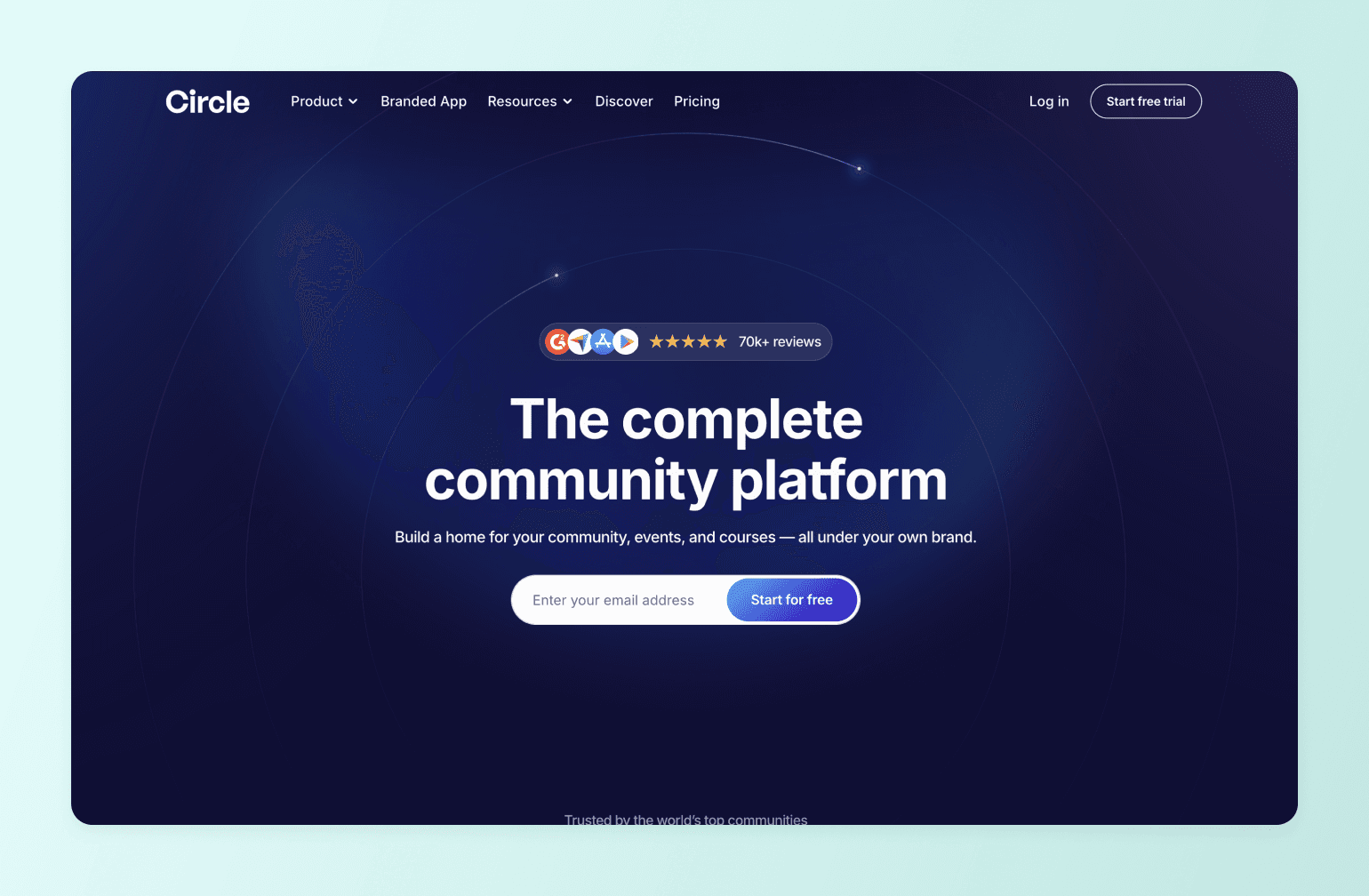
Circle is an all-in-one community platform designed for creators, educators, and membership businesses that want more than a simple subscription page. With Circle, you can build a branded community experience where members connect, learn, and grow together.
Members can participate in discussions, attend events, take courses, and interact with one another in a space designed to keep them engaged. Automation tools and AI agents trained on your content help handle repetitive tasks so you can focus on delivering value to your community.
What makes Circle fundamentally different from Patreon’s basic membership model is that creators get full ownership of their branded experience, along with the tools needed to grow a real community business. And because Circle charges a flat monthly price instead of taking a large percentage of revenue, creators earning around $10K per month can often save $600–$800 monthly compared to Patreon.
Key features:
- Structured community spaces with threaded discussions, chats, resources, and content
- Built-in course builder with drip scheduling and lesson modules
- Native live streaming and events for workshops, Q&As, and webinars
- Flexible monetization options for paid memberships, subscriptions, courses, and live events.
- Gamification tools like points, badges, and leaderboards
- Native community website builder
- Branded iOS and Android apps through Circle Plus for on-the-go member engagement
- Built-in analytics tracking engagement, retention, and revenue
- An integration ecosystem to connect with other business tools like Zapier, Slack, WordPress, and Loom.
Pricing:
Plans start at $89/month, and all core plans offer a 14-day free trial.
Ideal for:
Creators, coaches, educators, and membership businesses who want to build a branded community platform with courses, events, and deeper member engagement.
| Pros | Cons |
|---|---|
| Designed specifically for community-driven businesses. | Pricing may feel higher for creators just starting out. |
| Powerful engagement tools, including chat, live streams, and event hosting. | Due to frequent feature releases, some users may need time to adapt their communities as new capabilities are introduced. |
| Highly responsive support team that listens to and implements user feedback. | |
| Migration support for creators switching platforms. |
💬 Users say:
👍🏼 “Circle works well for both complex and more surface-level setups of online communities. Its interface is particularly well designed when it comes to adding new posts, events, and information. There's a good amount of freedom in how things can be set up - but not too much. The design options that are available are well implemented, it's hard to mess up, and easy to learn, which is a good combination. Our team accesses our Circle member portal daily and rarely encounters bugs or issues. If we do, they are resolved very quickly and have always been very minor.” - Verified review from G2
🤔 “Email notifications can be heavy, so we have to instruct users how to turn them off if needed.”- Verified review from G2
Circle vs. Patreon feature comparison
| Capability | Circle | Patreon |
|---|---|---|
| Community spaces (forums, threads, DMs) | ✅ Structured spaces, threads, DMs, member directory, Connect feature | ❌ Basic comments, polls, up to 10 chat spaces |
| Course builder | ✅ Drag-and-drop, self-paced/drip/scheduled, video transcriptions | ❌ None |
| Live events and streaming | ✅ Native live streaming (100–200 attendees), live rooms, RSVP, recurring events | ❌ None (requires external tools) |
| Branded mobile apps | ✅ Custom iOS/Android apps via Circle Plus | ❌ Patreon's app only |
| Gamification | ✅ Points, rank levels, leaderboards, custom rewards, automated achievements | ❌ None |
| AI features | ✅ AI Agents (community support), AI Copilot (writing), AI Workflows | ❌ None |
| Workflow automations | ✅ Visual workflow builder with triggers, actions, bulk ops, scheduling | ❌ None |
| Analytics | ✅ Full-funnel: website → engagement → revenue, activity scores, churn dashboards | ❌ Basic earnings, post engagement, and patron count |
| Custom domain and branding | ✅ Custom domain, CSS/JS, white-labeling, removable branding | ❌ Limited customization tools |
| Website builder | ✅ Built-in landing/sales pages | ❌ Patreon profile page only |
| Email marketing | ✅ Email Hub add-on with broadcasts, automations, segmentation | ❌ Basic post notifications only |
| Integrations | ✅ Zapier (37+ triggers), open API, Admin API, custom SSO | ❌ Discord, Vimeo, limited API |
| Data ownership | ✅ Full export capabilities, Stripe-based payments | ❌ Difficult to export, platform lock-in |
👉🏼 For a deeper dive, check out our Circle vs. Patreon comparison.

The only one on this list built for community, not just payouts.
2. Ko-fi — best free Patreon alternative for solo creators

One of Patreon's competitors, Ko-fi, is a creator-support platform that lets fans send tips, buy products, or subscribe to memberships. Unlike Patreon, Ko-fi focuses on direct payments and flexible monetization without platform lock-in, letting creators keep control over pricing, terms, and supporter relationships. Payments go directly to the creator's PayPal or Stripe account, meaning Ko-fi never holds funds or processes payouts itself.
Key features:
- One-time tips (“coffees”) for quick fan support.
- Membership tiers for recurring income.
- Digital shop and commissions for selling products or custom work.
- Page customization and embeddable support pages.
Pricing:
Ko-fi is free to use with a 5% service fee on earnings, or you can upgrade to Ko-fi Gold for $12/month to remove the service fee (0%).
Ideal for:
Artists, writers, streamers, and indie creators who want a simple, low-cost way to accept tips.
| Pros | Cons |
|---|---|
| Free plan with useful monetization tools. | Basic customization compared to full creator platforms. |
| Flexible ways to earn (tips, memberships, shop, commissions). | Limited engagement tools for member interaction. |
| Very quick setup for new creators. |
💬 Users say:
👍🏼 “The greatest site to share your art out there! In the beginning, I messed up setting my work, and the support from the Ko-fi team was instant and to the point!” - Verified review from Trustpilot
🤔 “I recently set up Ko-fi for an active creator support initiative. The setup was straightforward, and all payment methods (Stripe and PayPal) are fully verified, active, and in good standing. However, for several days since I activated my profile, multiple supporters across different countries (all these countries are within the country list both Stripe & PayPal accept payments from), browsers, and devices have been unable to complete checkout, consistently receiving errors with both card payments and PayPal.” - Verified review from Trustpilot
3. Buy Me a Coffee — best platform if you just want a simple tip-jar alternative

Buy Me a Coffee is quite similar to both Ko-fi and Patreon, except it’s designed to be even more straightforward. The platform focuses on quick fan support, allowing creators to receive tips, offer memberships, and sell small digital items from one simple page. Setup takes just a few minutes, so if you’re a creator who wants a simple tip-jar alternative, Buy Me a Coffee is a solid option.
Key features:
- One-click fan support (“buy a coffee”) with optional messages from supporters.
- Recurring memberships with exclusive content for subscribers.
- Creator shop for selling digital products.
- Posts, audio updates, and supporter emails to share free or members-only content.
Pricing:
Buy Me a Coffee is free to use, but it takes a flat 5% fee on every payment, plus standard payment-processing fees.
Ideal for:
Creators who want a simple tip-jar style platform with optional memberships and small digital sales.
| Pros | Cons |
|---|---|
| Extremely simple to set up. | Limited tools for building a community. |
| Creators keep full ownership of supporter lists and data. | Minimal customization and branding options. |
| Supports both one-time and recurring payments. | Customer support can be slow at times. |
💬 Users say:
👍🏼 “Buy Me a Coffee makes it easy for writers and artists to share their work and receive support without pressure. The platform feels personal, simple, and creator-first. I love how it lets me connect with readers in a more human way, not just through numbers or algorithms. Clean interface, smooth setup, and no unnecessary clutter. It just works.” - Verified review from Trustpilot
🤔 “Long waiting times for customer service, I messaged 2 days ago and still nothing, I also sent an email.” - Verified review from Trustpilot
4. Gumroad — best Patreon alternative for digital product sellers
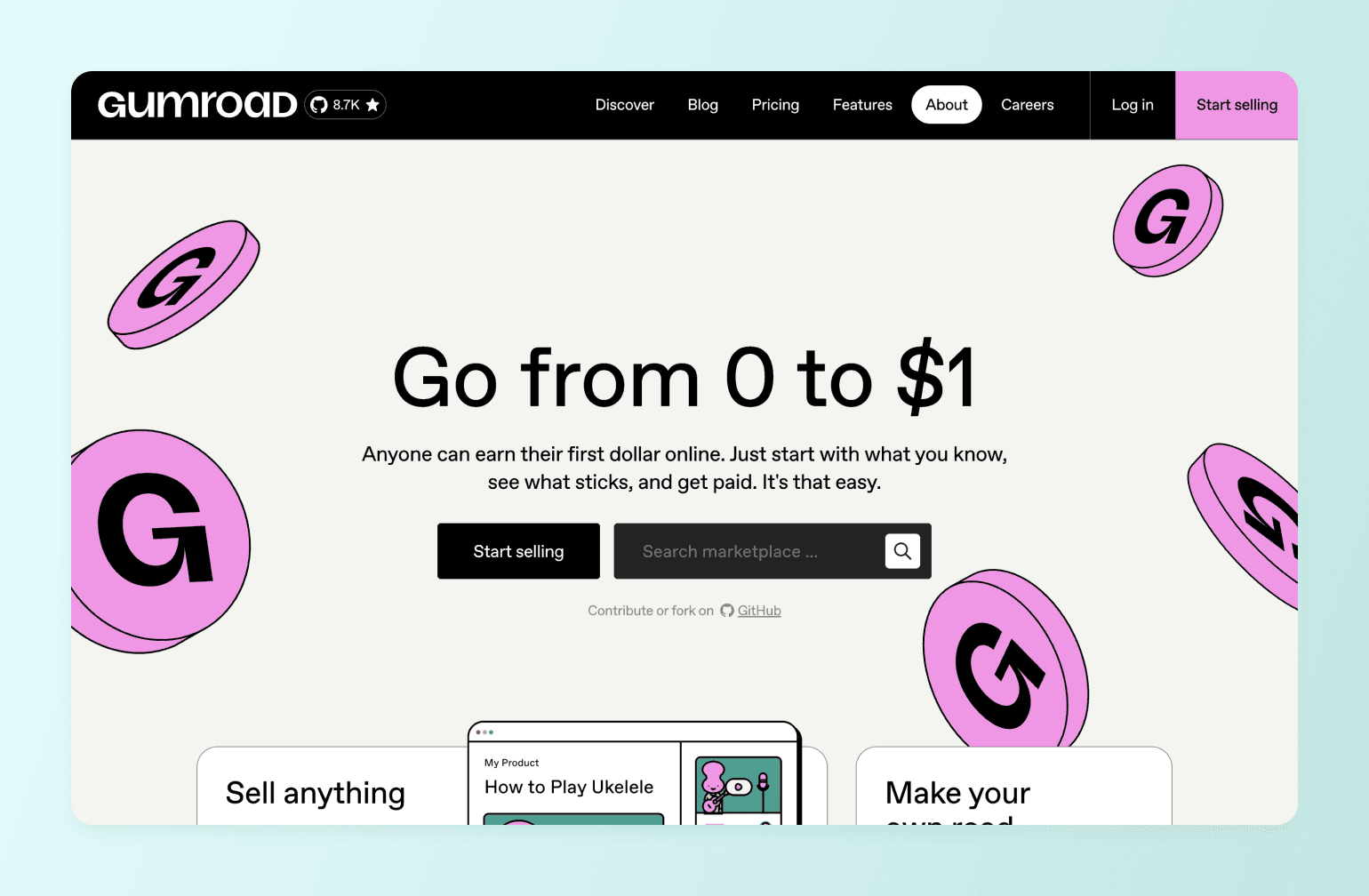
If you're a digital product creator who needs a simple platform to sell things like ebooks, templates, courses, or software, Gumroad is a great option. The platform was built to help creators quickly turn ideas into products and start earning online without setting up a full e-commerce store. But that’s pretty much the only use case Gumroad is good for.
If you want to build a community (or even just provide support to people who purchased your product), you won't have many tools to do so, and you'll probably need to take those support conversations elsewhere.
Key features:
- Digital product storefront for selling ebooks, templates, software, courses, and other downloads.
- Flexible pricing models, including one-time purchases, subscriptions, and pay-what-you-want.
- Built-in marketplace discovery that helps customers find products.
Pricing:
Gumroad charges 10% + $0.50 per sale through your direct links/profile, or 30% per sale if customers discover you via its marketplace.
Ideal for:
Creators who want a simple platform to sell digital products.
| Pros | Cons |
|---|---|
| Very easy to start selling digital products quickly. | Per-transaction fees can become expensive as sales grow. |
| No upfront monthly cost. | No real community or engagement features. |
| Supports multiple pricing models (one-time, subscription, pay-what-you-want). |
💬 Users say:
👍🏼 “As someone who actively uses Gumroad, I can say it’s one of the easiest ways to share and sell digital products online. The setup is quick, and it just works.” - Verified review from Product Hunt
🤔 “Payouts paused, and no one is responding to my messages. Zero customer support, this is so frustrating.” - Verified review from Trustpilot
5. Memberful — best Patreon alternative for WordPress and podcast creators

If you run a blog or a podcast and want to add memberships without moving platforms, Memberful is a strong option. Memberful acts as a membership layer that connects to your existing website, especially WordPress. It allows you to keep full ownership of your brand, audience, and payments while the platform handles subscriptions, member management, and access control.
However, since it focuses mostly on payments and access management, you'll still need other tools if you want to run a full community or course platform.
Key features:
- Membership management tools for subscriptions, trials, and tiered access.
- Deep WordPress integration to add memberships to an existing site.
- Private podcast feeds and newsletter integrations for members-only content.
Pricing:
Memberful costs $49/month plus a 4.9% transaction fee on payments, with a free trial until you start charging members.
Ideal for:
Publishers, bloggers, and podcasters who want to add paid memberships to their existing website without switching platforms.
| Pros | Cons |
|---|---|
| Strong ownership and branding since everything runs on your own website. | No built-in community or course platform. |
| Flexible subscription models (monthly, annual, group, pay-what-you-want). | Requires an existing website and some technical setup. |
| Integrates well with tools like WordPress, Discord, and email platforms. |
💬 Users say:
👍🏼 “We've been with Memberful for years, and it is the glue that holds our membership operation together. The service makes it easy for us to connect our own custom, self-hosted WordPress website with our third-party newsletter-sending service and even a self-hosted forum setup. It handles all of our member payments and renewals and gives us the tools we need to make this wacky operation work. The customer service and support are also consistently exceptional.” - Verified review from G2
🤔 “I wish there were more integration options.” - Verified review from G2
6. Podia — best affordable Patreon alternative for solopreneurs

Podia is an all-in-one platform that lets creators sell courses, digital downloads, and memberships from a single website. Compared to Patreon, it offers more flexibility for selling different types of digital products instead of focusing mainly on subscriptions. It also includes built-in tools like a website builder and email marketing, which can help simplify a creator's tech stack.
Key features:
- Sell multiple digital products, including courses, downloads, memberships, webinars, and coaching.
- Built-in website builder with customizable templates and landing pages.
- Email marketing and automations integrated directly into the platform.
Pricing:
Entry-level plan starts at 33/month + 5% transaction fee. There's a free 30-day trial available.
Ideal for:
Solopreneurs who want a simple all-in-one platform to sell digital products beyond Patreon-style memberships.
| Pros | Cons |
|---|---|
| Supports many digital product types beyond memberships. | Community features are fairly basic. |
| Built-in email marketing tools. | Less suitable for large-scale creator businesses. |
| Fairly simple to set up. |
💬 Users say:
👍🏼 “Podia is a wonderful platform for all of my needs. It is user-friendly, easy to learn, and consistent in providing new features and upgrades. I enjoy getting to know all they have to offer through easy-to-follow webinars that are full of useful information. Support is readily available and reliable.”- Verified review from Trustpilot
🤔 “I joined Podia as an experienced creator with an established brand and a clear plan to move to a paid subscription if the platform fit my needs. Instead, my account was locked immediately after sign up and remained inaccessible. On a normal working day, I received only automated AI replies and no human response. Meanwhile, the free trial kept counting down, even though I could not use the platform at all. For someone who works daily with online tools and platforms, this is simply unacceptable.” - Verified review from Trustpilot
Podia vs. Circle: See how Podia stacks up.
7. Substack — best Patreon alternative for writers and newsletter creators
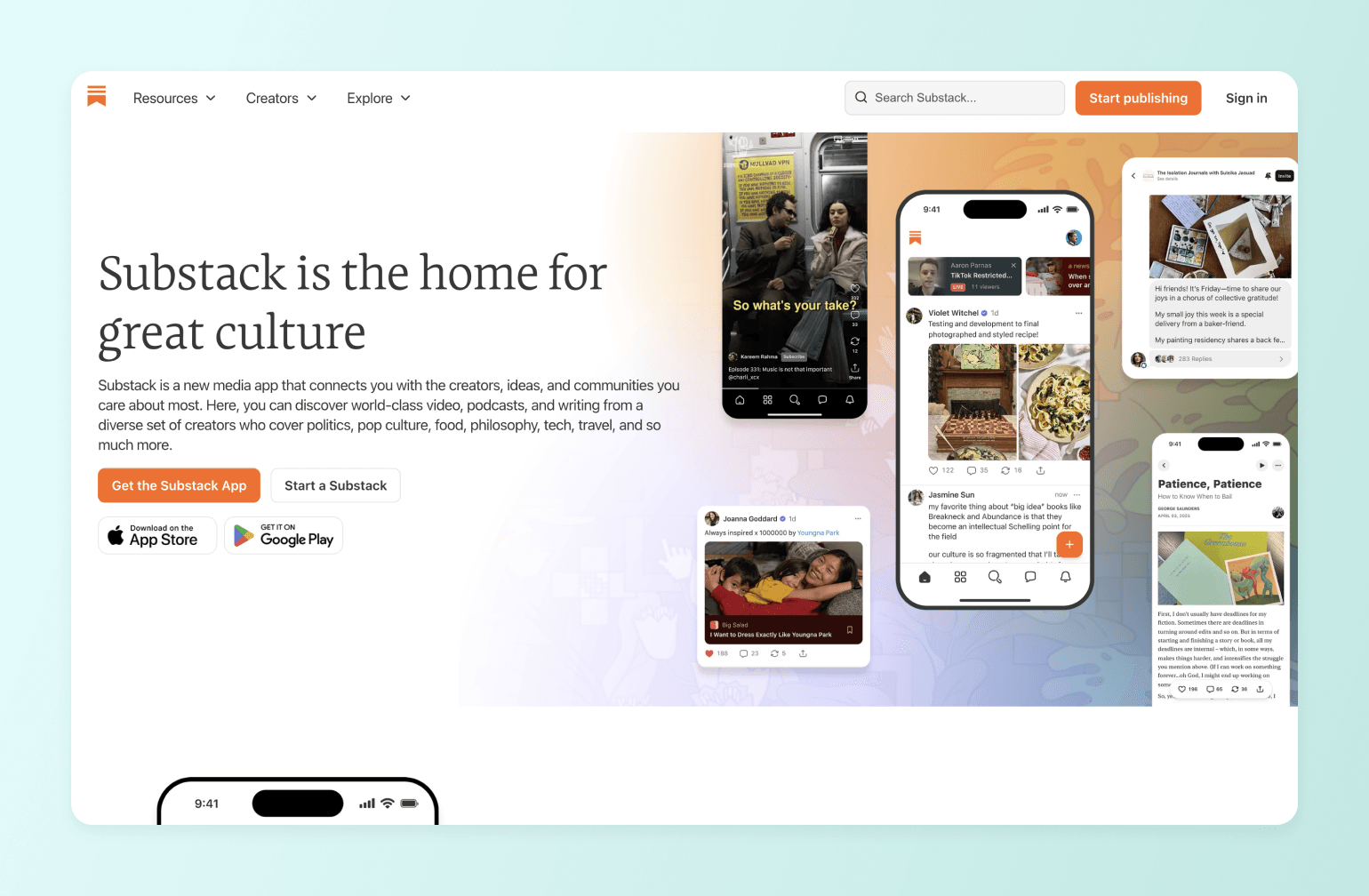
If you're a writer, journalist, or newsletter author, Substack is one of the most popular Patreon alternatives. The platform is built around publishing and monetizing newsletters. Creators can send free or paid posts directly to subscribers while also building an audience through Substack's built-in discovery network. Compared to Patreon, it's often a better fit for creators whose business revolves primarily around written content.
Key features:
- Paid subscriptions for premium newsletter content.
- Discovery features like Notes and recommendations to help grow an audience.
- Support for podcasts, video, and community chat.
Pricing:
Substack is free to use, but if you enable paid subscriptions, it takes a 10% fee per payment, plus standard Stripe processing fees.
Ideal for:
Writers, journalists, and newsletter creators who want to publish and monetize written content through subscriptions.
| Pros | Cons |
|---|---|
| Built specifically for newsletter publishing. | Limited customization and branding compared to owning your own platform. |
| No upfront cost to start publishing. | On a lighter side, when it comes to analytics. |
| Built-in audience discovery and recommendation network. | A 10% fee per transaction becomes expensive at scale. |
💬 Users say:
👍🏼 “It's somewhere between a blog and a magazine; a good place to share your writings and thoughts, as well as monetize your work.” - Verified review from G2
🤔 “Lacks basic features, analytics, and now doesn't care about writers after launching a TV app. Won't suggest anyone to use Substack to start your newsletter.” - Verified review from Trustpilot
Substack vs. Circle: See how Substack stacks up.
8. Kajabi — best for creators selling courses and coaching programs

Building a course or coaching business? You might want to check out Kajabi. While Patreon focuses mainly on memberships, Kajabi is designed to run an entire creator business, including courses, coaching programs, and marketing funnels. It combines website building, email marketing, and product sales in one platform, making it popular with creators who sell structured learning programs.
Key features:
- Course and coaching program builder with lessons, modules, and drip content.
- Marketing tools, including email campaigns, automations, and sales funnels.
- Memberships and subscriptions for recurring revenue.
- Website and landing page builder with customizable templates.
Pricing:
Kajabi offers a free 30-day trial. The entry-level plan is priced at $143/month + processing fees.
Ideal for:
Established creators, coaches, and educators who want to build a full course or coaching business.
| Pros | Cons |
|---|---|
| Strong sales funnel and automation features. | Much more expensive than most Patreon alternatives. |
| Built for selling structured learning programs. | Can be a bit of an overkill for simple memberships. |
| Integrated checkout and payments. |
💬 Users say:
👍🏼 “All in one platform meant I did not need to manage multiple new platforms or software at once. It was very easy to use and set up.” - Verified review from G2
🤔 “I started not liking Kajabi because they kept announcing new products that weren't great. They announced new things like a podcast feature and a community area, but they were very basic and not well-built. It seemed like they were trying to do a lot but weren't doing it well. There were things I wouldn't use because Kajabi was like halfway there, but didn't get it right. Also, the setup isn't easy; it takes a long time.” - Verified review from G2
Kajabi vs. Circle: See how Kajabi stacks up.
9. Mighty Networks — best Patreon alternative for social-network-style communities
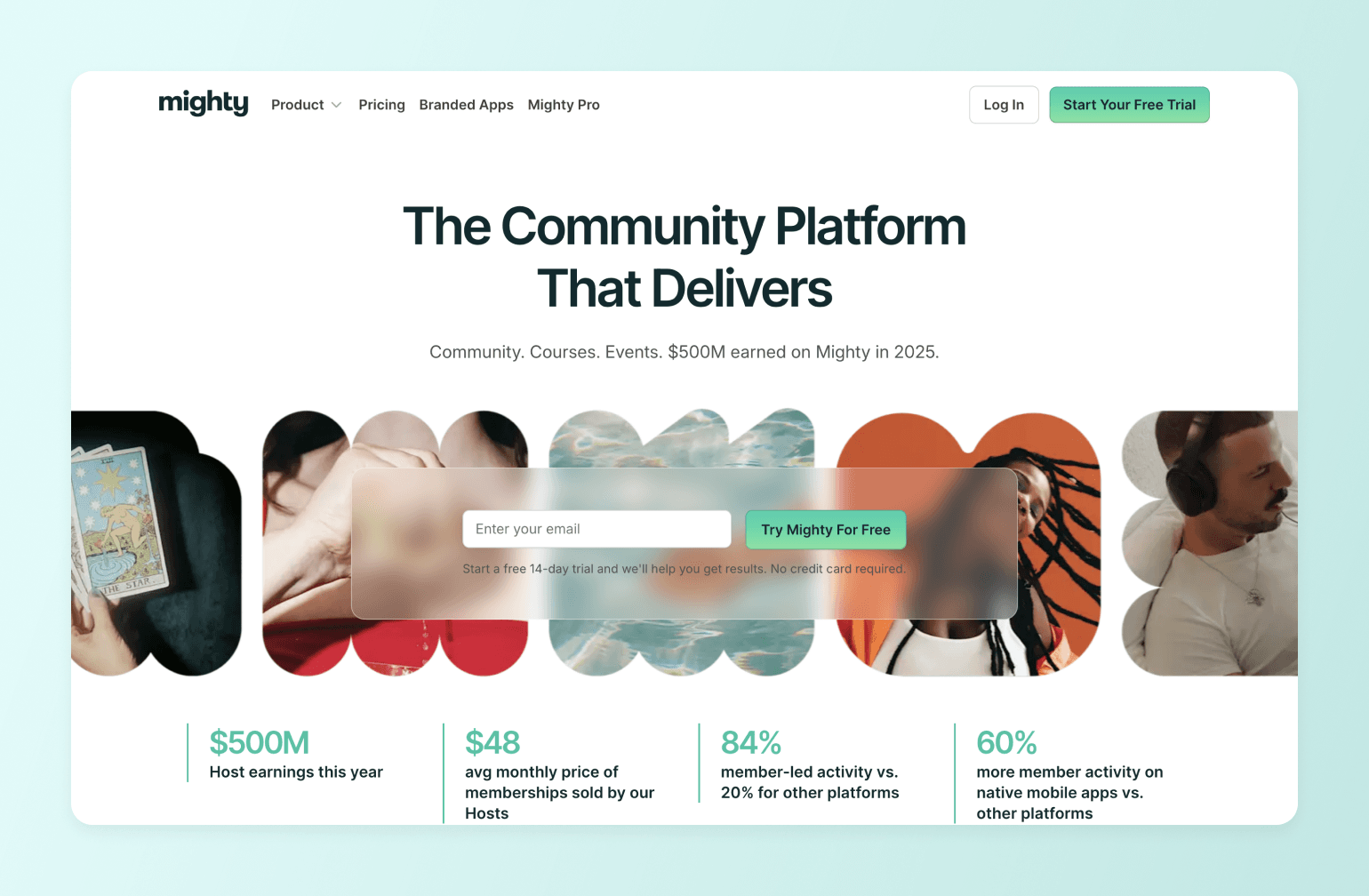
Mighty Networks focuses on building interactive communities, with tools for discussions, events, courses, and member networking. If you want your audience to connect with each other (not just consume your content), Mighty offers far more flexibility than Patreon.
Key features:
- Community spaces and activity feeds where members can post, comment, and interact.
- Courses and challenges for structured learning experiences.
- Events and live streaming for workshops, meetups, or live sessions.
- Native mobile apps for iOS and Android.
Pricing:
Plans start at $79/month, with a 14-day free trial available.
Ideal for:
Creators who want to build a social-network-style community with courses and memberships.
| Pros | Cons |
|---|---|
| Designed specifically for building interactive communities. | Interface and navigation can feel cluttered for larger communities. |
| Integrated events and live sessions. | Higher costs for advanced features. |
| Native iOS and Android apps. |
💬 Users say:
👍🏼 “I love how Mighty Networks has transformed our social-sports league and made growing a community actually manageable. The platform's ability to organize events and manage RSVPs easily is crucial, allowing our community members to check back and plan ahead seamlessly. I appreciate its mission of connecting people, which aligns with our mission to promote recreation and kinship.” - Verified review from G2
🤔 “Impromptu changes to where things are and how to get to them! There is no notification or warning of changes, and one has to waste a lot of time to find them.” - Verified review from G2
Mighty vs. Circle: See how Mighty Networks stacks up.
10. Skool — best Patreon alternative for simplicity-focused coaches
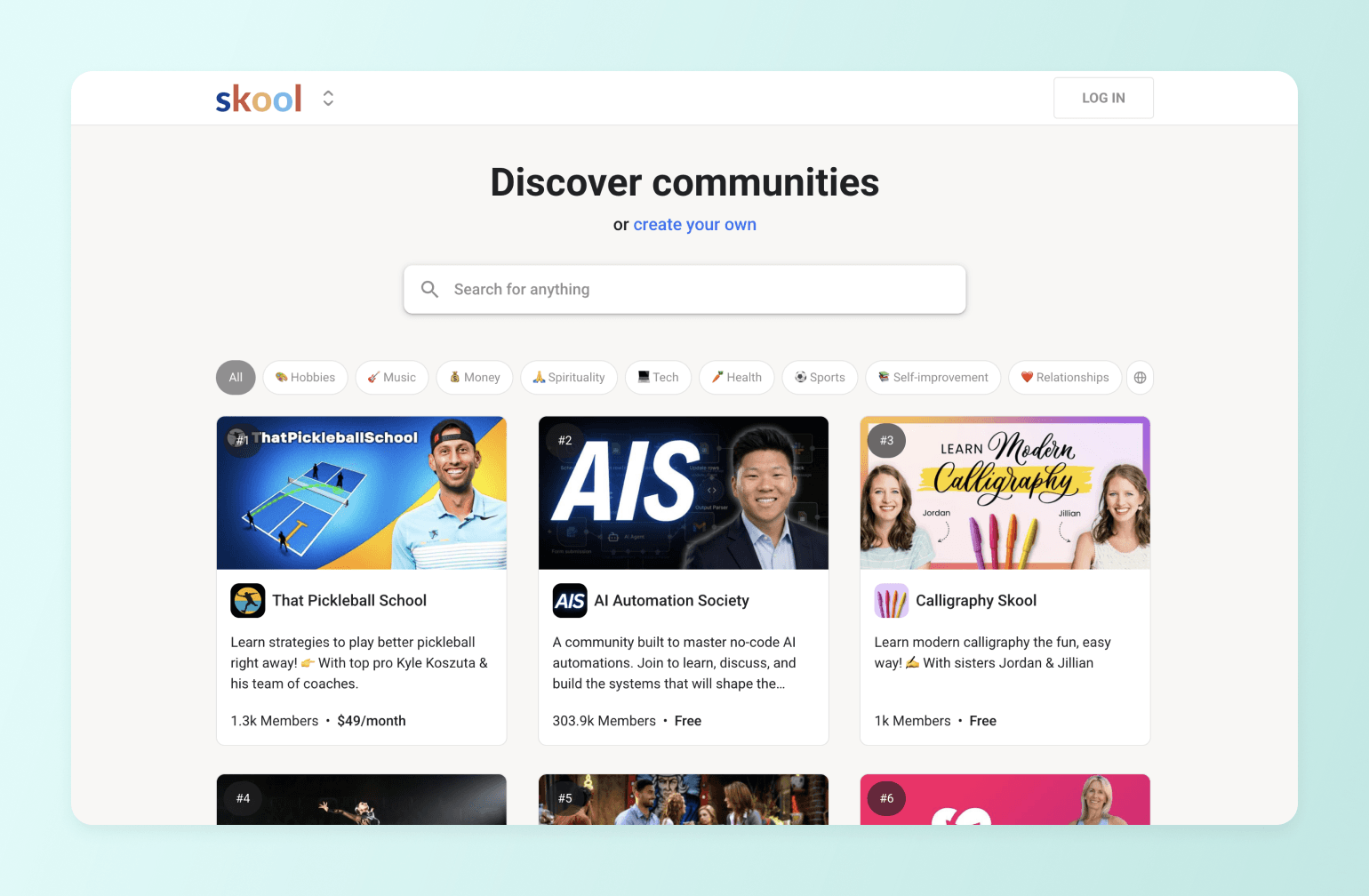
Next up, we have Skool—a platform that combines community discussions and courses in one place. Compared to Patreon, it focuses more on learning and group interaction rather than just posting content for subscribers. Its simple layout and built-in gamification make it especially popular with coaches and creators running small learning communities.
Key features:
- Community discussions with posts, comments, and member interactions.
- Course hosting (“classroom”) with videos, resources, and progress tracking.
- Event calendar and email broadcasts for updates and livestreams.
Pricing:
Skool offers a Hobby plan for $7.50/month with a 10% transaction fee, or a Pro plan for $82/month with a 2.9% transaction fee. A free trial available.
Ideal for:
Coaches and course creators who want a simple community + classroom setup.
| Pros | Cons |
|---|---|
| Very simple interface that’s easy to learn and manage. | Limited customization and branding options. |
| Built-in gamification encourages member participation. | Fewer integrations and marketing tools than many alternatives. |
| Community discovery feature. |
Skool vs. Circle: See how Skool stacks up.
11. Ghost — best Patreon alternative for independent publishers
If your work revolves around writing, such as newsletters, essays, journalism, or long-form articles, Ghost is worth a closer look. The platform is designed for creators who want to publish content, grow subscribers, run a media business, and earn recurring revenue.
Key features:
- Publishing platform and CMS for articles, newsletters, and premium content.
- Paid memberships and subscription tiers for recurring revenue.
- Email newsletter delivery built directly into the platform.
Pricing:
Ghost (Starter plan) costs $15/month for up to 1,000 members. A free 14-day trial available.
Ideal for:
Publishers, journalists, and bloggers who want to run an independent newsletter or media publication.
| Pros | Cons |
|---|---|
| Full ownership of audience data and content. | Limited community or engagement features. |
| Ability to run discounts, sales, and special offers to entice new subscribers. | The interface isn’t the most user-friendly. |
| An open-source platform, giving creators full control and transparency. |
💬 Users say:
👍🏼 “I like that Ghost is easy to use. There are almost no plugins to install or maintain, as most features I use are built into the core software. Installing Ghost was a breeze. I use an SAAS cloud platform called Cloudron, which helps tremendously with installing, backing up and updating to the latest Ghost version. I have Ghost run daily for the visitors on my blog. Integrating with Stripe for the subscription feature was also super easy, thanks to the Ghost team. I am self-hosting Ghost, but have received a ton of support from the folks over at their community forum.” - Verified review from G2
🤔 “Horrible user interface. One of the least user-friendly CMS platforms available.” - Verified review from Trustpilot
12. Thinkific — best dedicated course platform

To round up our list, we have Thinkific—an online course platform designed for creators who want to build and sell structured learning programs online. The platform focuses on delivering educational experiences, with tools for lessons, quizzes, certificates, and student progress tracking. If you want to branch out into online education, Thinkific is a more purpose-built tool than Patreon.
Key features:
- Drag-and-drop course builder for creating structured learning programs.
- Student engagement tools like quizzes, assignments, and certificates.
- Built-in payments and selling tools for subscriptions or one-time purchases.
Pricing:
Starts at $36/month. A 30-day free trial available.
Ideal for:
Educators who want a dedicated platform for selling structured online learning programs.
| Pros | Cons |
|---|---|
| Reliable infrastructure for online learning. | Analytics and reporting could be more robust. |
| Flexible pricing models. | Advanced features require higher-tier plans. |
| Good customer support and onboarding resources. |
💬 Users say:
👍🏼 “I like how streamlined Thinkific is. It's very straightforward on the content creator side, but also streamlined for the learner going through the course. I find it very customizable, so I was able to brand it to look just like we wanted. It was really easy to offload everything from WordPress to Thinkific.” – Verified review from G2
🤔 “Although Thinkific Plus is a strong platform, its higher pricing can be difficult for smaller businesses to justify. The analytics, while useful, could be more comprehensive, and some aspects of design customization may require coding knowledge.” – Verified review from G2
Thinkific vs. Circle: See how Thinkific stacks up.
So… what’s the right choice for you?
Choosing the right Patreon alternative ultimately comes down to how you want to grow your creator business. Some platforms focus on simple fan support, while others are better suited for digital products or courses. But if your goal is to build a community-led business with multiple revenue streams, you’ll want a platform designed for long-term engagement and ownership.
If you’re ready to move beyond a basic subscription page and build a real community experience, Circle is a powerful place to start. And if you’re migrating from Patreon or another platform, Circle also offers dedicated migration support to help make the transition smooth.
Ready to stop paying Patreon's cut?
FAQs
Why are artists and creators leaving Patreon?
The biggest driver right now is fees. Patreon charges new creators a flat 10% platform fee on top of standard payment processing (2.9% + $0.30 per transaction), meaning creators typically keep only 84–87 cents of every dollar earned on web — and significantly less for iOS subscribers. In January 2026, Apple reimposed a mandate requiring Patreon to route all iOS memberships through Apple's in-app purchase system by November 2026, which carries an additional 30% fee on those transactions.
Beyond fees, many creators cite the platform's structural limitations: no course tools, no member-to-member community features beyond basic comments and chat spaces, no custom domain or branding, and difficult content export if you ever want to leave. As one Capterra reviewer put it: "You have to build a community outside of Patreon and then bring them to Patreon — the platform doesn't help you grow."
What is the best free alternative to Patreon?
Ko-fi and Buy Me a Coffee are the strongest free options. Ko-fi charges 0% on tips and one-time sales, with a 5% fee on memberships (or $0 on everything with Ko-fi Gold at $12/month). Buy Me a Coffee takes a flat 5% on all transactions with no monthly cost. Gumroad and Substack also have no upfront fee, though both take 10% of revenue — which gets expensive at scale.
The trade-off with free platforms is that percentage-based fees eventually cost more than a flat monthly subscription. A creator earning $3,000/month pays Substack $300/month; that same creator on a flat-rate platform like Circle or Ghost would pay far less in platform fees at that revenue level.
How do Patreon's fees compare to other platforms?
Patreon's total fee burden is one of the highest among mainstream creator platforms. At $5,000/month in revenue, you're paying roughly $650 to Patreon (10% platform + ~3% processing).
By comparison:
- Ghost charges 0% platform fee (just hosting from $15/month)
- Ko-fi Gold takes 0% for $12/month
- Circle charges $89–$199/month plus a 1–2% transaction fee, which at $5K/month works out to roughly $140–$290 total
- Gumroad and Substack charge 10% with no monthly fee — similar to Patreon but without the same community or branding tools
The platforms with the lowest effective fees at scale are Ghost (for newsletter-first creators), Circle (for community and course businesses), and Ko-fi Gold (for tip-driven creators).
What is the best Patreon alternative for building a community?
If member-to-member connection is the goal — not just content delivery — Patreon isn't really designed for it. Its community features are limited to basic post comments, polls, and up to 10 chat spaces.
Circle is built specifically for two-way community engagement. Circle offers structured discussion spaces, threaded posts, direct messaging, member directories, live events, and courses in one branded environment.
Can I sell online courses alongside my memberships?
Patreon has no native course capability. If you want to combine memberships with structured learning — lessons, modules, drip content, progress tracking — you'll need a different platform or an additional tool.
Circle, Kajabi, Podia, Thinkific, and Mighty Networks all let you sell courses alongside memberships in a single platform. Thinkific is the most dedicated LMS with robust assessment tools (quizzes, certificates, SCORM). Circle adds marketing funnels, email automation, and lets courses live inside the same community where members discuss and attend events, which tends to improve completion rates.
If you're currently on Patreon and also running a separate course platform like Teachable or Kajabi, consolidating onto one of these saves you on both monthly fees and integration complexity.
Can I use a Patreon alternative without building my own website?
Yes — most of the major alternatives are fully hosted and don't require a separate website. Circle, Ko-fi, Buy Me a Coffee, Mighty Networks, Skool, Substack, and Gumroad all give you a hosted presence out of the box.
Several platforms also include a built-in website or landing page builder: Circle has a native website builder, and Podia and Kajabi offer full site builders. The platforms that do require an existing website are WordPress-based solutions like Memberful and BuddyBoss, which act as membership layers on top of a site you host yourself. Ghost can be self-hosted (free) or hosted (from $15/month), giving you the option either way.
How do I migrate my audience from Patreon to another platform?
Patreon doesn't have a native migration tool — your supporters need to actively re-subscribe on the new platform. In practice, most creators run both platforms simultaneously for two to four weeks, communicate the move clearly via Patreon posts, email, and social media, and offer an incentive for early movers (a discount, exclusive content, or a direct thank-you).
Creators who give their audience a specific cutover date and explain the reason for moving — usually fees, ownership, or feature needs — typically retain the majority of their supporters. Exporting your patron list from Patreon (available via the Relationship Manager as a CSV with email addresses) is your first step; from there you can email your audience directly, regardless of which new platform you choose.
Is it worth switching from Patreon, or should I keep using both?
Running both temporarily is a legitimate transition strategy and doesn't have to be permanent. The case for switching outright gets stronger the more revenue you're generating: at $5,000/month, Patreon costs roughly $650/month in combined fees, compared to $150–$300 on most flat-rate alternatives. Below $1,000/month, the math is closer and the switching cost (time to migrate, potential patron churn) may not justify the move immediately.
The case for switching is also stronger if you need features Patreon doesn't have — courses, community tools, custom branding, or data ownership — rather than just lower fees. For creators hitting a ceiling on engagement or wanting to build something they fully own, the platform change is usually worth it at any revenue level.
Contributing Writer
Paulina Major writes about online courses, freelancing, and growth. She helps creators build, launch, and grow educational communities that thrive.