How to create your own coaching app with Circle
TL;DR
- You can launch a branded coaching app without writing code, hiring developers, or running a build project — you configure it, and Circle's team builds and publishes it.
- The first question isn't which app to build. It's whether you need one at all, and the answer turns on how much of your coaching already lives on a phone.
- You can start on Circle's shared app, then upgrade to an own-brand listing later — your community, courses, payments, and history come with you.
Mila Clarke runs Glucose Guide, a diabetes support community, and for a while her members had to choose between two things: her community and her separate food journaling app, each with its own login and subscription. So she used Circle’s custom app builder to embed food journaling inside her branded app, putting meal logging, community, and coaching under one login and one subscription.
Combining the two took under 10 minutes to configure, with no developers and no agency. The app brought in more than 300 signups on launch day. Live-session attendance climbed 34%, mobile engagement time 36%, and daily active members on mobile 14%.
You can get the same thing for your own program: an app in the App Store and Google Play, under your name, where clients do the work, message you, and pay you in one place. What you don’t want is a six-figure development quote, a year of custom build work, or a launch project you don’t know how to run. This guide covers whether you need an app at all, which kind fits, how to build it, and what the store process asks of you.
What a coaching app actually is
A coaching app is the mobile home for the work you already do with clients: lessons, check-ins, questions, live calls, and payments, pulled into one place they open from a phone. It holds your program in your clients' pockets, under your brand: the lessons, the check-ins, the questions, and the access to you.
Do you need a coaching app at all?
Not every coaching business needs one. If your clients mostly work from a laptop and your program runs fine over the web, an app adds cost and steps without much return. It earns its place when:
- Your clients live on their phones. They read, message you, and join calls from mobile, so your program should meet them there.
- Your results depend on timing. Launch weeks, live calls, and daily check-ins hinge on people showing up at the right moment, and a push notification lands where email doesn't.
- Your market is crowded. An icon on a client’s phone is a credibility signal and a spot you own, not borrowed reach in a feed you don’t control. Sabby Bagga, who coached real estate agents on YouTube growth through Agent on Tube Academy, put it this way: “Being able to say ‘download our app’ completely changes the perception. Everybody has a website, but not everyone has an app. That instantly set us apart.”
If none of that is true yet, keep serving clients on the web and revisit when it is. If one or more rings true, look at where your coaching model sits.
The coaching models that get the most out of an app
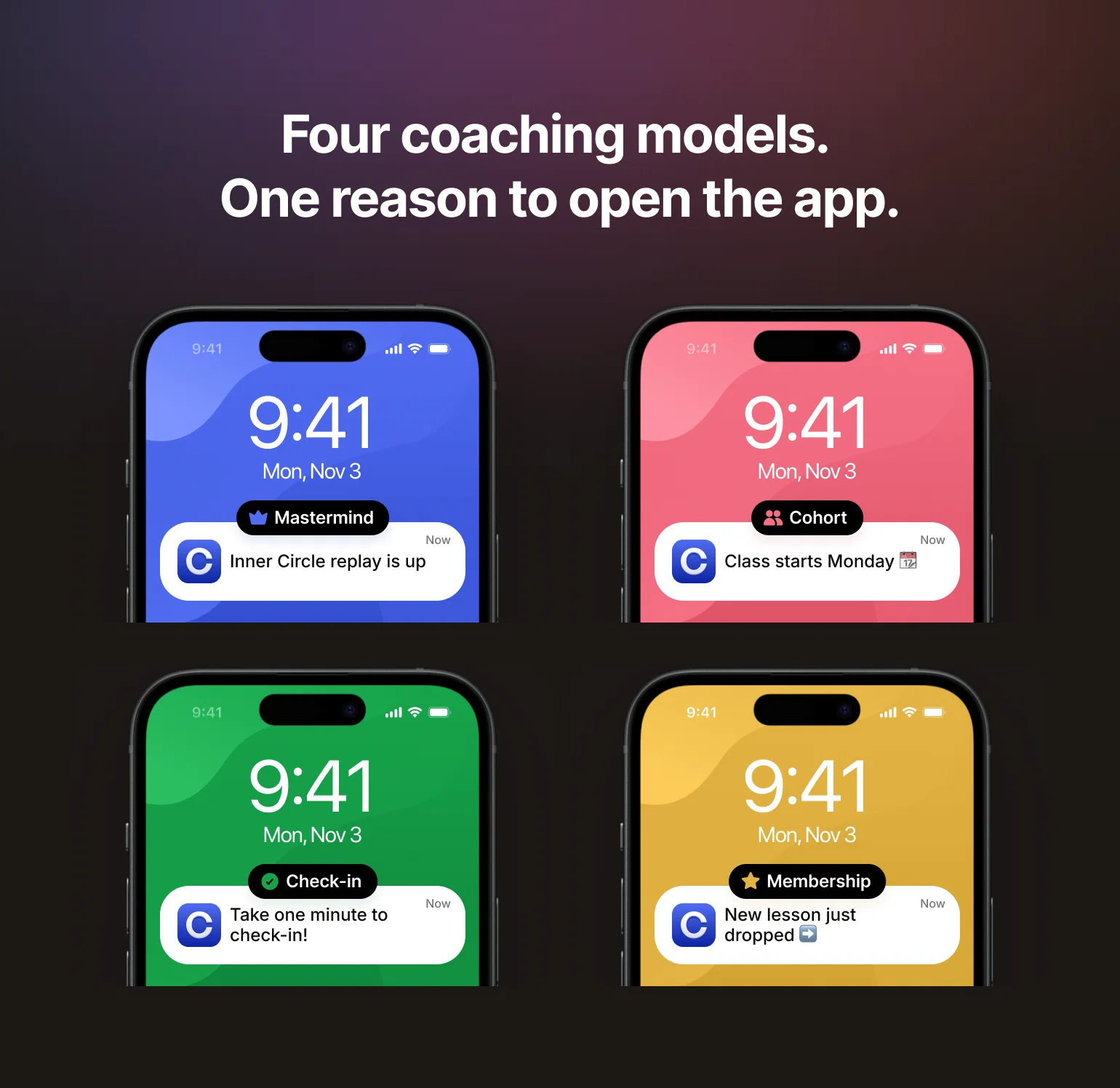
Four models clear that bar fastest:
- High-ticket masterminds. When clients are paying thousands, the experience has to feel like it. Mastermind.com — Tony Robbins and Dean Graziosi’s coaching platform — runs its Inner Circle calls and monthly replay archive through a branded app. A private icon on the home screen makes the program feel like the premium thing members paid for, not another tab in a browser.
- Cohort-based programs with a hard start and end date. These live or die on people showing up in a fixed window. A push notification puts “class starts Monday” and “last call tonight” on the lock screen, and opens straight into the session. Felippe Nardi’s Inside the Show runs exactly this model — his launch-week playbook is covered in full below.
- Daily check-in accountability programs. The whole model depends on a small action repeated every day. A phone app puts the check-in one tap from the home screen and lets a push notification restart the habit when it slips, where an emailed reminder can sit unopened. Mila Clarke’s Glucose Guide is built around exactly this — her numbers are up top.
- Membership-model coaching with recurring content drops. New lessons, calls, and resources land on a schedule, and each drop is a reason to come back. Dr. Desiree Strickland’s Public Health Club runs on that rhythm: members get a curated weekly list of consulting opportunities, and a new in-depth resource goes up every month before it moves into the vault. An app makes those releases feel like events instead of another unread email, which is what keeps a recurring membership from quietly churning.
One fit is enough to justify the build, as long as you run it consistently. From there, the question is which kind of app fits where you are now.
Choose between a shared app and an own-brand listing
An app pulls your whole program into one place your clients keep on their phone, and there are two ways to deliver it. Both carry the same coaching experience; the difference is only how the app shows up in the store and on the home screen.
Option 1: Mobile access inside a shared app. Mobile access inside a shared app. Your clients join your community on the web first, typically from an emailed link opened on their phone, then download Circle’s app from the store and sign in with their email. Inside, they see your colors, your logo, your content. What they don’t see is your name on the App Store icon. Available on every plan.
Option 2: An own-brand listing. Your community ships as its own app in the App Store and Google Play, under your name and icon. Clients search for you, not for Circle. They download your app and sign up inside it, with no web account to create first. Push notifications come from your brand. Available on Circle Plus with custom pricing.
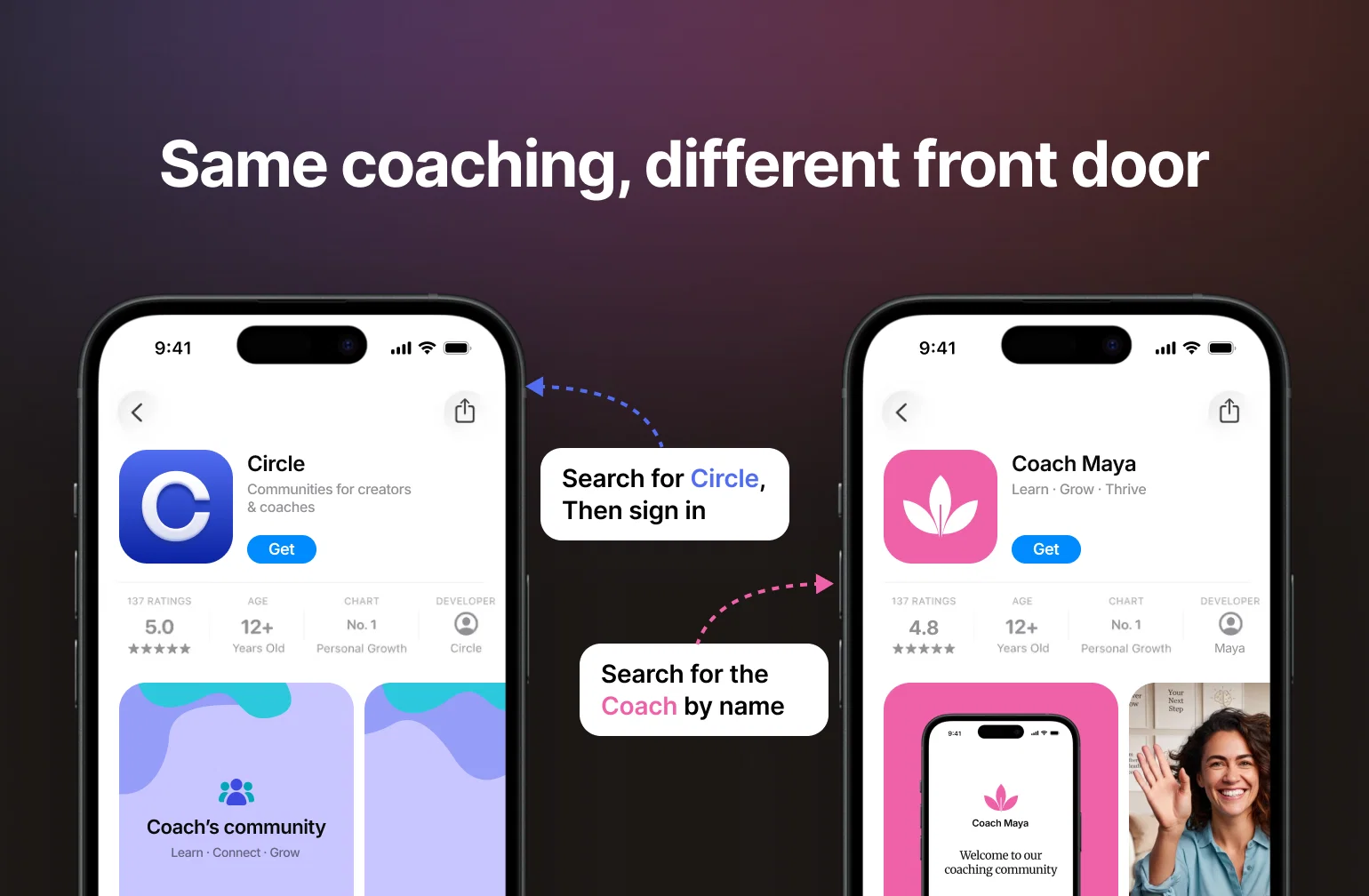
The differences that matter:
| Shared app | Own-brand listing | |
|---|---|---|
| In the store | Circle’s app, with your community inside | Your own app, under your name and icon |
| Sign-up | Web account first, then app download and a second sign-in | Download your app and sign up inside it |
| Home-screen presence | Circle’s icon | Your icon |
| Push notifications | Come from the shared Circle app | Come from your brand |
| Plan and cost | Included on every plan, from $89/month (annual billing) | Circle Plus, custom pricing, plus launch work and store fees |
The sign-up flow is the difference you’ll feel first if you run ads or events. On the shared app, a new member joins on the web, verifies with a one-time code, and completes their profile before they’re prompted to download the Circle app and sign in a second time. On an own-brand listing, the whole path happens in your app: download it, enter your email, verify, fill in your profile, start engaging. When you’re pointing paid traffic or an event audience at one link, an app with your name on it is a much easier ask than a web signup followed by a second download.
Which one fits where you are now
Start on the shared app if you're just starting out, or still testing whether an app earns its keep. It's included on every plan, adds nothing to your build, and gives members the full coaching experience right away.
Move to an own-brand listing when you're ready to invest in discovery and brand: your name and icon in both stores, push notifications from your brand, and in-app purchases. It’s also the better fit if you’re sending ads or event traffic to your sign-up link, since the shared flow asks new members to sign up on the web before they ever reach the app. It’s an upgrade, not a rebuild: the community underneath stays the same, so members’ progress and purchases stay put. They download the new app once and sign in with the same credentials.
The move pays off: communities that launch a branded app average 6x more posts, 3x more comments, and 147% membership growth in their first eight months.
Either way, Circle handles the build. You configure the app the same way you configure the rest of your community — no code, no developers to hire — and Circle's team publishes and maintains it. When Income School moved to a branded app, Ricky Kesler shipped it 12x faster than the custom developers he'd spent a year with.
Build the coaching experience in Circle
Your app has to do two things well: give clients a clear place for every part of the program, and prompt them when it matters.
Start with prompting clients at the moment it matters. Felippe Nardi's Inside the Show runs make-or-break launch weeks with no replays, so a missed session is a lost sale. He built a branded app and pushed launch-week reminders straight to members' phones; free visitors see curated previews, while paying members get replays and exclusive Spaces. Engagement doubled during event week, and a quarter of his active members now use the app. "After launching the app, I immediately saw double the amount of messages. Members told me it changed everything," he said.
Set up five destinations in your app
Circle's custom app builder plan, called Circle Plus, is the no-code way to shape your branded mobile app: custom screens, navigation, access gating, embeds, and onboarding flows, no development project required. You shape it, and Circle's team builds and publishes it with you. Edit a screen or the navigation and the change publishes to the app instantly, without waiting on store review.
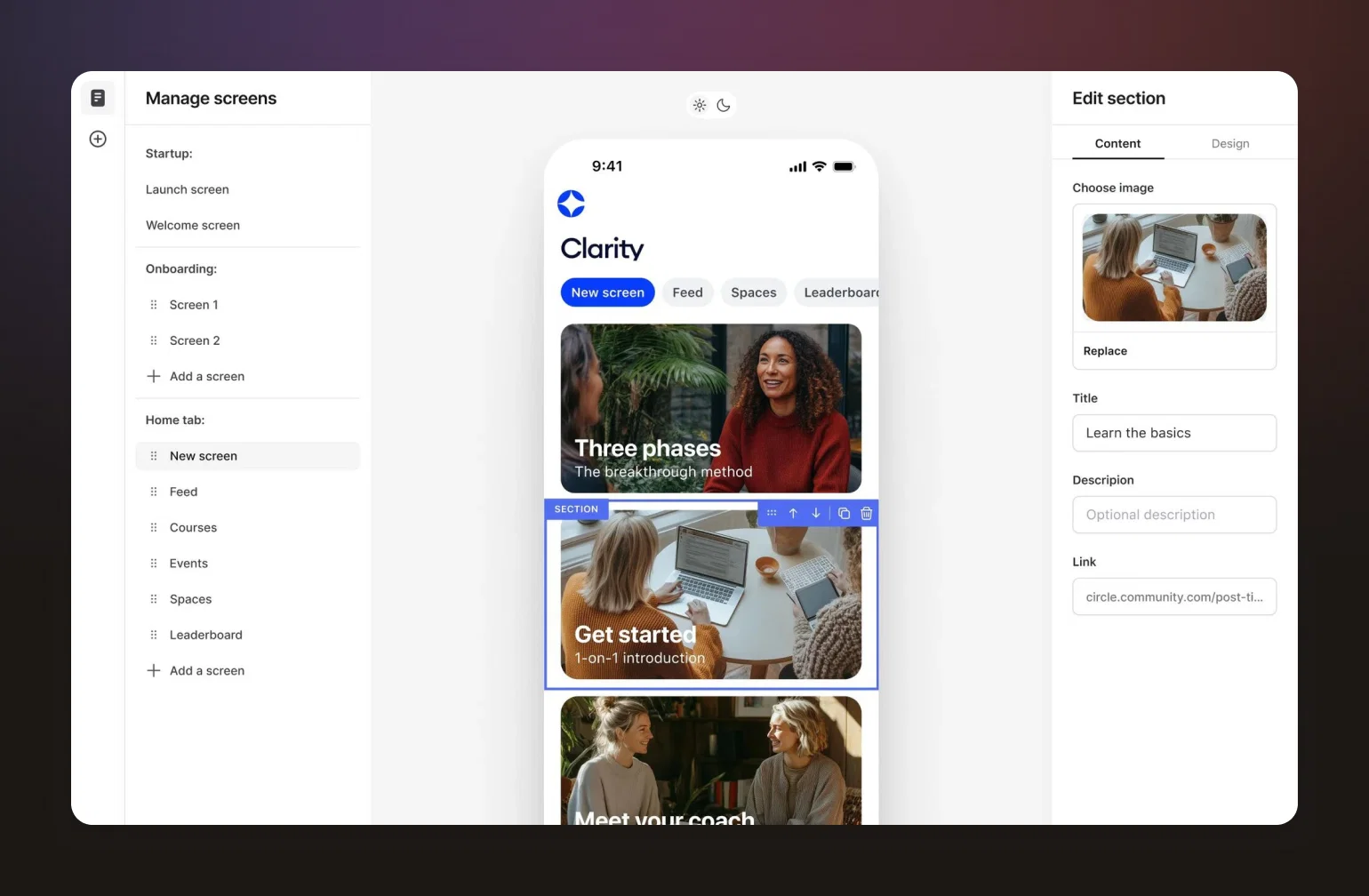
Use it to solve the problem every coaching app runs into: "people come in, they don't know where to go." Five destinations cover the whole coaching path:
- Start: a welcome screen that names the result members joined for and points to a single first action.
- Learn: a course Space that opens on the current lesson and keeps the full library one tap away.
- Check in: a discussion Space that gathers progress against a recurring accountability prompt.
- Ask: a discussion Space that fields questions needing your judgment or a peer's.
- Join live: an event Space that surfaces the next coaching call and takes RSVPs.
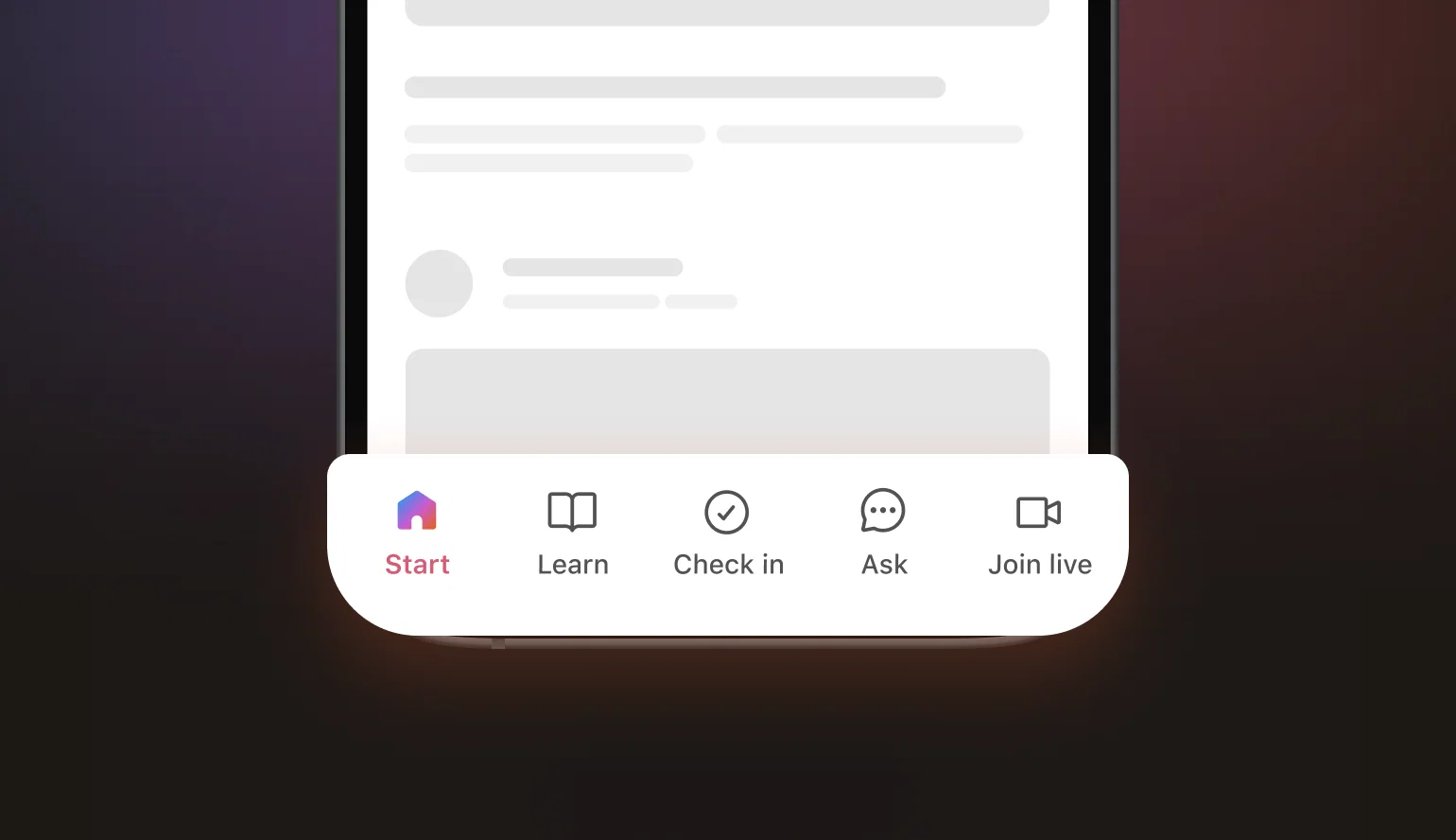

Build the five, for free.
Set up push notifications and onboarding
Push notifications are the single biggest reason to have an app instead of a web login. Members get them in the shared Circle app; on a branded app they come from your brand. Use them for upcoming events, new lessons, coaching call reminders, and direct messages. Tie each one to a specific, timely reason to open the app, not a vague "check in."
You can automate community onboarding on any plan. Set four touches: a welcome linking the current lesson, a 24-hour setup nudge, a day-3 first-action prompt, and a day-7 note to inactive members.
Community tip: In the branded app, point the first push notification a new member receives at one destination and nothing else. Every extra choice is a chance to bounce.
Automate the repetitive work with AI
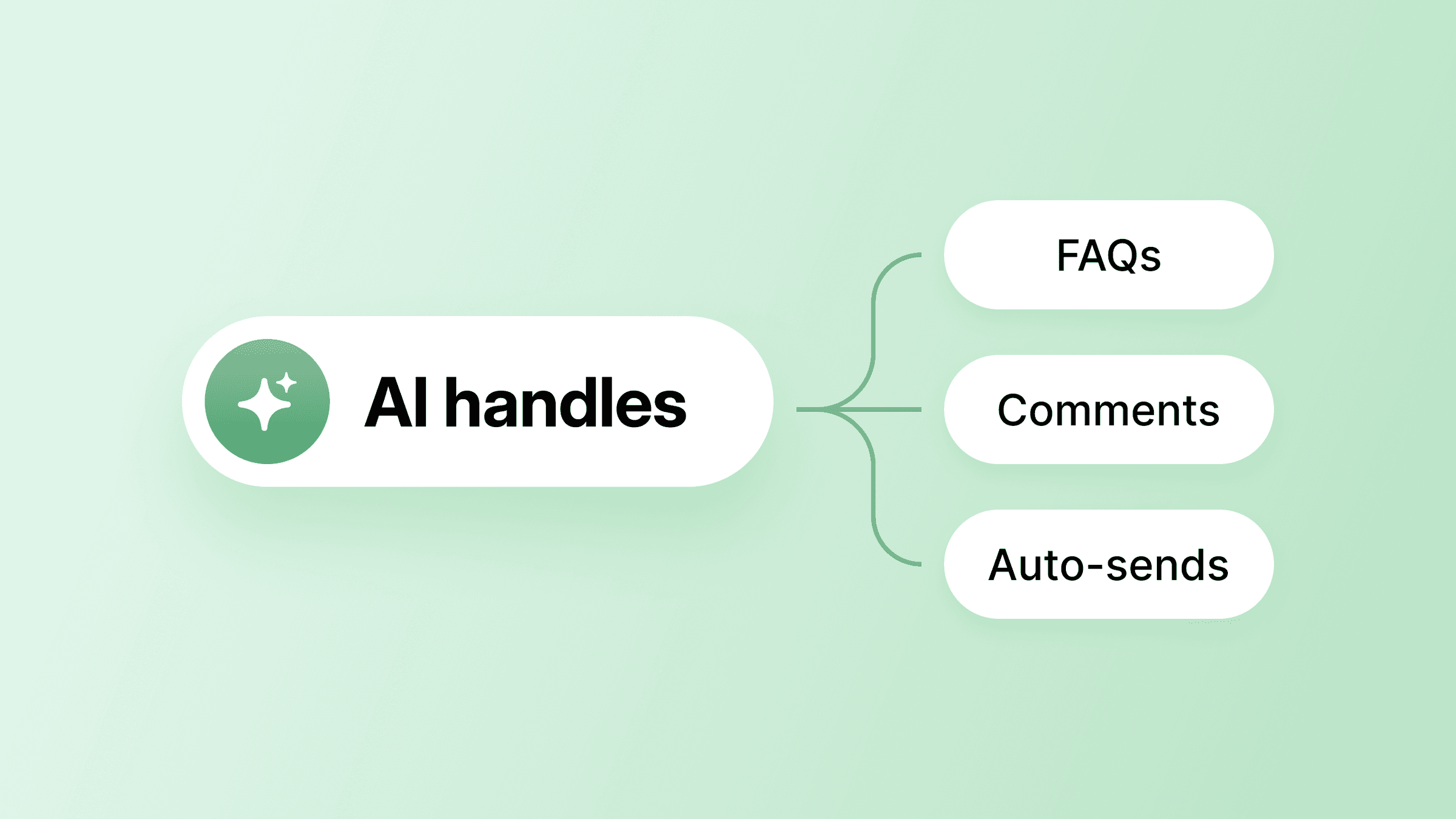
On Circle Plus, AI Agents answer members' questions and point them in the right direction around the clock, and AI Workflows send the proactive nudges and onboarding sequences automatically. That frees you to focus on the coaching itself; the agent takes the repeat questions and after-hours asks, while your judgment stays where it counts.
Community example: Aybüke Öksüz Coşkun runs a branded Circle app for a school in Turkey. She had Circle AI review her community and suggest a new onboarding flow, then let it reorganize her spaces. It opened and closed them for her, always checking before it closed anything. Her advice: let it study what you've already built before asking it to change anything, so its suggestions actually fit.
Prepare the developer accounts and store submission
This is the one part of the build that leaves Circle: the app has to pass through the App Store and Google Play. Before you can launch, you need the right store accounts in place and a clear picture of who handles each step.
Set up the organization accounts
Circle's launch team builds, publishes, and maintains the branded app for you — but the store accounts have to be yours. You'll need two organization developer accounts: one in the Apple Developer Program ($99 a year) and one on Google Play (a one-time $25 fee). Once both are set up, you invite Circle into them. Start this early: account verification can take weeks and runs on its own schedule, not your community build's.
While enrollment runs, keep building in Circle. Finish the community structure and sidestep the usual structure mistakes, set a custom domain, and apply your brand colors and logo in light and dark modes. Publish the courses and event Spaces a reviewer will open, too. You don't have to produce the store assets yourself: you give Circle's team direction on the app icon, splash screens, listing copy, and screenshots, and they create them, along with the required disclosures and reviewer access, as part of your plan.
Know who handles each step
Four steps, each with an owner:
| Step | Owner | What to do |
|---|---|---|
| Enroll | You | Set up your own Apple and Google Play developer accounts, both as an organization, and invite Circle. Start early — verification can take weeks. |
| Build | You + Circle | You configure screens, navigation, gating, and branding in the custom app builder; Circle's team assembles the app and prepares the store listing, disclosures, and a reviewer login. |
| Submit | Circle | Circle submits through your store accounts and handles any questions or change requests from the store review teams. |
| Launch | You + Circle | After approval, Circle publishes and maintains the app; you announce it to members and point them to the download. |
Community tip: Don't announce a launch date to members until both developer accounts are verified. Verification runs on Apple's and Google's schedule and can take weeks. It's the one step Circle can't speed up for you, so enroll first and set the date once you're through.
Start with the app that fits where you are
An app earns its keep whenever your program depends on clients showing up, whether that’s a mastermind, a cohort, a daily check-in, or a membership with new work every week. Start on the shared app so members get the full coaching experience today, then move to your own listing when discovery and brand are worth the investment. Either way you build the same five destinations, and you’ll know within the first week whether clients actually use them.
Start on the shared app so members get the full coaching experience today, then move to your own listing when discovery and brand are worth the investment. Either way you build the same five destinations, and you can tell inside the first week whether clients actually use them.
Start free, grow into it.
Coaching app FAQ
Can ChatGPT build me a coaching app?
It can turn your program into requirements, draft interface copy, generate prototype code, and help define acceptance tests. It can't publish to the App Store or Google Play under your brand, and it won't handle the ongoing platform, payments, and moderation your app actually needs. Use it to plan; use Circle to ship.
If I build an own-brand app, is it mine to keep?
Partly. The app is published into developer accounts that you own, so the store listings stay in your name. If you leave Circle, you keep those listings but not Circle's code, which is what runs the app, so you'd have the shell of the app without the product inside it. Owning the accounts also makes you responsible for keeping them in good standing, including renewing Apple's annual developer membership.
How much does it cost to create a coaching app?
A custom build runs into six figures once you count design, development, hosting, payments, security updates, store compliance, support, and someone responsible for each. On Circle, the shared app is included on every plan, starting at $89 a month on Professional with annual billing. An own-brand listing runs on Circle Plus, which has custom pricing, and you add Apple’s $99 annual developer fee and Google’s one-time $25 fee. If you build custom instead, assign a quarterly maintenance budget and an owner before launch, or every update becomes an unplanned founder task.
How long does it take to launch a coaching app?
Plan for weeks, not days, and mostly because of account verification. Setup in Circle is the quick part; Apple and Google verify organization developer accounts on their own schedule, and it can take weeks. Enroll first, keep building while you wait, and set your launch date once both accounts are verified.
Community Content Marketer
Arina is Circle’s community content marketer, sharing insights on community growth, GTM strategy, and storytelling for solopreneurs.