How to use AI in a small community business — and what to keep human
TL;DR
- The smartest use of AI in a small community business is automating the right job for the stage you're at.
- Hand AI the predictable, repetitive work and keep the relationships, judgment, and hard conversations for yourself, because those are what members pay for.
- AI only acts well on what it can see, so it earns its keep when it runs on one connected system instead of guessing from five disconnected tools.
You started this business because you're good at the thing it's built on: the coaching, the teaching, the craft. But lately, that's the part you barely get to. The welcomes still need sending, the same five questions still need answering, the quiet members still need a nudge before they drift, and all of it lands on you. The work that made the community special keeps losing to the work that keeps it running.
You might be a strength coach who takes clients through eight-week group programs, a course creator with a paid membership that keeps students around after the lessons end, a marketing consultant who turned a roster of past clients into a peer network, or an illustrator who built a space where people learn the techniques behind your work. The shape varies, but the business underneath is the same: people pay to be part of something you built. And the courses, events, discussions, and the relationships between members are all part of the product, not a free add-on to it.
When the operational work crowds out the part only you can do, AI is the obvious place to look for relief. The smartest use of AI is not automating everything at once; it's matching the job to the stage your business is in. Early on AI is powerful at helping you get new members in the door and active. As the community fills up, it's keeping people engaged. Once you're scaling, it's holding on to the members you have and making sense of your own numbers.
This guide maps that to the three stages most small businesses move through:
- What to hand over first when you're getting members in the door,
- What to add as engagement becomes the challenge, and
- What to lean on once you're scaling, plus the work that should always stay yours.
The everyday ways AI helps in a small digital business
So what does that actually look like in a given week? Across most small digital businesses, it comes down to a few key tasks:
- Repurposing your content. A webinar, lesson transcript, or event recap turns into emails, posts, checklists, and prompts you'd otherwise have to make from scratch.
- Mirroring your tone on drafts. Instead of generic filler you have to rewrite, first drafts come back already sounding like you.
- Handling the recurring admin. Welcomes, reminders, check-ins, and follow-ups go out on their own, instead of you rebuilding each one by hand.
- Being a brainstorming partner. When you're a team of one, AI gives you a first pass at ideas, prompts, or next steps so you're reacting to something rather than staring at a blank page.
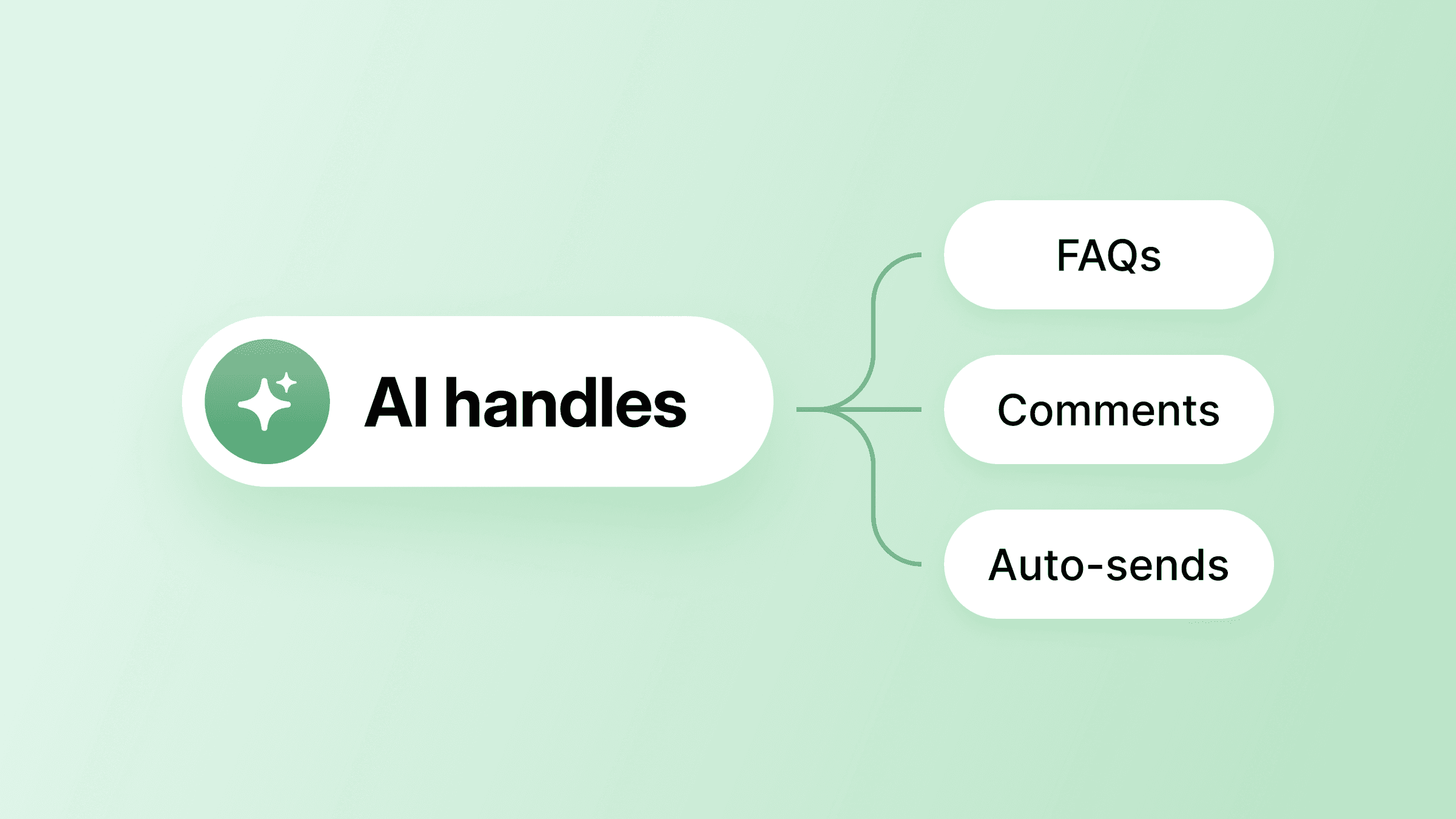
- Running agents. Agents handle repetitive questions, pull information from your own material, and route the moments that actually need you.
Those are useful jobs at any stage. The question is which one matters first, because the best AI setup for a brand-new community is not the same as the best AI setup for one that's already scaling.
The three critical stages of AI use
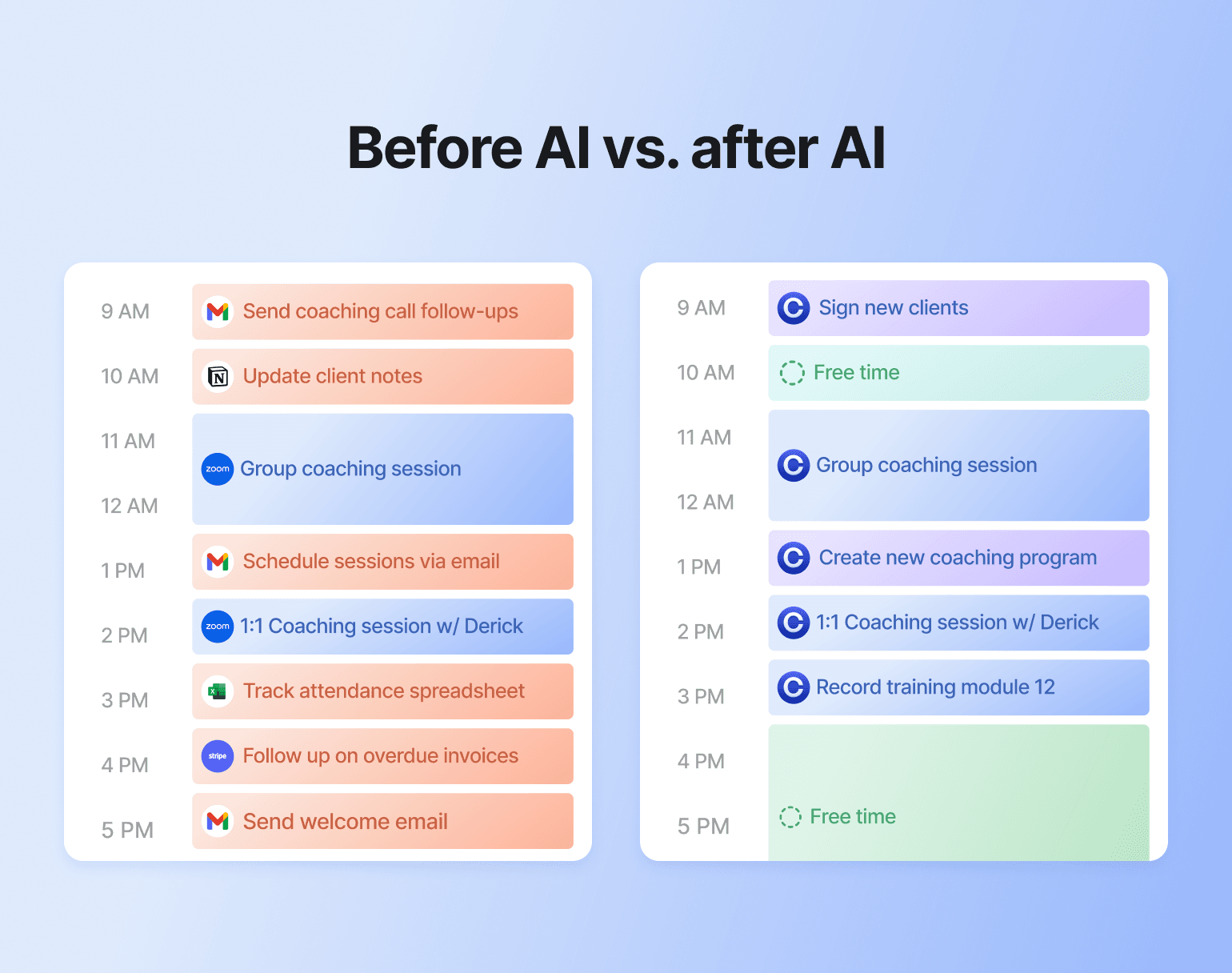
Think of AI as an extra pair of hands brought on at each stage, given a clear job and the context to do it. It doesn't run the business or replace the relationships members pay you for. It takes the predictable, repetitive work off the critical path so your hours go to the part only you can do.
As Ben Burns said, "It wears the hats. You keep the craft."
Stage one: onboarding and the first few weeks
A member decides whether your community is for them in their first few days, long before they've seen most of what you offer. When there's no team to absorb it, every one of those first impressions runs through you, which is why this is where your AI teammate earns its place first. The jobs here are predictable, and they repeat with every new member. (If you're still setting the foundations, Circle's community launch guide covers the basics before you automate them.)
Welcoming and activating new members
Every new member needs roughly the same thing in their first week: a welcome, a nudge toward a first action, a pointer to where the good stuff lives. You're doing it by hand for every single person, and it's the first thing that slips when you get busy.
A workflow can run that for you. It sends a 1:1 welcome the moment someone joins, drips the right next steps over their first days, targets messages by the tags or spaces a member belongs to, and flags anyone who's gone quiet. You set it up once and it runs on everyone who arrives after, which keeps you free for the conversations that need you.
What you write into it is what makes it land. "Welcome to the community! Introduce yourself below" reads like a banner and gets treated like one. A welcome built on what you already know about the member reads like a person:
- A run-club community DMs new joiners: "What race are you training for? Post the date in the Goals Space and we'll pair you with someone running the same one."
- A bookkeeping community sends: "Most people join us the week before quarterly taxes are due — if that's you, skip straight to the filing checklist."
- A dog-training membership asks: "What's the one behavior you'd fix tomorrow if you could? Post a 10-second clip — trainers here diagnose faster from video than from a written description."
Same workflow; one version gets archived, the other gets a reply.
You don't have to write any of it from scratch, either. Drop your intro-call notes, last month's onboarding webinar, or a lesson transcript into AI Copilot and it drafts the welcome email, the checklist post, and the first discussion prompts — in your voice, because it works from your own material. You skip the blank page and start at the edit. These community manager prompts are a good starting point.
💡 Community tip: When Circle overhauled its own onboarding to activate new members faster, completion rates jumped from around 3% to 9%, and new-member posts rose 20%. Introducing gamification lifted metrics 20%+ across the board.
Anna Tyrie runs English Like A Native — five YouTube channels, 1,000+ members, no team. When someone buys one of her courses, they're onboarded into the community automatically, landing in a Welcome space with a video walkthrough and a "what to do first" checklist, so every student gets the same strong start without Anna walking each one through it. It's the easiest win to measure, too: track the share of new members who take a first action in their first week, and you'll see the change quickly. For the full playbook, Circle's guide to community onboarding breaks it down step by step.
Stage two: engagement and keeping members active
Once members are in, the job changes: from welcoming them to keeping the space worth showing up for. This is the heaviest, most relentless stretch of the work, and where an AI teammate buys back the most time, leaving you to handle the calls that need a person.
Moderating posts and keeping the signal high
When you have fifty members you can read every post. At five hundred you can't, and the off-topic threads and spam that slip through are what make a space feel neglected.
AI Workflows handle the front line. You set AI Filters in plain language. Flag posts with negative sentiment: the member three weeks into your program posting "starting to think this isn't working for me," or a comment thread between two members turning personal. Hold anything that reads as spam: the drive-by affiliate link, or the "DM me for a collab" account that joined twenty minutes ago. The workflow takes the first action before you ever see the thread. The automation keeps the signal high, so you stay free for the conversations that build the community.
Helping members find answers without waiting on you
A member hits a wall at 9pm: they're mid-project and need the answer you covered in a workshop three months ago. If that recording is an unsearchable video buried in a folder, they give up, stay stuck, and slowly go quiet. If they can find it in seconds, they stay in motion, and a member who keeps getting value keeps showing up.
Transcription is what makes that possible. Recordings hosted in Circle — videos, live streams, and event replays — get a full text transcript, so a member searches a keyword and jumps straight to the moment you covered it. Your back catalogue turns from dead weight into a self-serve library members use between sessions, which is exactly the kind of repeat, low-friction activity that keeps a community alive.
Answering the same questions on autopilot
The same handful of questions comes up again and again, and answering each one personally stops scaling. An AI Agent learns from your own posts, courses, and resources, then fields those routine questions around the clock — in your methodology, not generic advice. For anything sensitive, set Pause AI keywords. Those conversations skip the agent and land in a shared AI Inbox for you to answer yourself. Circle runs the same play in its own customer community, where the AI agent answers 62% of basic product questions.
Seth David runs Talk Nerdy to Me, an accounting education business with 30+ courses, a membership community, and a coaching program: a lot of surface area for repeat questions. He added an AI Agent named "Sandy" to handle them automatically, which keeps day-to-day support running while he spends his hours on the teaching and coaching only he can do. The business sees 80% trial-to-paid conversion and $37K+ in monthly revenue, with one person at the center instead of a support team.
Putting the community in members' pockets
As the community grows, you're competing for attention with everything else on a member's phone. A branded app puts you on their home screen, a tap away instead of buried in a browser tab. The AI layer keeps it active: reminders before a session, recaps after, onboarding prompts for new members. Each one goes out at the right moment, without you rebuilding it by hand.
Felippe Nardi runs Inside the Show, a community teaching virtual presentation skills built around one-week launch events with no replays. Missed sessions meant lost conversions during the exact week that mattered most. He built a fully branded app in under two weeks, with the foundation live in a single day, and used push notifications to drive attendance. The payoff landed where it counted: engagement doubled during event week, and today 40% of session minutes come from mobile. "Members told me it changed everything," he said.
Stage three: growth and scaling what works
By the time you're thinking about growth, you have something you didn't at the start: data, and patterns worth acting on. For a small team, this is where AI does the most, watching for signals across more members than one or two people could ever track by hand, and acting on them the moment they show up.
Reading your own numbers
You know your decisions should be guided by the data. The problem is finding time to dig through every dashboard and metric to get there. AI changes that: instead of decoding charts, you ask in plain language and get the answer back. Circle's AI Copilot can read your community analytics and surface trends, member activity, and engagement insights, so you can ask what's working and where members are dropping off and get a readable reply. You still make the call; you're just not doing the digging.
💡 Community tip: "Is my engagement normal?" has a real answer. Across 20,000+ active Circle communities, median monthly-active-user rates run about 54% for communities under 50 members, 38% from 51–500, and 20% above 500 — larger communities almost always run lower. Tom Ross, a community-building coach, layers on stickiness: daily active users as a share of monthly.
Messaging members based on what they do
The members who churn usually go quiet weeks before they cancel; activity drops first. You can't watch every member's login pattern by hand, but a workflow can, sending the right message based on what a member did. A check-in fires when someone who used to post every week goes silent, a different sequence when they finish a course or upgrade a tier, all drafted in your voice and sent on the trigger you choose. It's like a teammate who notices the drift and prompts the first touch, then leaves you to decide whether to step in with the personal note that keeps someone.
Dave Gerhardt's Exit Five, a B2B marketing membership of 6,000+ members, runs annual tiers, subgroups, and geo-based chapters in Boston, Dallas, Toronto, and Sydney. Nobody tracks that many segments by hand. At that scale, behavior-based triggers are how each group keeps hearing from you about the things it cares about.

Valuable insights. Immediate impact. Free for 14 days.
Keep the work that's yours
Knowing what not to hand off matters as much as knowing what to delegate. Think about what brings people back to a small community business. A nutrition coach's read on why a client keeps stalling. A ceramics teacher demonstrating the thing an article can't quite explain. A bookkeeping educator untangling one member's specific mess. A run-club founder remembering you've been training for your first half marathon. That expertise and that recognition are the product, and they're exactly what AI can't generate. Members pay to be in the room with you, not with your automations.
So the calls that need your judgment stay yours: the conflicts, the cultural decisions about what your space stands for, the member who's clearly going through something, the question only your experience can really answer. Hand off the repetitive work freely; keep this work close.
Used this way, AI protects the time you have for the human part of your business. Every hour it takes back from the operational grind is an hour you get to spend on the relationships and decisions that only you can lead.
Run it on one system, not five
There's a version of "using AI" that quietly makes the problem worse. You bolt on a separate AI writing tool, a standalone scheduler, a transcription app, an analytics add-on: five subscriptions that each do one trick and none of which talk to each other. You spend the time you saved moving information between them.
AI only acts well on what it can see. A drafting tool that doesn't know who a member is can't personalize the message; a churn alert that can't see payment history can't tell you who's at risk. When your community, courses, events, email, and payments live in one system, your AI teammate works from the full picture of each member rather than a partial copy synced in from somewhere else. That's the difference between AI as a clever gadget and AI as something you'd trust to run your operations.
Let your AI teammate carry the busywork
You didn't start a small business to spend your evenings on welcome messages and event reminders. The point of bringing AI onto the team is to get those evenings back. You hand off the predictable, repetitive work in a sensible order and keep the relationships and judgment for yourself. Run it all on one connected system, and the AI becomes useful instead of one more tab open.
Circle is built for exactly that: AI Agents, AI Workflows, and AI Copilot, all working from the data your members already live inside, with you staying the human at the center of it.
Want to build an exceptional community? Start your 14-day free trial of Circle now.
AI for small business FAQ
What should a small business automate with AI first?
Start with the work that's predictable and low-risk: onboarding sequences and first drafts of recurring content like recap emails or event reminders. These happen constantly, follow a clear pattern, and cost almost nothing to get slightly wrong, so they're the easiest place to build trust in the output before you hand over anything bigger.
Will my members be able to tell they're talking to AI?
They will, and that's fine if you're upfront about it. Name your AI agent, give it a clear scope, and tell members what it's for. They get fast answers and learn when to wait for you. The trust problem only shows up when you try to hide it.
Is my member data safe inside an AI tool?
It depends on the tool. The risk goes up when you're piping member data between separate apps that weren't built to talk to each other. AI built directly into the platform your members already use keeps that data in one place instead of scattered across vendors, so check any tool's policy before you connect it.
What should I never hand off to AI?
The work that needs your judgment: conflicts, complaints, cultural decisions, and any sensitive moment with a member. A good test is to ask what it costs you if the AI gets it wrong. If the answer is "a member," keep that job yourself and let AI handle the lower-stakes work around it.
How do I stop AI from making my business sound generic?
Train it on your own material: past posts, event recaps, the way you answer members. Then review every output before it ships until you trust the voice. AI mimics what you give it, so give it your best work, not a blank slate.
Community Content Marketer
Arina is Circle’s community content marketer, sharing insights on community growth, GTM strategy, and storytelling for solopreneurs.