Run your community from your AI chat: best ways to use Circle MCP
TL;DR
- The Circle MCP lets you connect your Circle community to AI tools like Claude, ChatGPT, and Gemini — so you can manage members, pull reports, send DMs, and run admin tasks without ever opening the dashboard.
- No coding required.
- If you already use AI in your workflow, this plugs your community directly into it.
Members only
One issue, five minutes, every Tuesday. Read by +14,200 creators.
It's a Tuesday morning. You're in Claude working through your content calendar when you remember you haven't checked which community spaces have gone quiet this month. Normally that means switching tabs, navigating to your analytics, clicking through three filters, and writing down numbers. Instead, you type: "Which of my Circle spaces have had no new posts in the last 7 days?" And you get a list. Right there.
That's the Circle MCP.
It's not magic, and it's not complicated. It's a connection — a direct line between your AI tool and your Circle community, so the assistant you're already talking to can read your data, take actions, and help you run your community without you having to act as the middleman.
This article is about what you can actually do with that connection. Not what it is. What it does.
Circle's AI toolset vs. Circle MCP: the difference that matters
Before anything else, let's clear up the distinction that trips most operators up.
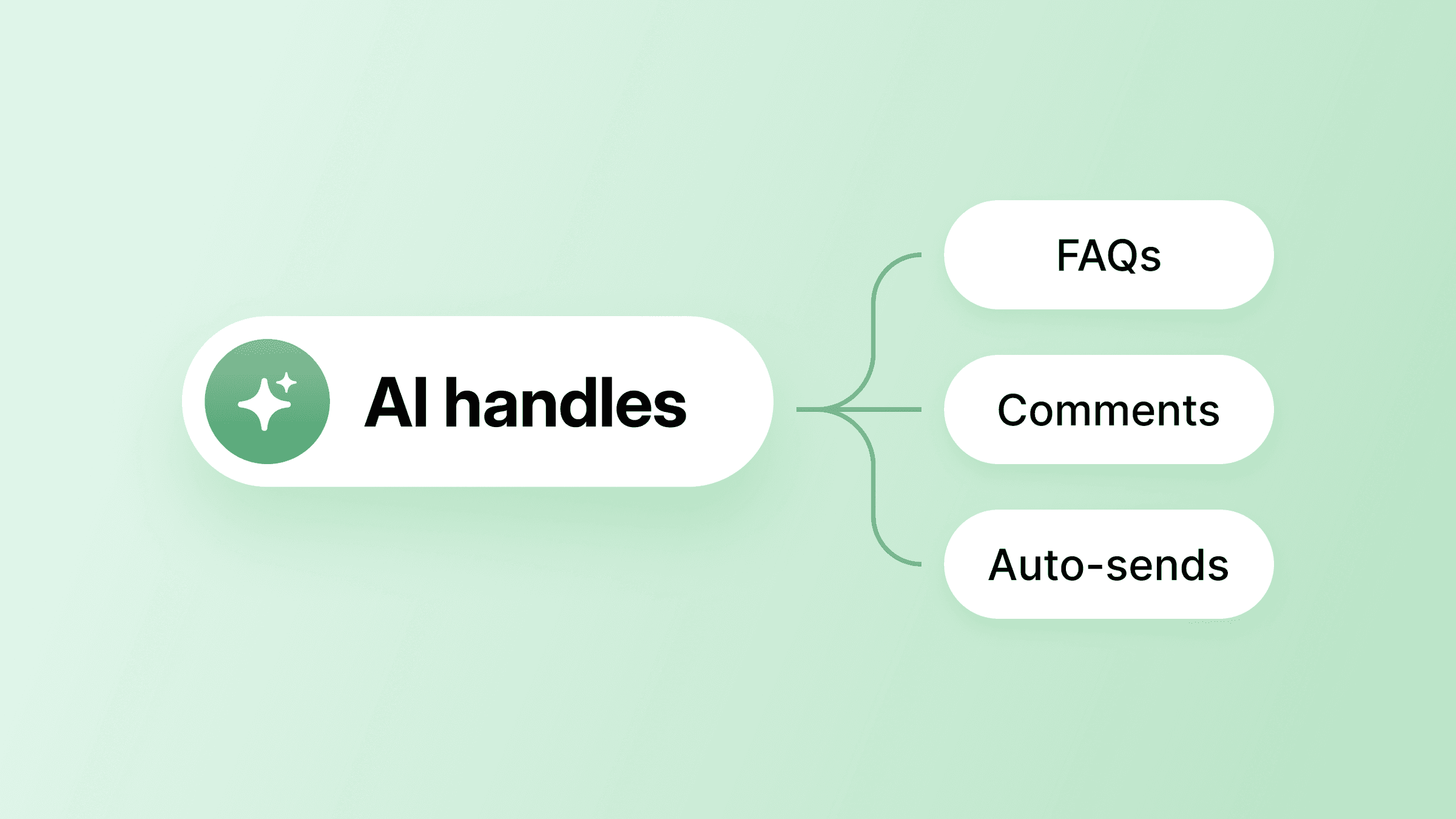
Circle already has three distinct AI tools built directly into the platform, each handling a different layer of community work:
AI Agents are your always-on, member-facing support layer. They answer questions 24/7, guide new members through onboarding, and respond using actual member profile data — so the experience feels personal, not robotic. Agents are the AI your members interact with. Available on Circle Plus.
Workflows are automated sequences that run based on member actions. A new member signs up → workflow sends a welcome DM, applies a tag, and kicks off an onboarding sequence. An event is created → reminder goes out automatically. Once you've set the rules, workflows run hands-free. Available on Business and Circle Plus.
AI Copilot is your in-product assistant for building, managing, and understanding your community. It handles three things: Support (ask how to do anything in Circle and get a plain-language answer), Actions (create invite links, manage members, edit spaces — Copilot does the heavy lifting, you confirm), and Insights (ask analytics questions like "Which spaces have the most engagement?" or "Show me members who joined last month with a Level 5+ gamification score" and get results you can download as CSV). Available on all Circle plans at no extra cost.
All three live inside the Circle platform. They're for when you're working in Circle.
The Circle MCP is different. It's for when you're working outside Circle — in Claude, ChatGPT, Gemini, or whichever AI tool you already live in. MCP stands for Model Context Protocol, which is the technical standard that lets AI tools connect to external services. You don't need to understand the protocol. All you need to know is this: it's the bridge between your Circle community and your external AI workflow.
The same distinction exists with Notion. Notion has AI features built in for when you're inside Notion. But Notion also has an MCP, so when you're in Claude working on a project, you can pull your Notion pages directly into the conversation. Circle works the same way.
If you've already built a workflow in Claude or ChatGPT — for content, for client management, for anything in your business — the Circle MCP plugs your community into that setup. Your community data and your AI assistant, working together, without you having to act as the middleman.
Setting it up (faster than you'd expect)
The Circle MCP is available on Business plans and above. To connect it in Claude, go to Settings → Connectors → Add custom connector, paste https://app.circle.so/api/mcp, select your community, and authorize. The whole thing takes about two minutes. Similar steps apply for ChatGPT and Gemini.
One thing worth knowing upfront: only admins can connect and use the Circle MCP. Members can't access it. So when you're giving Claude access to your community, you're giving it admin-level access — which is powerful, and worth setting up thoughtfully (more on that in a moment).
What you can actually do
Understanding your community's health
The most underrated use case is also the simplest: asking questions about your own community and getting real answers, fast.
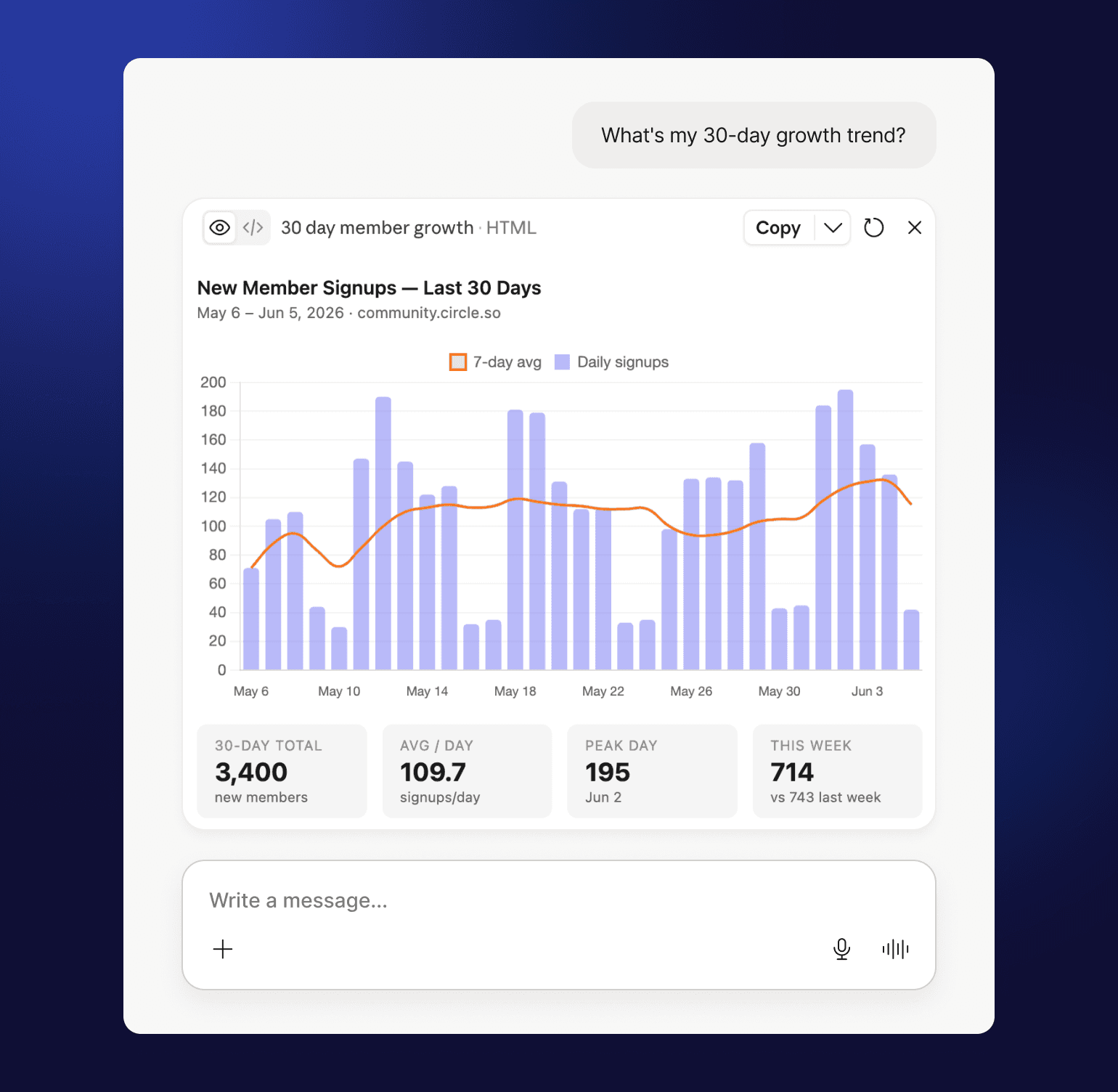
You're reviewing your weekly numbers and you ask Claude: "Which spaces have had no new posts in the last 7 days?" Circle MCP queries your live data and returns the answer. No dashboard, no report exports, no clicking. The same goes for: "How many members joined this week vs. last week?" or "What's my 30-day growth trend?" Numbers you'd normally spend ten minutes hunting down take about ten seconds.
Dana Malstaff, founder of BossMom, used Circle MCP to analyze her community data and walked away with a five-part strategic plan — covering engagement, membership upsells, and events — in about 20 minutes. The shift she described goes beyond saving time:
In minutes, I can see what my members are talking about, what they want, and where they need support. Because it saves me so much time, I have been able to personally connect with more members. I never thought AI would actually help my community feel more human.
Russ Jones ran a similar analysis and discovered his Daily Accountability Club in ADHD Big Brother was averaging over 50 comments per daily thread, with 81 comments per paid member across 6 months. That's not data he was tracking manually. It surfaced in a single Claude session.
This shifts the way you think about your community analytics. Instead of going to your dashboard to answer a specific question you already had, you can just ask the question. The question can be more nuanced, too — "Which of my spaces gets the most engagement?" followed immediately by "What should I do about the ones with low activity?" You're not just pulling reports, you're getting strategy grounded in your actual data, not generic advice.
Spotting at-risk members before they churn
Here's a scenario that plays out in every membership community: someone joins, never gets traction, and quietly disappears before the end of their first month. You usually find out about it when they cancel.
With Circle MCP, you can ask: "Which members joined in the last 30 days but haven't posted anything?" You get a real list of real people. From there, you can ask Claude to draft a personal check-in message for each of them, or — if you have write permissions enabled — send those messages directly without touching the dashboard.
Carl Miller documented exactly this in his community, The Purpose Project. He asked Claude to identify the silent members in his community, surface three prioritized outreach actions, and draft personalized DMs calibrated by how long each person had been inactive — all in 15 minutes. Then he scaled it: in a later session, Claude read 238 member posts, distilled each person's story, and sent personalized DMs across his entire community. Ati Grinspun ran the same kind of audit and surfaced a list of members who hadn't posted an intro or completed onboarding — a list that, without MCP, would have required a manual scroll through her entire member database.
This is the kind of proactive member onboarding and retention work most operators know they should be doing and rarely do, because the research alone takes longer than the follow-up. When it takes ten seconds, you actually do it.
Member actions at scale
A lot of the operational work of running a community is individual but repetitive. Invite this person, send this message, approve this request. Each action is quick, but there are a lot of them.
Circle MCP handles this at a different scale. If you have a CSV of new customers you want to invite to your community, you can ask Claude to invite them — no manual dashboard uploading. If you want to send a personalized DM to every member who hasn't completed onboarding, you describe what you want and Claude handles the sending. If you need to comment on a post, approve a pending member, or update a space description, you can do it without opening a browser tab.
Content ideation from real signals
One of the most useful things you can do with direct access to your community data is use it to drive your content strategy.
Instead of guessing what your audience wants, you ask: "What topics are members asking about most this month?" Circle MCP pulls actual post data — real questions, real conversations, real signals — and surfaces the patterns. You can take that directly into your content calendar, use it to brief a writer, or ask Claude to draft a post addressing the most common question your community has been asking.
Ronnie Parsons mined an entire quarter of workshop session transcripts from his community, Mighty AI Lab, and used those insights to brief a 30-day content campaign. But for Ronnie, content is only part of it — he also uses Circle MCP to build new courses and update existing ones, managing the full content lifecycle without switching between tools:
I easily manage weekly recaps by scraping live session transcripts and community space wins, troubleshooting issues, and showcasing successes. I absolutely love the connector.
John Meese took a similar approach for Sold Out Coach Club — he extracted an insights catalog from live room transcripts and built a 50-story Story Bible from community posts in a single Claude session. If you're running cohort-based courses, this kind of systematic mining turns every session into a content asset. Ocean Kiani uses it to summarize and thematize posts across cohorts, making trend detection a routine check-in rather than a deep research project.
This closes the loop between what your community is already talking about and what you publish — in a way that's genuinely hard to do manually, because manually it means reading through dozens of posts and trying to spot the pattern yourself.
Connecting Circle to the rest of your stack
This is where things get interesting for operators running more than just a standalone community.
The Circle MCP can be chained with other MCP connectors in the same Claude session, creating cross-tool workflows that previously required custom code or Zapier.
- Ashish Agarwal connects Circle MCP with Google and Salesforce MCP servers to run 360-degree member analysis — looking at someone's behavior across all three platforms at once before drafting personalized outreach.
- Joe Miller handled a full Stripe-to-Circle membership migration in one session: five members falling through subscription gaps, trial days calculated, migration emails drafted, ready to send.
- Carl Miller chains Gmail MCP with Circle MCP to archive his weekly newsletter automatically: Claude finds the email, strips the ConvertKit tracking links, formats the body in Circle's native rich-text format, and posts it to a dedicated space with author metadata hidden — so it reads like a published piece, not a community post. The whole workflow runs in under two minutes.
You could check whether a new Stripe customer is already a Circle member before deciding whether to send a welcome email or a reactivation. You could sync new members to your email list automatically. After an event, you could ask Claude to send different follow-up messages to attendees and non-attendees — pulling the list from Circle, drafting both versions, and sending them, all in one conversation.
This is the real power of the MCP model: your AI assistant holds context across all your tools at once. It knows your Circle data, your CRM, your billing data — and it can coordinate actions across all of them in a single workflow. No custom code. Just a conversation.
Running community programming you couldn't pull off manually
One pattern worth calling out on its own: MCP doesn't just make existing admin tasks faster. It makes some new things possible that previously felt too labor-intensive to attempt.
Tom Ross ran a month-long accountability sprint inside his Learn Community that he'd always wanted to run but never had the bandwidth for. Each week, he asked Claude to read member goal posts and progress updates, then generate a ranked leaderboard — distilling each person's objectives into a single sentence and weighting rankings by depth of progress, not just post frequency. He embedded the leaderboard as a Google Sheet directly inside the sprint space in Circle, and shared weekly updates in a group DM with all participants.
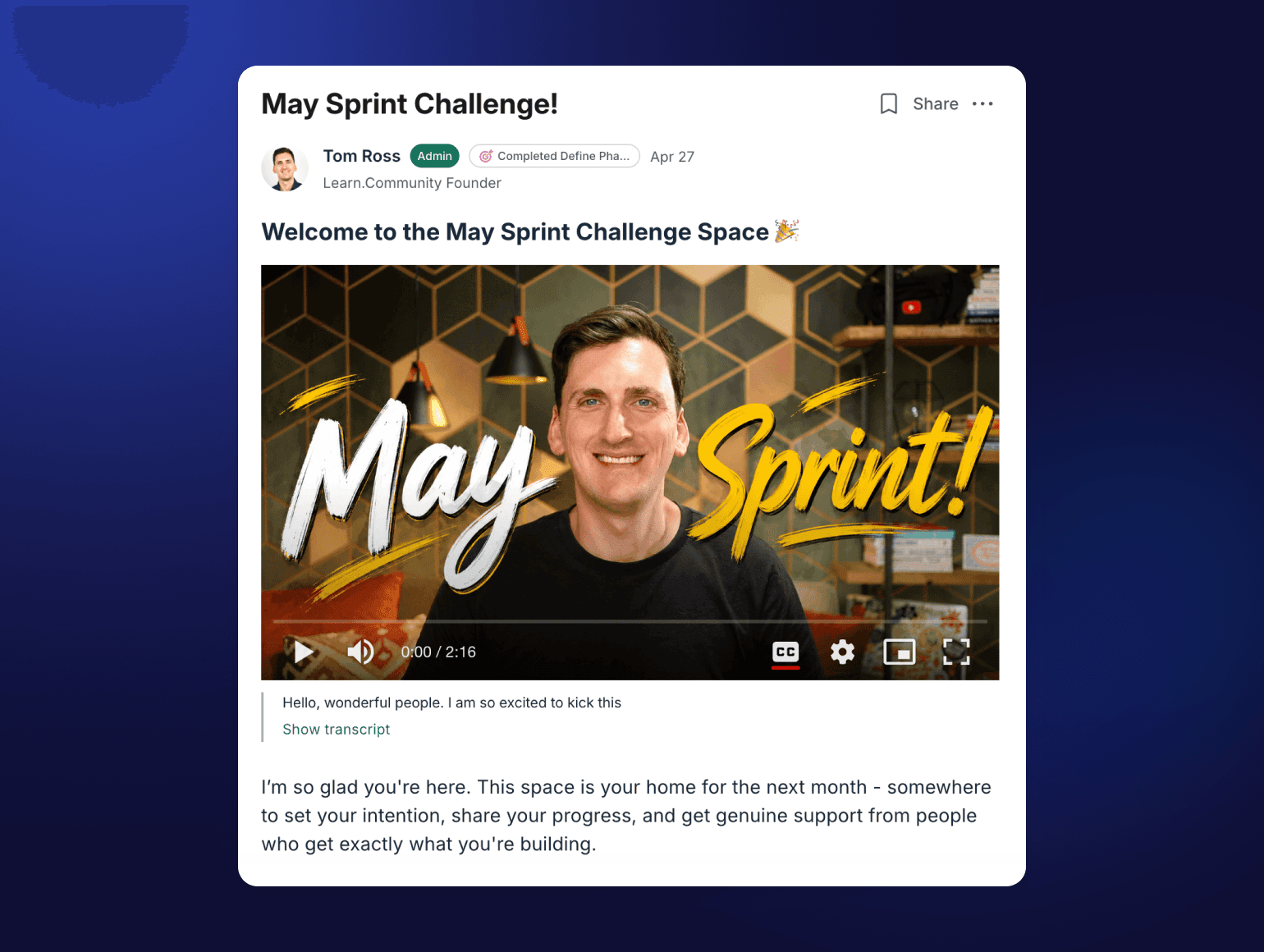
The whole sprint ran on Claude with read-only MCP permissions. Tom kept write actions manual — adding people to the group DM himself — which is a sensible default when you're first getting comfortable with what the AI does with your community (more on this in the permissions section below).
The results: a 65% engagement rate, 57 posts, and four communities launched by members during the sprint. His verdict:
This would have quite simply been impossible for me to do manually. But leveraging Claude and Circle MCP, it was a breeze.
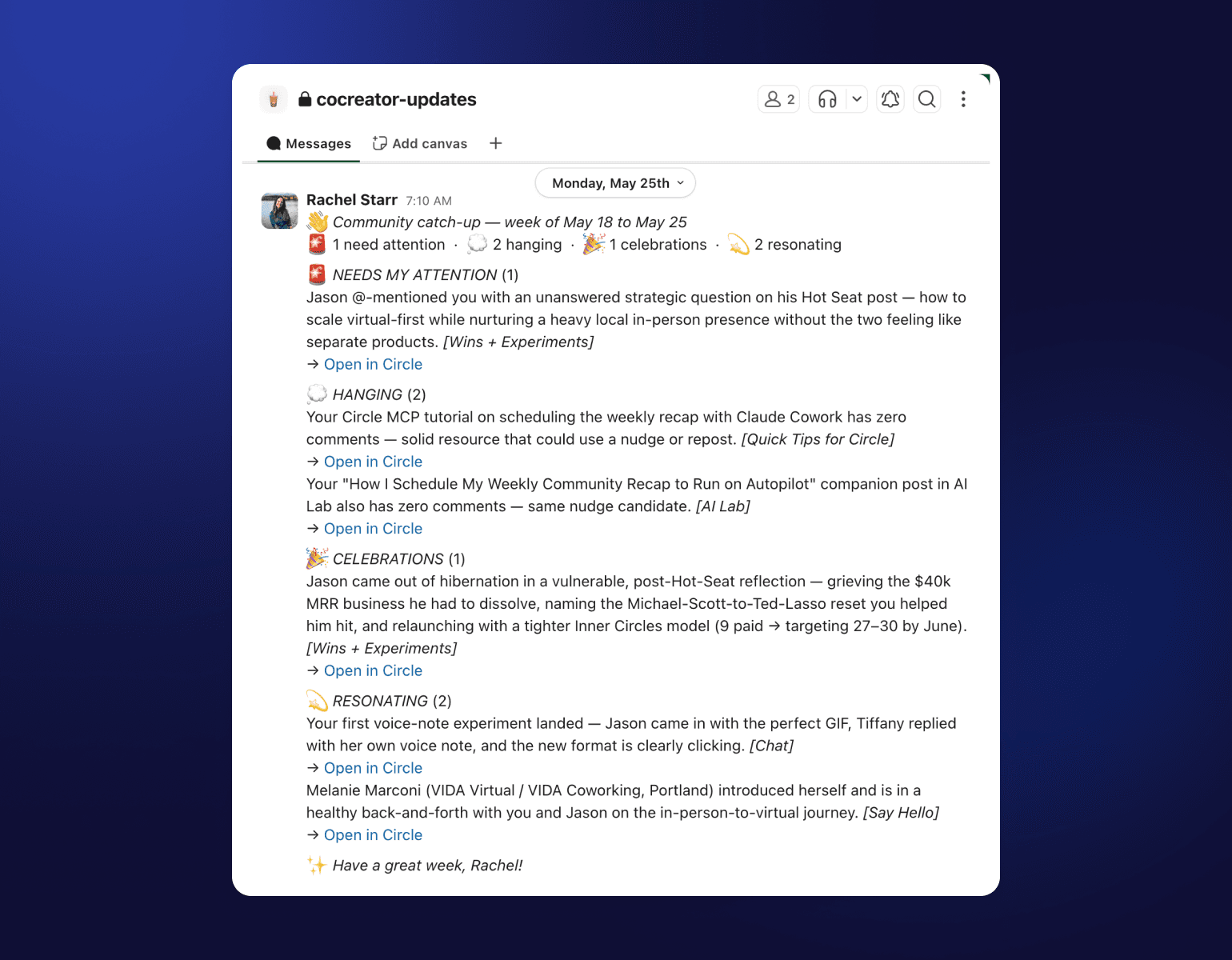
Rachel Starr set up a scheduled Monday morning recap for CoCreator Society— Circle MCP pulls the past week's activity, Claude categorizes it into attention items, celebrations, and resonating content, and the summary lands in Slack before she opens her laptop. It runs without her being in the loop at all.
A note on permissions (read this before you start)
Because the Circle MCP gives admin-level access to your community, it's worth taking five minutes to understand the permission model before you start using it.
The MCP distinguishes between two types of tools: read-only tools and write/delete tools.
Read-only tools let Claude look at your data — pulling member lists, checking post activity, reviewing spaces. The recommendation is to set these to "Always Allow" — there's no risk in Claude reading information, and it makes the research use cases feel instant.
Write and delete tools let Claude take action — sending messages, inviting members, updating content, deleting things. The recommendation here is "Needs Approval." That means when Claude is about to take an action, it tells you what it's going to do and waits for your confirmation before executing. You stay in control of what actually happens.
This is a sensible default. As you get more comfortable with what Claude does with your community, you can adjust permissions for specific tools. But starting with "Needs Approval" on write actions means you're never in a situation where something happened to your community that you didn't explicitly authorize.
A new way to manage your community
If you're already spending time in Claude or ChatGPT, connecting Circle takes two minutes and changes how you think about managing your community. Your data stops being something you go look up and starts being something that's just available, right there in the conversation.
You can get started with Circle MCP here.
FAQs about Circle’s MCP
Do I need to know how to code to use Circle MCP?
No. The setup takes about two minutes and involves pasting a URL and clicking authorize. Everything after that is just talking to your AI assistant normally. The whole point is that MCP eliminates the need for custom code — that's what makes it accessible to operators rather than just developers.
Is Circle MCP the same as Circle's built-in AI features?
No — they're different tools for different contexts. Circle has AI built into the platform: AI Agents for member-facing 24/7 support, Workflows for automating member journey moments, and AI Copilot for in-platform support, actions, and analytics (available on all plans). All of these are for when you're working inside Circle. The Circle MCP is for when you're outside Circle — in Claude, ChatGPT, or Gemini — and want your community data available in the AI workflow you're already running. They're not competing; most operators end up using both.
Which AI tools work with Circle MCP?
Circle MCP works with Claude (web and desktop), ChatGPT, Gemini, and any other AI tool that supports the Model Context Protocol. If you already have a preferred AI assistant, there's a good chance it's already compatible or will be soon.
Is it safe to give an AI access to my community?
Yes, with the right setup. The Circle MCP has a built-in permission model that lets you control exactly what Claude can and can't do. Read-only tools can run freely. Write and delete tools can be set to require your approval before anything executes. You're always the one authorizing real actions. Circle never loses visibility into what's happening — every action taken via MCP is logged the same as any admin action.
Does this work for members, or only admins?
Only admins. Members of your community cannot connect to the Circle MCP. It's an admin-level tool for the people running the community, not the people participating in it.
Community Content Marketer
Arina is Circle’s community content marketer, sharing insights on community growth, GTM strategy, and storytelling for solopreneurs.