How to build your community onboarding experience: tips, examples & more
TL;DR
- The first week decides whether a new member sticks — get them to one real win fast, and momentum takes over.
- Churn you'd blame on price or content is usually an activation problem: members who never hit a first win quietly drift.
- Watch one number above the rest — activation rate, the share of new members who reach a first win in their first week or two. A low one almost always means a clearer first step, not more content.
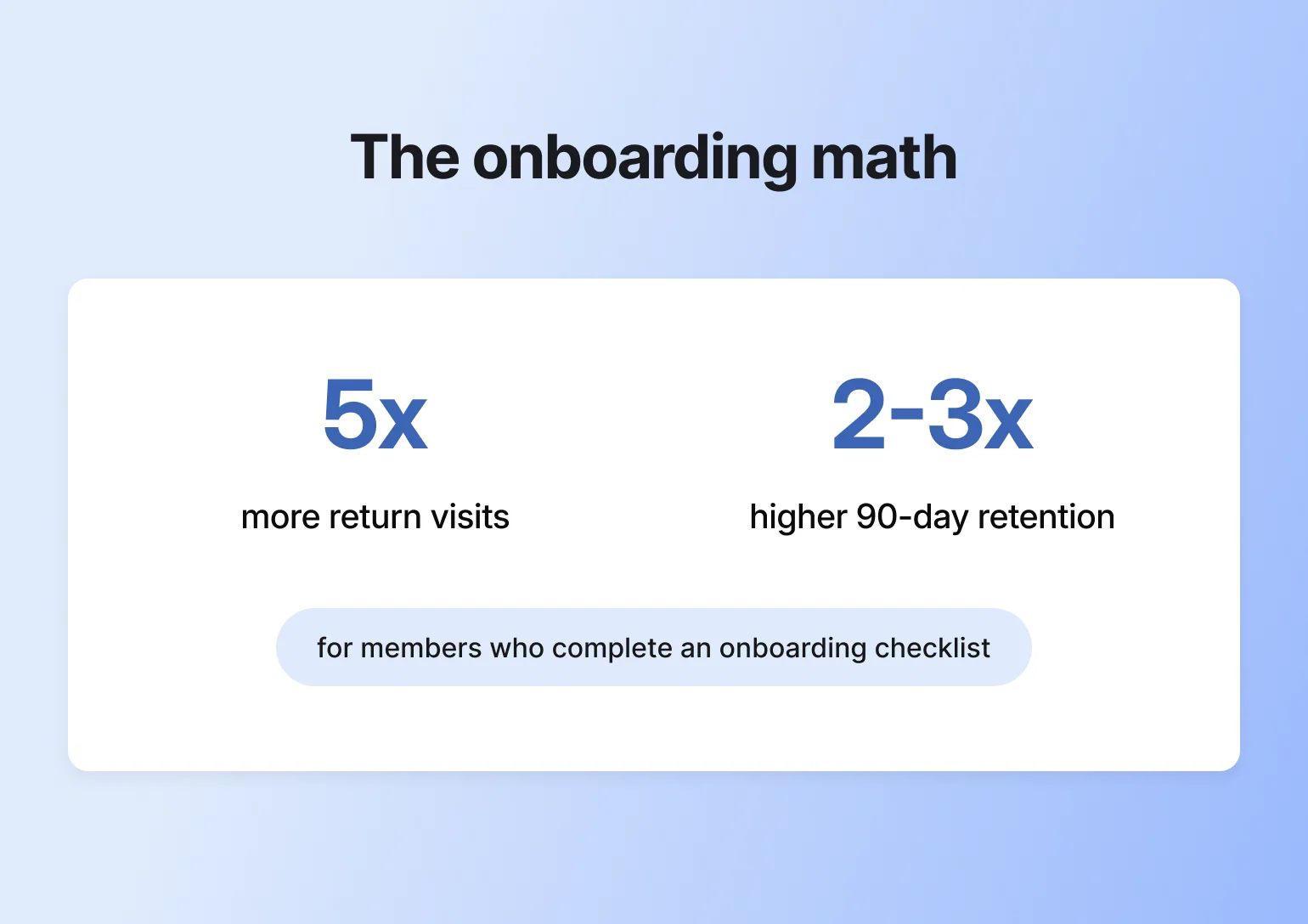
Members who complete a simple onboarding checklist come back to a community roughly 5x more often — and are 2 to 3x more likely to stick around past the 90-day mark, according to Circle's own product data. That's the entire case for taking onboarding seriously.
Like anything with community, there's a lot of thought and iteration that goes into building your member onboarding experience. But you don't have to start from scratch.
To help you and your members start on the right foot, this guide will cover how to:
- Map out your new member experience
- Create a Start Here space that welcomes members and guides them through the first steps
- Spark engagement right off the bat with an intentionally designed introductions space
- Draft onboarding emails and create an email sequence to drive continual engagement
- Help new members feel welcomed through personalized outreach
- Nurture members post-onboarding with tried-and-tested tips
What is community onboarding?
Community onboarding is the process of guiding new members into your community. It starts the moment a new member joins, and ends once that member has taken a meaningful step within the community.
What is membership onboarding? The same thing. Another term for onboarding in communities with a member-based model.
If you’re wondering how to onboard a new member, the goal is simple: help them feel welcomed, supported, and confident in their next steps. When done well, they’ll feel like they belong from the very start. However, when onboarding is done poorly, members can feel lost, overwhelmed, and reluctant to return.
Onboarding—in a nutshell
Think of your community like a dinner party.
When a new guest arrives, what do you do? Probably greet them at the door, take their coat, and ask how they’re doing, right? Then you’d likely give them a quick tour, introduce them to a few other guests, let them know when dinner will start, and what’s on the menu.
This is what onboarding a new community member should look and feel like. Help them ease into the space and give them just enough direction to feel comfortable.
| 🥗 👋🏼 | Dinner Party | Onboarding |
|---|---|---|
The warm welcome | Greet guests at the door, take their coat | Send welcome message, guide to Start Here space |
Breaking the ice | Ask how they're doing, offer a drink | Prompt introductions, encourage first post |
The grand tour | Show them around your home | Provide community map and space walkthrough |
Making connections | Introduce them to other guests | Tag active members, facilitate peer connections |
Setting expectations | Share what's on the menu, when dinner starts | Explain guidelines, upcoming events, and how to engage |
The main experience | Enjoy dinner together, great conversation | Members engage, share value, build relationships |
Keeping the party going | After-dinner drinks, deeper conversations | Ongoing engagement, follow-up messages, continued support |
Benefits of rock-solid, member-focused onboarding
According to Circle's 2026 Community Trends Report — based on a survey of 750+ community builders — a strong onboarding experience pays off almost immediately:
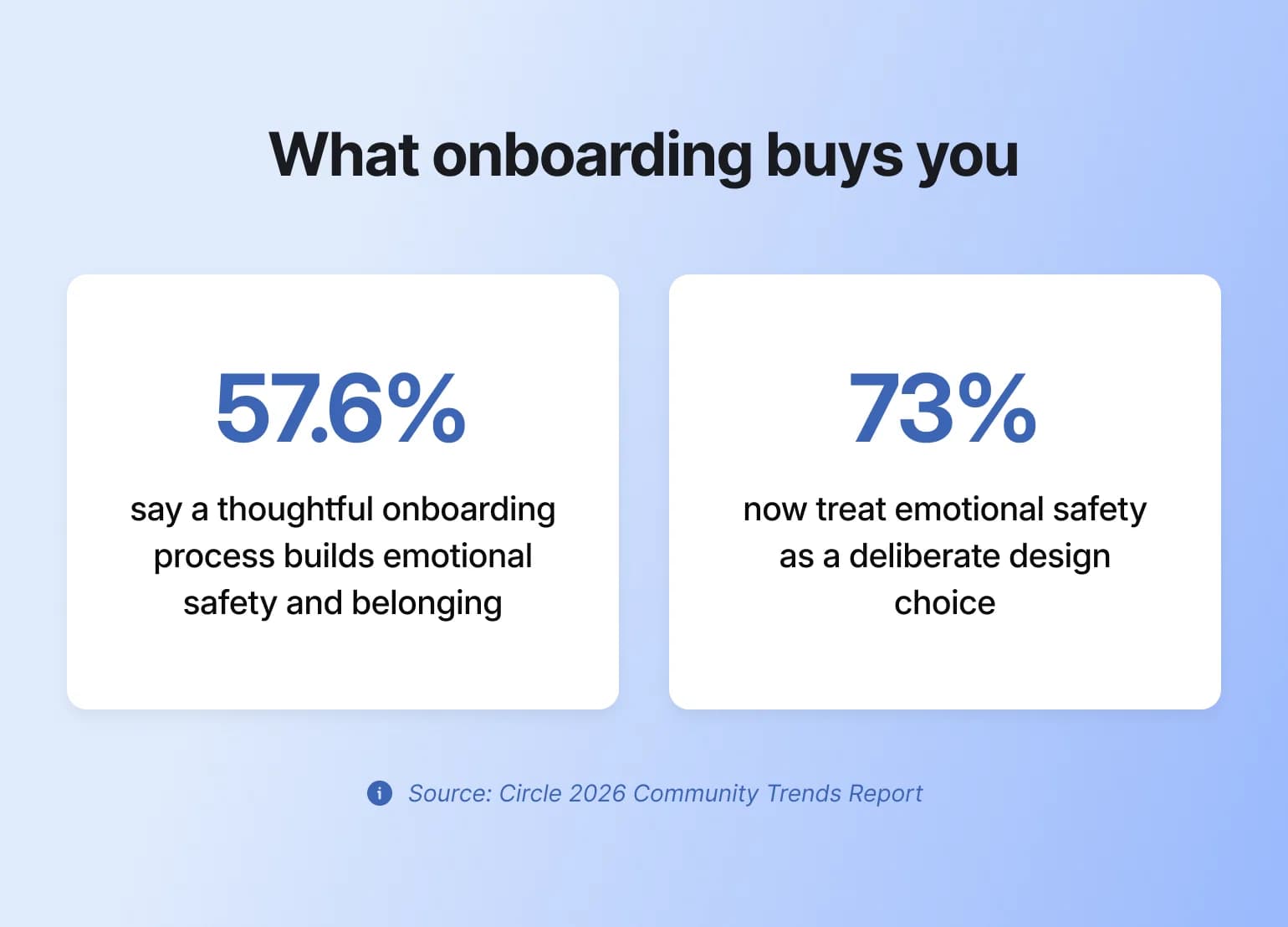
- Higher retention and belonging. 57.6% of community builders point to a thoughtful onboarding process as one of their top ways to build emotional safety and belonging — and 73% now treat emotional safety as a deliberate design choice, not an afterthought.
- Faster progress toward real transformation. 69% of community builders say helping members experience real transformation — hitting a goal, building a skill, seeing visible progress — is now their top strategy for growth and retention. That transformation has to start somewhere, and onboarding is where the clock starts.
- Fewer support questions. Setting clear expectations and sharing guidelines early means less confusion down the road.
- More referrals. When members have a smooth, helpful onboarding experience, they’re more likely to bring others in.
- More useful feedback. Engaged members are often more willing to share their thoughts and suggestions, which helps you keep improving.
Let’s dive into how you can create an unforgettable onboarding experience for new members. 👇
5 steps to a seamless community member onboarding experience
1. Map out your ideal member journey
Here are some community onboarding questions to ask yourself to start mapping out your new member experience for the Circle community, starting with onboarding strategy.
- What does a new member need to know about your community to participate successfully? This could include instructions for how to engage, find support or community guidelines they need to follow.
- What actions should a new member take right off the bat to start uncovering the value of your community? Introduce themselves? Attend an office hours event for new members? Share their goals or reasons for joining? If so, where should they do that?
- How will you share this information and encourage these actions?
Community strategist and author, Carrie Melissa Jones, emphasizes that before touching any technical settings or dashboard configurations, she has clients plan their entire message sequence. The onboarding journey begins with message mapping, not with platform setup.
Design for a few member types, not one
Most onboarding advice quietly assumes every new member is the same person. They're not. Before you map a single step, sketch two or three member types you actually expect (the total beginner, the experienced pro, the one who joined for one specific outcome), and jot down what a great first week looks like for each.
You don't need formal personas or a research project; a few lines per type is enough. It catches the moments where one-size-fits-all onboarding loses people: the beginner who needs more hand-holding, the pro who's bored by the basics, the goal-driven member who wants to skip to the good stuff. From there you can tailor the flow by segment with Workflows, so each type gets the version that fits. You don't have to guess who's who, either: Activity Scores group members by how much they're actually contributing, showing up, and connecting, and you can build segments straight from structured profile fields without exporting anything.
Define what a successful onboarding looks like
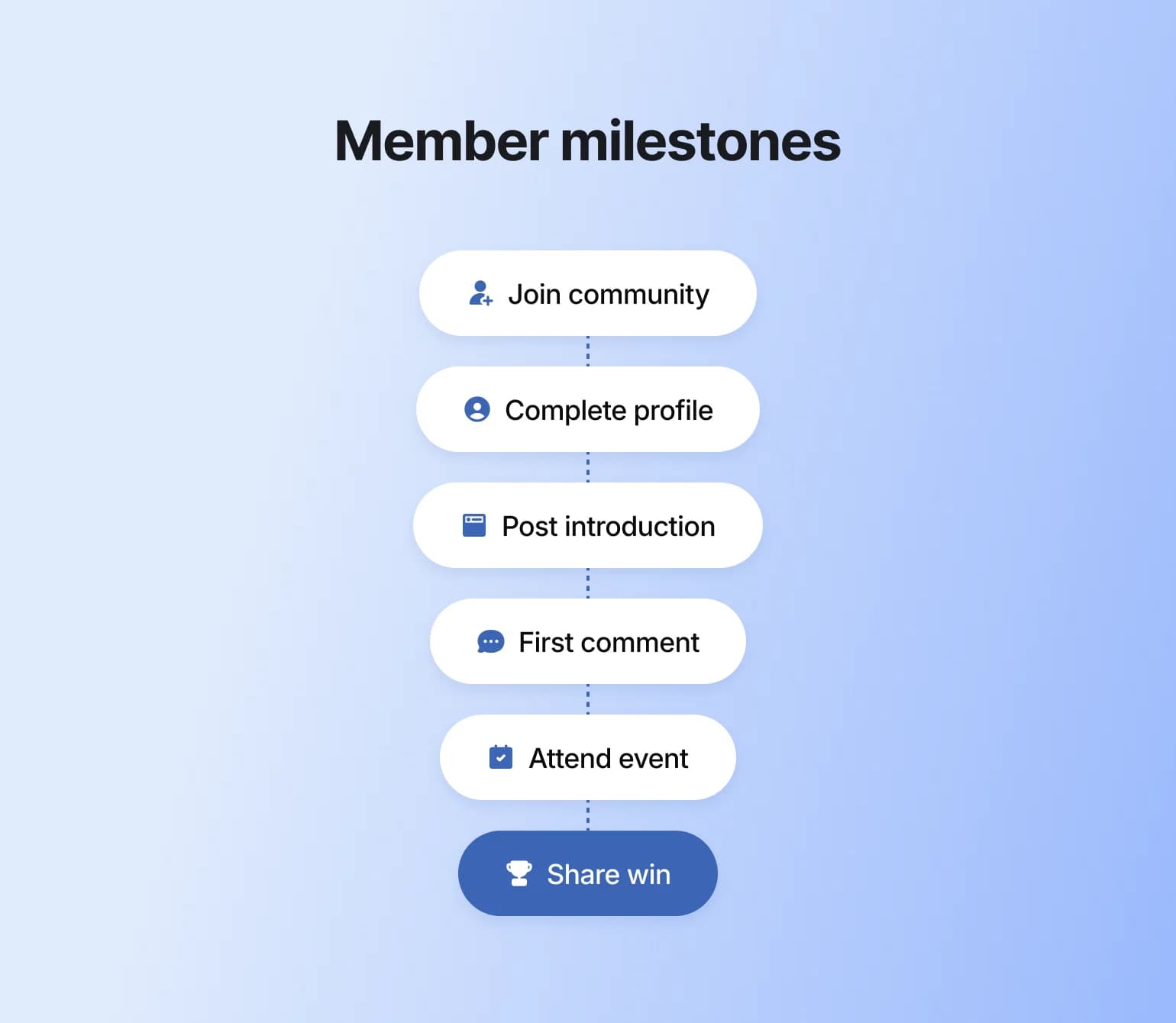
What small actions signal that someone is starting to engage and find value in your community? These milestones look different for every community, but they might include things like:
- Completing their member profile
- Posting an introduction
- RSVPing to an upcoming event
- Commenting on a post or joining a discussion
- Downloading a resource or watching a welcome video
When done right, these early moments can lead to lasting engagement and retention.
👉🏼 Pro tip: Circle Workflows can automate many of these tasks, like sending a welcome message as soon as someone joins or notifying admins so they can follow up personally.
Aim for one clear first win
The goal of good onboarding is simple: get each new member to one real win, fast. That might be a completed lesson, an event attended, or a first comment that gets a reply. You don't need to explain the whole community on day one.
New members are juggling two needs at once: the navigational ("Where do I go? What do I do?") and the relational ("Do I belong here? Are these my people?"). Good onboarding answers both, one small step at a time. Whenever you catch yourself adding one more thing for members to read, ask instead what the minimum is to get them to that first win.
Get it right and the rest of onboarding has momentum behind it. Miss it, and members quietly drift. What looks like a pricing or content problem is often really an activation problem.
Choose your onboarding tactics
Below are some common community onboarding tactics you can do as a community builder to guide new members through their first experience:
- Create a Start Here space
- Create a quick-start video that includes a community tour
- Hold a 1-on-1 or group onboarding call with members (either regularly scheduled or during cohort onboarding)
- Draft an FAQ post (and give members the ability to comment with additional questions)
- Create an onboarding checklist or challenge for new members to complete
- Send a welcome email or message
- Prompt members to introduce themselves or update their profile
- Send personalized nudges to explore specific spaces or resources
👉🏼 Our tip? Turn these actions into a fun challenge, course, or checklist to gamify early engagement and help new members build momentum.
2. Design a clear Start Here space
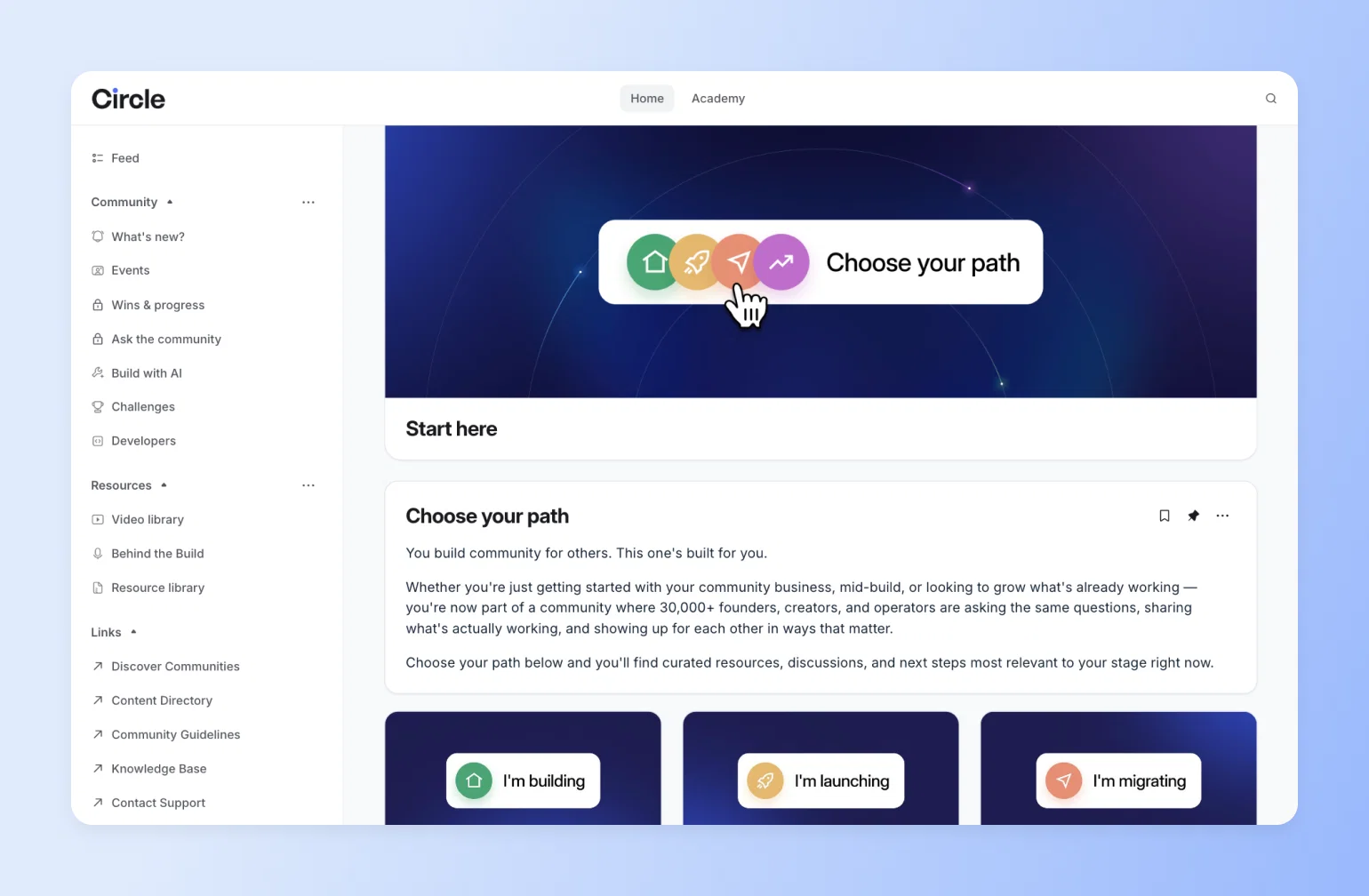
Your Start Here space is the first place new members will land when they enter your community.
If you are setting up this space, you’ll make an awesome first impression that’ll motivate members to contribute during their very first visit.
First things first…
Determine what your start here space should include.
What information would help your members feel most supported?
We suggest reviewing earlier responses to the question: What do new members need to know about your community to be successful?
Look at that list and see what types of content you could create to address those needs, like FAQs or a community map.
Create your start here space.
If you use Circle, click on the + icon next to the relevant space group to add in your welcome space.
You can name it something other than Start Here. Just be sure the title is clear and descriptive so members don’t get lost. Once you create the space, set it as the default space for new members. Don’t worry about the content yet. We’ll add that in a bit later.
For inspiration, check out the video below, or Circle's Start Here space 👇
Draft your welcome post.
This is a critical post because it’s your first touchpoint with new members once they’re in the community. Done well, it should:
- Introduce members to the community
- Provide a quick lay of the land
- Guide members through the immediate next steps they should take
It should also tell members where to turn should they require additional support. Should they drop you a DM, post in a specific space, or contact you via email?
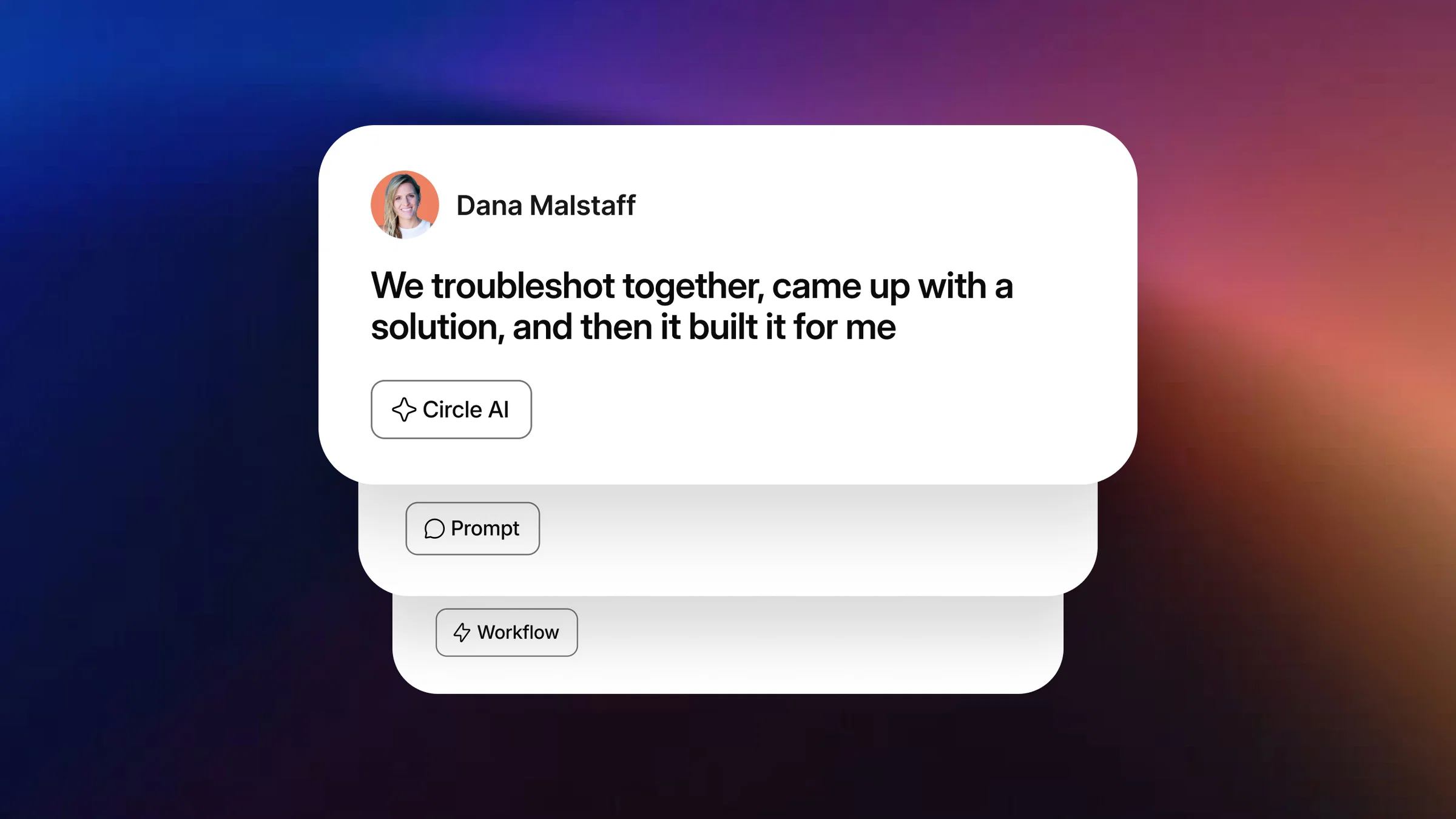
💡 Pro tip: Staring at a blank post? Circle AI can draft your welcome post and onboarding emails from a short prompt, then you make them yours.
Include any immediate actions members should take
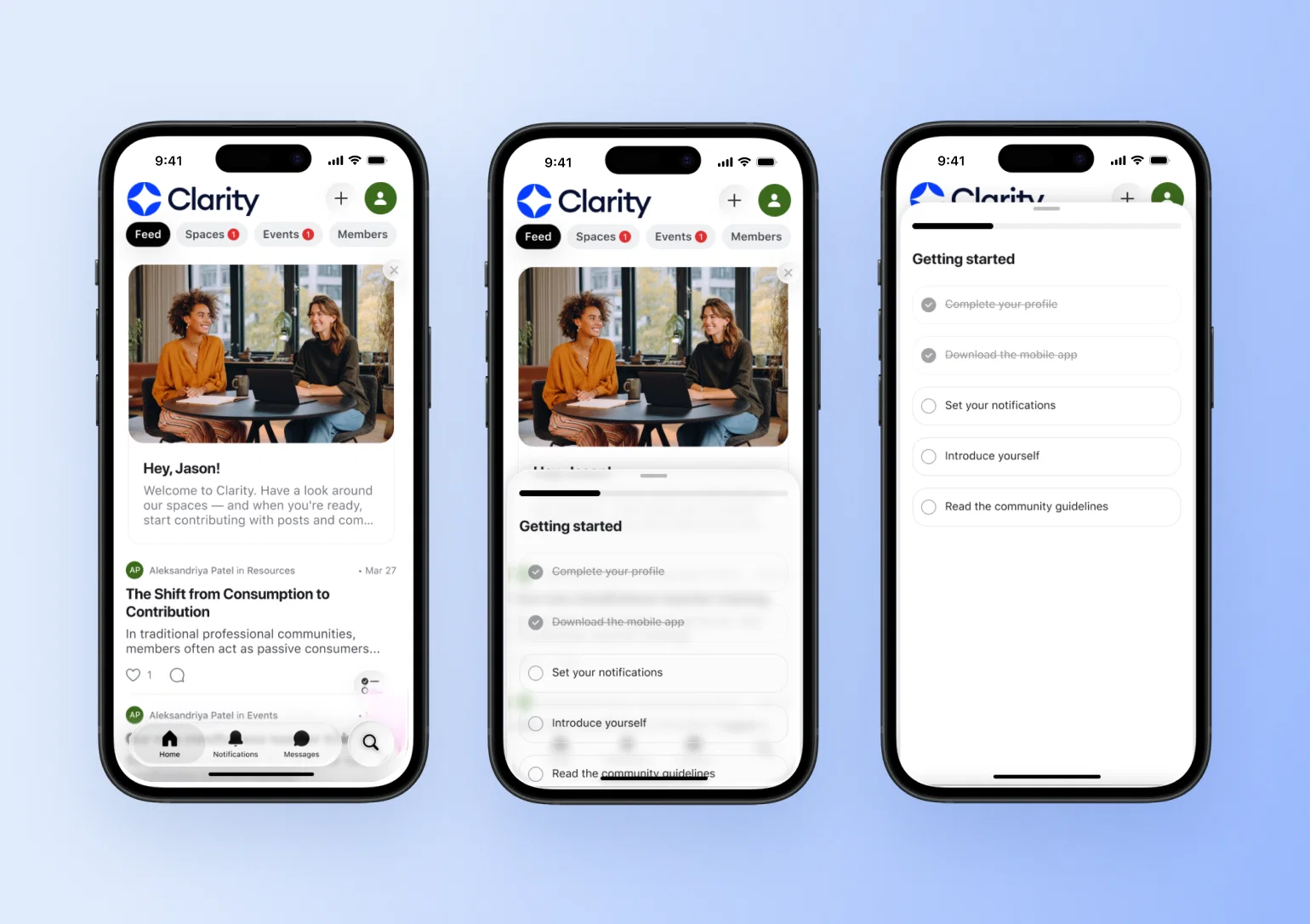
The easiest way to do this now is with Circle's built-in Get Started checklist. Set it up once in Settings → Onboarding → After joining, and it opens automatically for every new member on their first sign-in — no welcome post required. Members see a persistent checklist panel (a small floating button on mobile) with tasks like completing their profile, downloading the app, or visiting a key space, plus anything custom you add. It disappears once every task is complete.
It's worth setting up: Circle's own data shows members who complete a checklist like this return roughly 5x more often, with 2-3x higher retention in their first 90 days.

Turn on your checklist.
That said, you don't want to overwhelm members with a long to-do list, whether it's the native checklist or a custom one. Consider emphasizing just the one or two most impactful tasks.
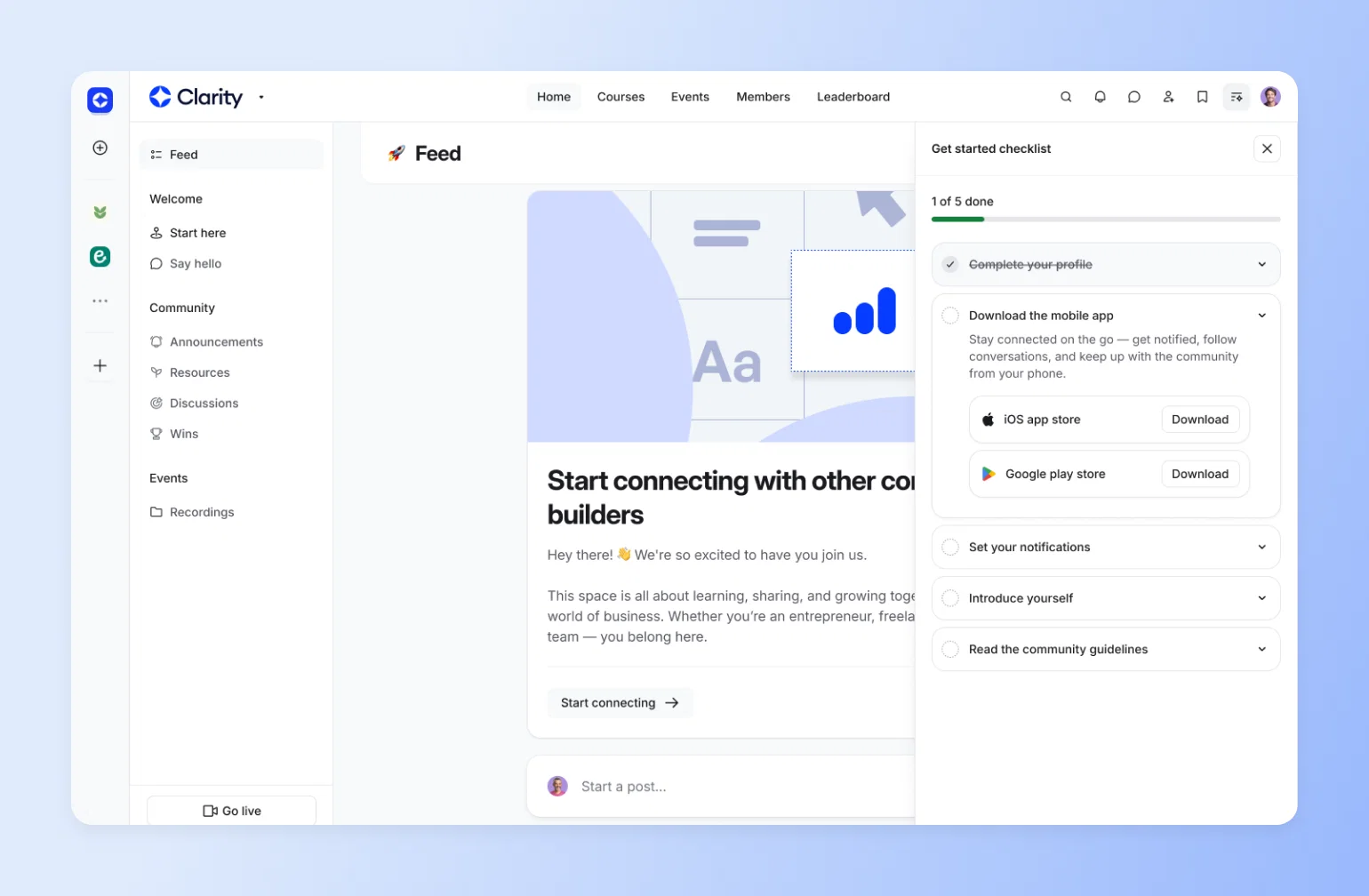
💡 Pro tip: Carrie Melissa Jones recommends ordering the tasks in this list from lowest to highest lift. This way, members can accumulate small wins and build confidence as they progress through the list. Want more customization than the native checklist allows? You can still build your own version as a pinned post or course space — some Circle customers do both.
Set expectations with community guidelines.
Your community guidelines should outline what types of content are (not) allowed in the community, being as clear and specific as possible to prevent any ambiguity.
Create a post in your Start Here space group for these guidelines, so members can easily access and refer to them.
Let members know where they can find resources and information in your community.
Do this directly in your welcome post or create a separate post in the space that:
- Outline different spaces in your community
- Briefly describes the purpose/value of each
- Includes a note about how members can engage in that space
What to include
Now, in terms of content, here’s what yours should include:
- Welcome message. Consider how to use this post to make members feel immediately supported.
- Video walkthrough. Show members around your community with a short, friendly video. Don’t overthink it. Screen recordings with voiceover work great.
- Community map. Create a simple list or visual guide explaining what each space is for and how members can engage.
- Support resources. How can members reach you to get help? Send a DM? Post in a help space? Email support? Let them know.
- FAQs. Cover common questions like, “Where should I introduce myself?” or “How do I join a live session?”
3. Kickstart engagement in an "introductions" space
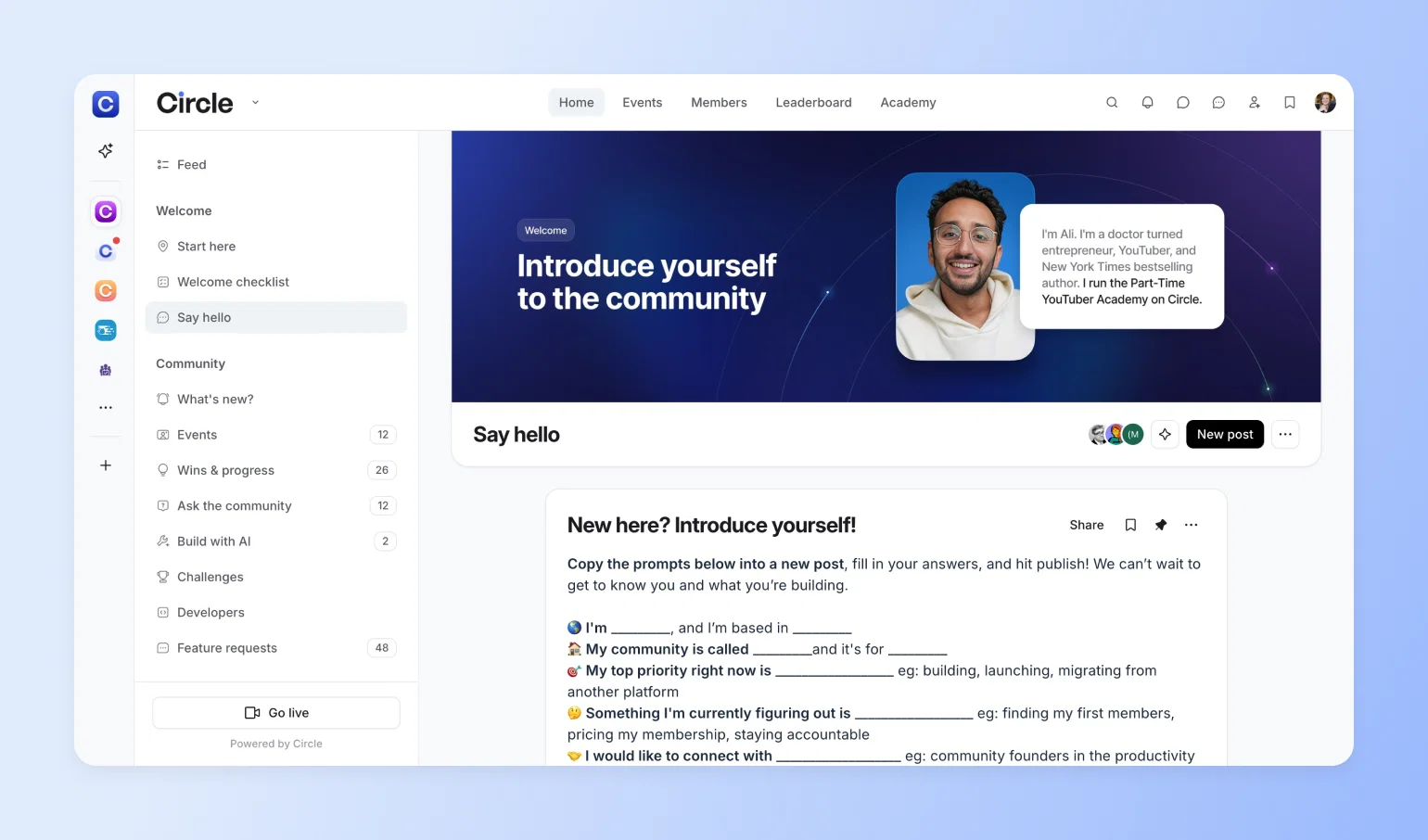
Create your introductions space just like you created your ‘Start Here’ space. Give it a descriptive title—like “Introductions” or “Say Hello”—so members know exactly what it’s for.
Just as the Start Here space is your first touchpoint with new members, the introductions space is a new member’s first touchpoint with peers.
Posting an introduction is often the first step a member takes to engage with the community, so set this space up in a way that makes it easy for members to participate.
Why introductions matter
A simple introduction can go a long way. Especially in the early days of someone’s community experience.
Encouraging new members to introduce themselves does two powerful things:
1. Creates a sense of progress
Sharing a short intro may seem small, but it’s a meaningful first win. According to research from Harvard Business School, even tiny accomplishments trigger a release of dopamine, which boosts motivation and focus. That positive feeling helps members feel like they’re making progress, which makes them more likely to keep showing up.
2. Builds early peer connection
Introductions give members a structured, low-pressure way to start meeting others. When someone shares a little about themselves and what they’re into, it opens the door for others to jump in with a “me too!” or a follow-up question. It’s a natural starting point for conversation and connection.
How to structure the space
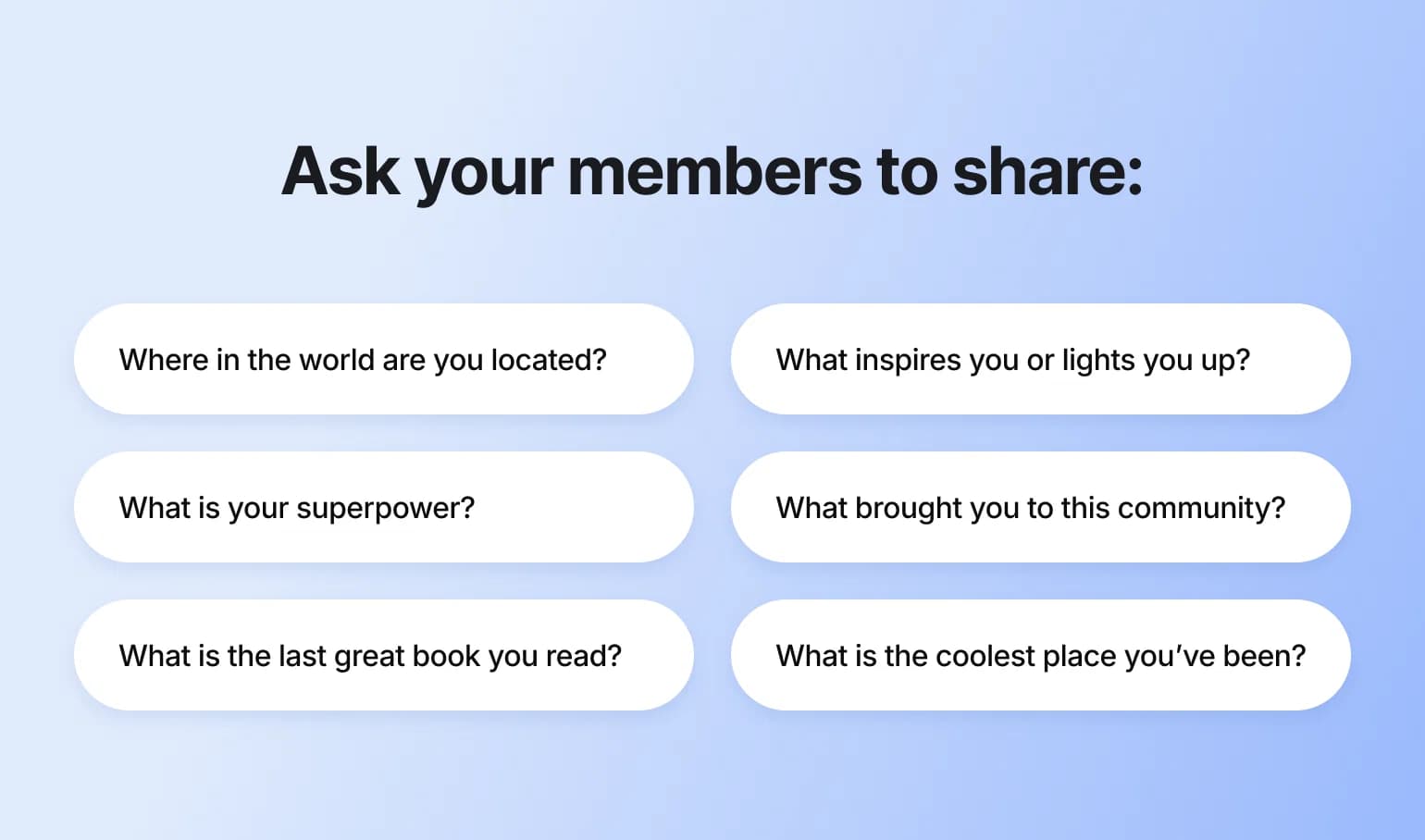
Make sharing a no-brainer for your members by creating a pinned post with some prompts and thought-starters that they can elaborate on in their intro posts.
And if there are certain norms you want to encourage for your community—say, you want members to share their introductions in video format—this is the place to call that out!
👀 Free resource: We developed a community onboarding map with our partners and customers, Miro, that can help you visualize important touch points.
4. Personalize the first touchpoints
Now that you’ve set the foundation for a great community onboarding, it’s time to get members in!
Here are a few different aspects to consider:
Invite your members.
A community can’t exist without members! Will you bulk import members from a CSV file, share an invite link, or send an invite email to individual members?
Personalize your onboarding messages.
Once you’ve invited members to your community, it’s time to personalize the onboarding messages they’ll receive.
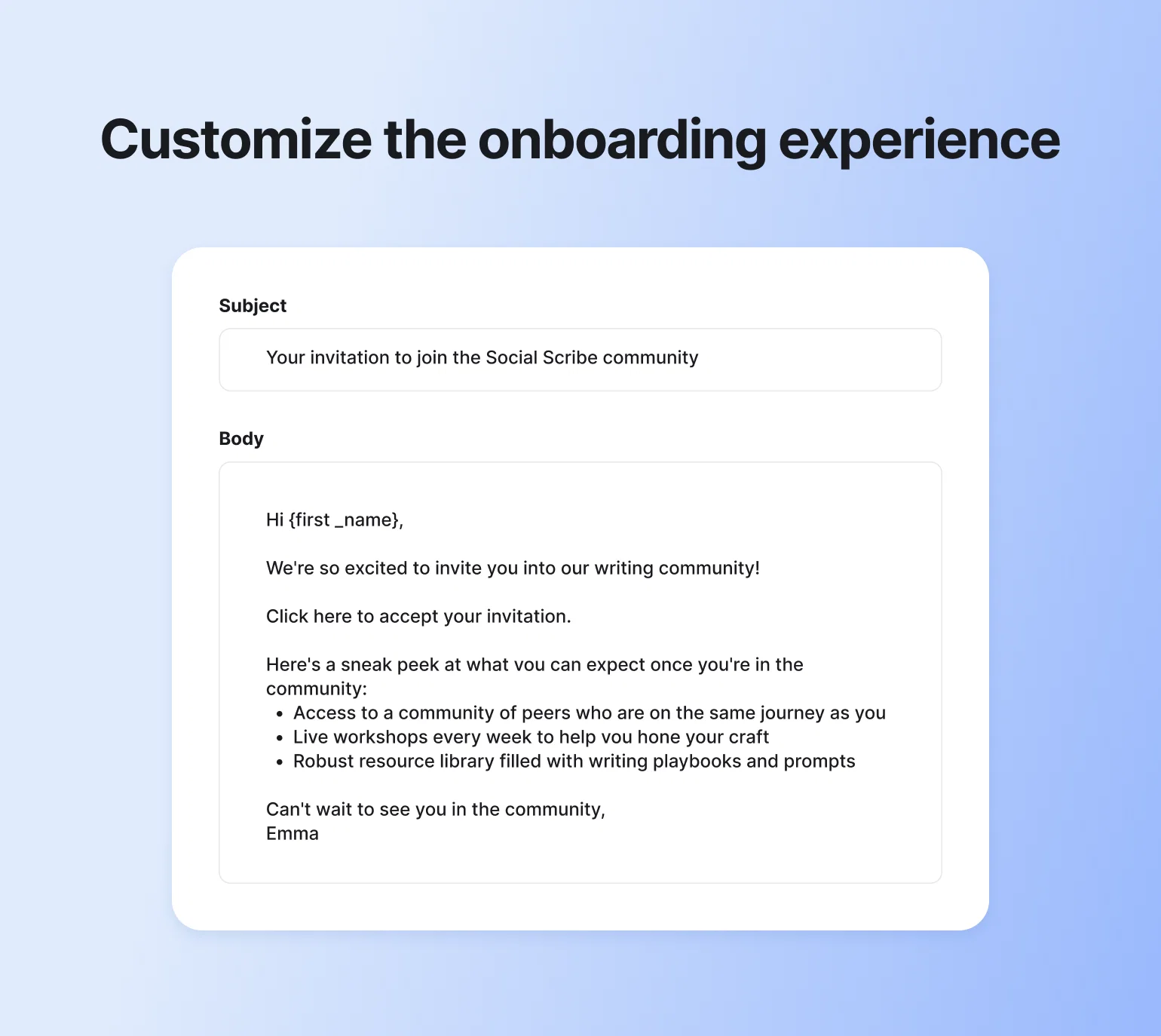
In Circle, you can set a custom onboarding email and popup message for new members. Use these messages to thank members for joining and remind them to check out the Start Here space or say hello in Introductions.
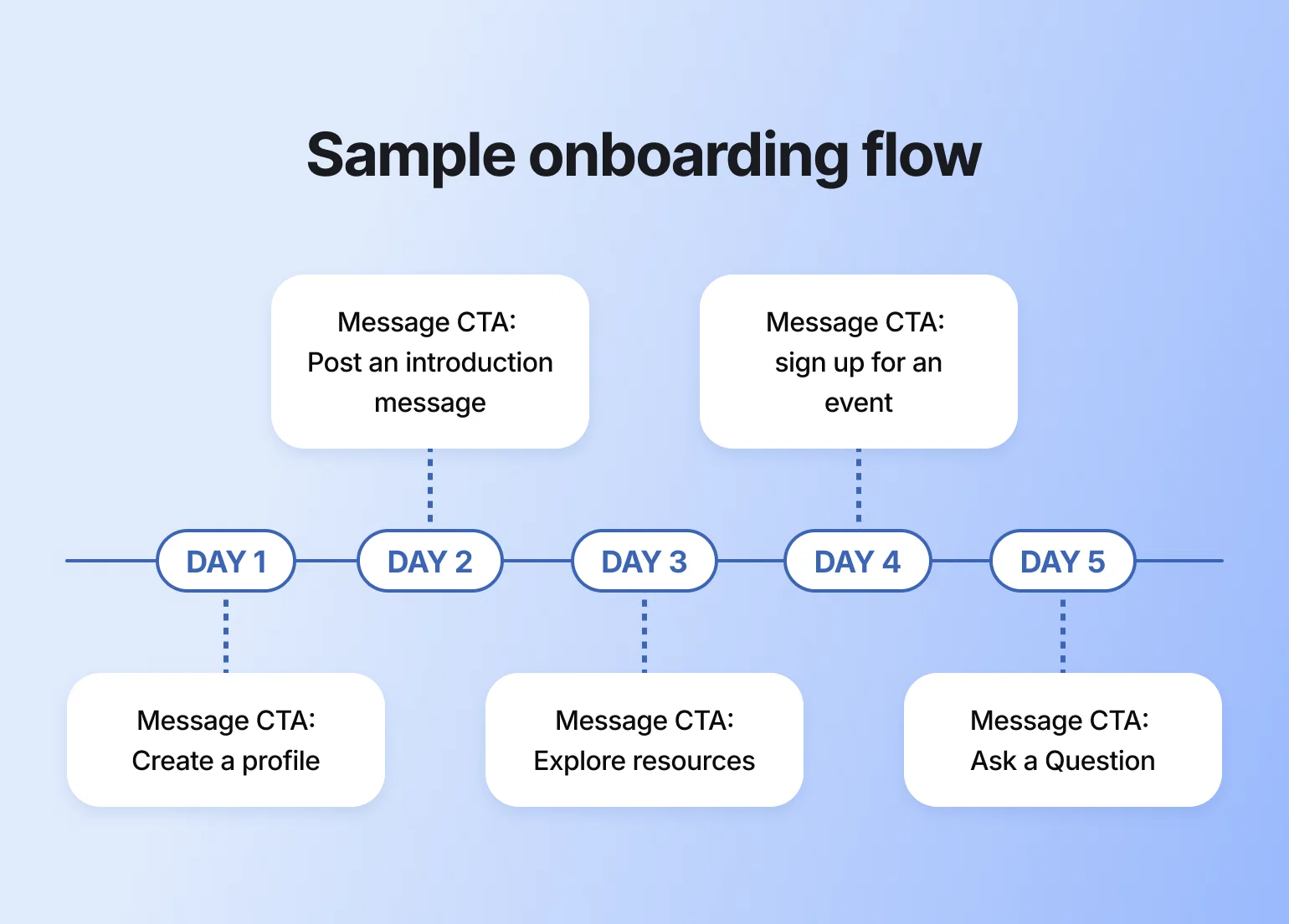
Create an email sequence to “drip” more information to members over time.
Consider creating an email sequence (with Circle’s Email Hub or any other integrated email provider) for new members. This way, you can share even more information without overwhelming members by gradually releasing it over time.
Be sure to include a clear takeaway or call to action in each email to maximize the impact of your sequence.
Welcome emails and pop-ups
Don’t leave your new members hanging! With Circle’s Email Hub, you can easily create personalized welcome emails and pop-ups to say hi and show them what’s next.
Use it to:
- Send automated welcome emails when someone joins
- Invite members to onboarding events
- Manage all your members and contacts in one place using Circle’s built-in CRM
💡 Pro tip: Customize your invitation emails and onboarding messages with dynamic variables, such as {first_name}, {community_name}, and {invited_by_name}, to make things feel more personal.
5. Help new members feel seen and supported
New members are in — now the real work starts. Kick things off on a positive note by personally welcoming them, and set their onboarding journey off on a strong note.
You’re not done yet, though. Kick things off on a positive note by personally welcoming them, starting their onboarding journey off on a strong note.
One principle for everything below: let AI carry the repetitive, around-the-clock work (answering the same first questions, nudging quiet members, sending the initial welcome) so your team's human attention goes where it counts: the personal moments that make someone feel like they belong.
Respond to new member introductions.
Making the time to respond to new member introductions goes a long way. Eventually, your community will reach a point where members are commenting on introductions and making new members feel welcome. But it’s up to you to set the norm.
Model the behavior and make members feel welcome by responding to introduction posts—or even connecting them with others in similar industries, situations, or with the same hobbies.
Send new members a welcome DM.
Make members feel extra welcome by sending them a quick and thoughtful DM.
Let them know you're happy they're here, share a resource they might find useful, or encourage them to take a specific action to engage in the community. (An AI Agent can do a version of this at scale — greeting every new member, answering their first questions, and following up automatically — so personal outreach doesn't fall entirely on you or your team. (Check your plan for AI Agent availability.)
Consider 1:1 or cohort-based onboarding.
For a more personal welcome that leaves a lasting impression, consider offering 1:1 onboarding calls or bringing new members in as part of a cohort. If you have the bandwidth, these approaches can help people connect not only to your community, but also to your team and each other—and they're especially valuable for jumpstarting activity with your first community members.
1:1 onboarding sessions work well for:
- Showing members around the community personally
- Answering specific questions they might have
- Uncovering insights about member behaviors and preferences (especially useful for larger communities)
- Creating a strong first impression that encourages long-term engagement
Cohort-based onboarding offers a different approach by grouping new members together. Some communities take a mastermind-style approach, kicking things off with small-group sessions where members share goals and get early support.
Others, like Dreamers & Doers, only welcome new members in quarterly cohorts, making onboarding feel more exclusive and exciting. Plus, it's easier to settle in when you're not the only one figuring things out.
Life coach Dr. Renea Skelton, founder of the RealWomen Connect™ community, sends every new member personal video messages during onboarding. Yep, real video messages. Not polished scripts - just her, showing up to welcome each new woman like she would a friend. The feedback she’s gotten? “I actually felt like I mattered.” That’s the goal.
Encourage a peer-to-peer welcoming committee.
Welcoming new members shouldn’t fall only on you or your team. Encourage your community (or your member-leaders) to help greet newcomers and answer questions. This creates a stronger sense of belonging for everyone involved.
💡 Pro tip: Even simple steps, like tagging active members in intro threads, can help spark connection.
Your community onboarding checklist
Use this as a starting point, then cut anything that doesn't move members toward their first win. Not every community needs every item.
Before you invite anyone (setup)
- Create and set a default Start Here space
- Write your welcome post: message, quick tour, first steps, where to get help
- Post your community guidelines
- Set up an Introductions space with a pinned prompt
- Draft your welcome email and pop-up
- Decide the one action that signals a member is activated
First 48 hours
- Send an automated welcome message the moment a member joins
- Point them to the Start Here space and the single most important next step
- Welcome each member personally, with a DM or a reply to their intro
First week
- Nudge members who haven't posted an introduction yet
- Respond to every intro, and connect members with shared interests
- Invite them to one low-pressure event or discussion
- Check that each new member has hit one first win
First 30 days
- Send a one-month check-in survey
- Re-engage anyone who's gone quiet
- Review where members drop off, and adjust the flow
👉🏼 Pro tip: Turn the first three phases into a visible Welcome Checklist or onboarding challenge inside your community, so members can track their own progress.
Advanced member onboarding tactics
Want to add something extra to your community onboarding experience? Check out the tips below for ideas on how to level up!
Gamify the onboarding experience
Want to make onboarding more fun and more effective? Add a little gamification.
Use badges, points, or a simple scavenger hunt to turn onboarding into a choose-your-own-adventure instead of just another to-do list.
Track onboarding success with analytics
How do you know if your onboarding experience is working? Two words: community analytics.
Circle’s community analytics gives you a clear view into where, when, and how your members are engaging. Use this data to see what’s working, spot drop-off points, and make smarter decisions moving forward.
For example, if you want to measure the effectiveness of your onboarding efforts, track analytics like:
- % of new members who post an introduction
- Time to first comment or event RSVP
- How many members complete your onboarding checklist
From there, you can set some goals for improvement, like increasing your onboarding checklist completion rate by 20%.
The one metric worth watching above the rest is your activation rate: the share of new members who reach that first win in their first week or two. It's the clearest early read on whether onboarding is working, and it tends to predict retention long before churn shows up.
To catch who's stalling before they leave, use Activity Scores, which rate every member on how much they're contributing, showing up, and connecting. Filter for the low scores two weeks in and you've got your reach-out list. For a fuller framework, our community assessment guide walks through auditing member health in about an hour.
Launch a buddy or peer mentorship program
A well-matched buddy or mentor helps new members settle in faster and stay longer by giving them a real person to connect with right away. It also takes some onboarding pressure off your admin team and helps you build a more member-led community.
Here are Circle Contributor and Partner Stephen Maddison's key recommendations:
- Pick a matching model that fits your community (e.g., skill level, goals, experience)
- Use a short form to gather preferences and match criteria
- Decide what to automate (e.g., tags, DMs, emails) and what’s best done manually
To support your program, consider creating a member guide that outlines key offerings, such as community events, member resources, and programming (like your member matching service). This guide could be its own space or a pinned post inside your ‘Start Here’ area.
Offer digital welcome kits and recognition
Make joining your community feel like unboxing something special by surprising new members with a digital welcome kit or recognition.
This could look like:
- A curated bundle of helpful resources
- A welcome badge on their profile
- A public shoutout in your community space or newsletter
It’s a simple way to say, “You belong here, and we’re glad you showed up.”
Improve with feedback loops
Onboarding gets better when you build it with your members, not just for them.
Circle partner, community strategist, and founder of Learn.Community, Tom Ross suggests asking new members early on: What does a successful community experience look like for you?
Do they want 1:1 connections? Targeted resource? Something else entirely? The insights you gather will help you jumpstart that transformation.
Other feedback loops include:
- A short check-in survey one month after they join (automated via workflows).
- A member directory or matching form to help them find others with shared interests.
- Monthly check-ins with members, scaled using workflows in Circle.
Keep in mind that feedback is only valuable if you act on it. Use what you learn to iterate and improve on your onboarding experience.
For more on what makes onboarding stick, check out this episode from Circle Partner Rachel Starr. She shares what most communities get wrong, along with free tactics for turning things around.
Common onboarding challenges (and how to solve them)
Even with a great plan in place, onboarding isn’t always smooth. Here are some common challenges communities face and how to navigate them:
- Emotional barriers. New members may feel shy, uncertain, or overwhelmed. Normalize these feelings in your welcome materials and offer low-pressure ways to get involved early on, like reacting to a post or bookmarking something for later.
- Limited team resources. You don't have to do it all alone. Lean on your most engaged members, or set up an AI Agent to field first questions from a knowledge base you feed it, so seed it with your Start Here content and FAQs and it answers around the clock while your team sleeps.
- Returning or rejoining members. Not everyone is new. A “welcome back” message, refresher guide, or private check-in can help re-engage returning members and get them back on track.
- Information overload. Avoid dumping everything on day one. Use progressive disclosure to release info and tasks in smaller chunks based on member behavior or time since joining.
- One-size-fits-all approach. Instead of giving everyone the same onboarding experience, segment members by experience, goals, or interests. Then, tailor your onboarding content or flows to deliver what they need most.
- Troubleshooting roadblocks. Make it easy for members to ask for help. Set clear escalation paths and troubleshooting guidance (e.g., Check FAQs → Post in community help space → Contact support) so minor issues don’t turn into reasons to leave.
- Lack of ongoing improvement. Your onboarding shouldn’t stay static. Use health checks and member feedback to refine your process over time and close the feedback loop.
Build your onboarding on Circle
The best communities don’t leave onboarding to chance, and neither does Circle. Create a warm, streamlined, and scalable onboarding experience using:
- Customization to brand your welcome spaces and create a consistent first impression
- Workflows to automate repetitive tasks and guide members step-by-step
- Analytics to track your efforts and improve over time
- Gamification to motivate action with badges, levels, and points
- Integrations to connect your favorite tools and keep everything running smoothly
- Community engagement strategies to keep members active long after onboarding ends
- AI Agents to welcome new members and answer their first questions around the clock
- Circle AI to draft your welcome posts and onboarding emails from a short prompt
Onboarding built to stick.
FAQs about community onboarding
What are the 4 C's of onboarding?
The 4 C's of onboarding are a framework that ensures comprehensive new member integration:
- Clarification: Help new members understand their role, expectations, and how the community works. This includes sharing guidelines, explaining different spaces, and setting clear expectations for engagement.
- Culture: Introduce members to your community's values, norms, and "how we do things here." This happens through your welcome messaging, modeling behavior in introductions, and showcasing community values in action.
- Connection: Facilitate relationships between new members and existing community members. This includes encouraging introductions, tagging active members in newcomer posts, and creating opportunities for peer interaction.
- Compliance: Ensure new members understand and follow community rules, posting guidelines, and platform features. This prevents confusion and creates a smoother experience for everyone.
How do you measure community onboarding success?
Track a small set of signals rather than everything at once:
- Activation rate: the percentage of new members who reach a meaningful first win (an intro posted, an event attended, a first connection made) in their first week or two. This is your north-star onboarding metric.
- Time to first action: how long it takes a new member to post, comment, or RSVP.
- Onboarding checklist completion: the share of members who finish the actions you've set out.
- 30-day retention: how many new members are still active a month in.
If activation is low, the fix is usually earlier and simpler than you'd expect: a clearer first step, not more content.
How long should community onboarding take?
Community onboarding typically spans 2-4 weeks, but the timeline varies based on your community's complexity and member engagement level:
- First 48 hours: Focus on the immediate welcome experience—sending welcome messages, guiding to the Start Here space, and encouraging introductions.
- Week 1: Members should complete key actions like posting an introduction, exploring main spaces, and understanding community guidelines.
- Weeks 2-4: Gradually introduce deeper engagement opportunities like attending events, joining discussions, or connecting with other members.
Remember, onboarding isn't complete until a member takes a meaningful action within your community. Some members may achieve this in days, while others need more time and gentle nudging.
What happens if a member doesn't engage during onboarding?
When members don't engage initially, try these re-engagement strategies:
Week 1-2 of silence:
- Send a friendly check-in message asking if they need help finding their way around
- Share a specific resource or upcoming event that matches their interests
- Invite them to a low-pressure activity like a newcomer coffee chat
After 2-4 weeks:
- Send a "we miss you" message with a simple call-to-action
- Offer a brief 1:1 check-in to understand any barriers they're facing
- Consider if your onboarding process itself needs adjustment based on patterns
Long-term approach:
- Include them in periodic community newsletters or updates
- Tag them in relevant discussions (sparingly and thoughtfully)
- Create "returning member" content for when they're ready to re-engage
The key is being helpful without being pushy—some members need more time to feel comfortable participating.
What makes onboarding different from employee onboarding?
Community onboarding differs from employee onboarding in several key ways:
Motivation: Community members join voluntarily and can leave anytime, so you must continuously demonstrate value rather than relying on job obligations.
Timeline: Employee onboarding often follows a structured timeline with mandatory training. Community onboarding is more flexible and self-paced, accommodating different comfort levels and availability.
Relationship building: In communities, peer connections are often more important than hierarchical relationships. The focus shifts from "reporting structures" to "finding your people."
Success metrics: Employee onboarding measures job competency and productivity. Community onboarding measures engagement, belonging, and value realization—softer but equally important outcomes.
Ongoing nature: While employee onboarding typically ends after 90 days, community onboarding is more of a continuous journey of deepening engagement and connection.
The goal shifts from "getting someone job-ready" to "helping someone feel they belong and can contribute meaningfully to the community."
Sr. Customer Education Manager
Emma manages customer education at Circle, where she’s currently focused on building Circle Academy—a new hub for all things community education.