Marketing automation for small businesses that want to grow without a team
TL;DR
- Marketing automation runs your repetitive tasks in the background, so your small business can stay consistent.
- How do you know when you’re ready to automate? Rewriting the same emails, your members list is growing faster than you can keep up, or admin work is eating into your coaching or creating.
- Start with one workflow, then add client onboarding and pick a tool that consolidates your stack and has a pricing model that won't punish you for growth.
Members only
One issue, five minutes, every Tuesday. Read by +14,200 creators.
You sign on dozens of new coaching clients and a few hundred course students each year, and most people assume the differentiating factors are a team and a budget. But it's actually automation systems that free up your time, give you space to be creative and aligned, and let you dream bigger because the boring (but foundational) stuff is automated.
It happens when you stop typing every message yourself and let a few simple nurture sequences handle the slow, steady follow-up for you, so you can spend your time actually helping clients while your workflows quietly take care of the welcome notes, check-ins, and nudges that keep people engaged.
If that sounds like a stretch from where you are now, this guide walks through what marketing automation really is, what's worth automating right now, and how to get your first workflow live.
What is marketing automation?
Before we get into what to automate or how to start, it helps to be clear on what marketing automation actually is — because the term gets thrown around loosely (and a lot, if you live on the internet as we do).
Marketing automation is software, or tools, that handle your repetitive marketing tasks, following workflows you set up once. Think email sequences, social posts going out on schedule, or lead nurture happening in the background.
It keeps things moving, makes communication feel personal across channels (email, web, or SMS) even as your audience grows, and frees you up to think about strategy instead of grinding through manual tasks.
A simple example: if you've ever bought something online and gotten a follow-up email a week later asking how it went, that's automation. It was written in advance and scheduled to be sent after your purchase.
When done well and thoughtfully, automation can serve as a second version of you within your business, especially if you’re a coach, creator, or educator. It greets new subscribers, keeps relationships warm, follows up on leads, and quietly drives sales even when you're off the clock. It keeps you top of mind when you’re busy elsewhere.
Why small businesses use marketing automation
Knowing how the dominoes fall is one thing. Knowing why it's worth setting them up in the first place is another — especially when you're a one- or two-person operation deciding where to spend your limited time.
Small businesses adopt marketing automation for four reasons: it gives you back hours every week that would otherwise go to repetitive outreach, it scales your reach without forcing you to hire, it can make your communication feel more personal, and it tends to drive more revenue per recipient than one-off broadcasts because it keeps people in your ecosystem.
Put together, that's the difference between a business that grows only with your effort and one that keeps running even when you're not at your desk.
It gives you back hours every week
Time is usually the first thing people notice. The hours you get back can go into making content, running coaching calls, or actually showing up for your clients or members. Even a single workflow that handles welcome emails or session reminders can save a few hours a week, and those hours add up fast once two or three automations are running side-by-side.
It scales your reach without scaling your team
Many small businesses are run by one person or a tiny team. At that stage, you may not need a marketing coordinator chasing every lead; you just need a workflow that does it for you, so you can stay consistent with new contacts without hiring anyone new.
Without automation, "scaling without a team" usually means cutting corners on the personal touch—fewer welcome notes, slower replies, missed follow-ups. With it, a one-person operation can stay consistent with every new contact.
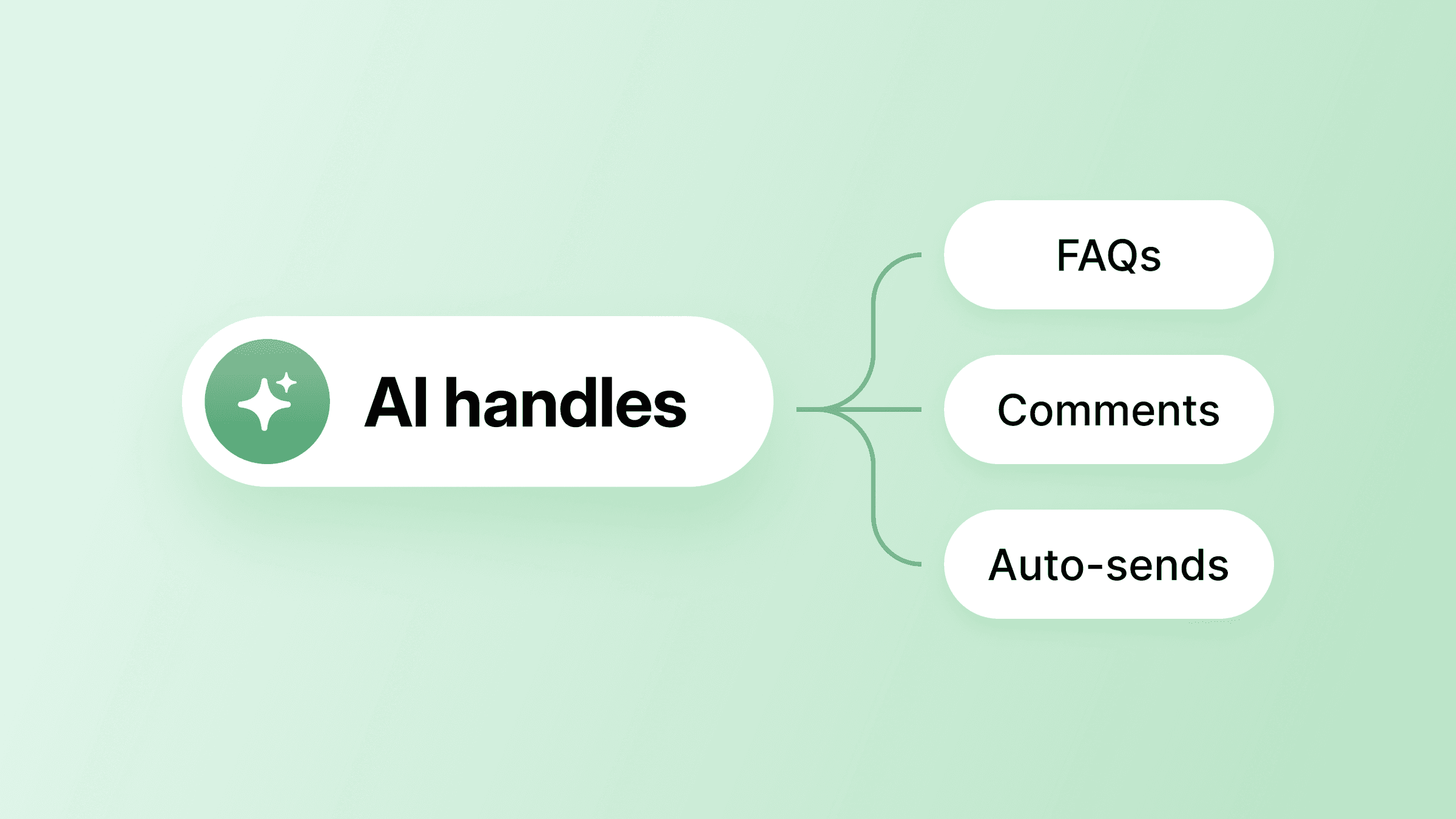
That's why solo founders running community-based businesses on Circle lean on the Email Hub for automated sequences, Workflows for member onboarding and event follow-ups, and AI Agents to handle common questions, so the day-to-day outreach keeps running whether they're at their desk or not.
It can feel more personal, not less
Many coaches and educators worry that automation will make them sound like robots. Done well, it's the opposite. When you write your automated emails the way you'd write to a friend and let the system send them at the right moment, people often feel more cared for, not less.
The best way to nail this is to match the timing to what someone actually did, rather than blasting the same message to everyone, which is exactly the kind of behavior-based customer engagement that turns one-time subscribers into long-term members.
The revenue difference can be real
Email industry benchmarks (from providers like Klaviyo and Omnisend) consistently show that automated flows earn meaningfully more revenue per recipient than one-off broadcasts, often by a wide margin.
For a small business, that's the gap between workflows that run on their own and manual sends that depend on your time and memory. Time, reach, personal touch, and revenue are the why. Now for the what—the specific workflows where small businesses tend to get the fastest payoff.
9 marketing moments you can automate
Marketing automation pays off across the full customer lifecycle in three stages: first touch, purchase, and ongoing engagement.
- Welcome emails. Triggered when someone joins your list. Say hi, deliver whatever you promised, and set expectations for what's coming next.
- Lead magnet delivery and nurture. Someone downloads your free guide or mini-course. The resource shows up right away, and a short nurture sequence keeps the conversation going over the next few days.
- Course enrollment and student onboarding. A purchase kicks off a confirmation email, getting-started-in-the-course-platform instructions, check-ins, and a few "you're doing great" notes as students hit milestones.
- Abandoned checkout recovery. A visitor starts checking out and never finishes. A reminder can go out shortly after, with another nudge a day or two later.
- Post-purchase upsell sequences. Once a buyer has gotten value from their first purchase, you can introduce a complementary or higher-tier offer. A pattern that works well in Circle communities: trigger the upsell email from a "New paywall subscription" event, but add a workflow delay of a few days so it lands after members have already received something valuable — not the moment they join. The difference in response is noticeable.
- Event reminders and follow-up. Confirmation emails, reminders before the event, then a split follow-up: attendees get the replay and a next step; no-shows get a different note with the recording.
- Win-back sequences. When a subscriber has gone quiet, a re-engagement message gives them a reason to come back or an easy way to opt out.
- Client onboarding. New clients get a welcome message, a nudge to book their first session, and an invite to whatever resources you want them to start with.
- Feedback and testimonial collection. After a course wraps or a coaching milestone is reached, an automated email requests feedback. Happy responses lead to a request for a testimonial. Concerns lead to a personal check-in.
What ties these together is that each workflow runs on behavior or timing, which makes them strong candidates for your first round of automation.
That list of nine can feel like a lot if you haven't built any of them yet. The good news: you don't need all of them to get started — you just need to understand the simple mechanic they all share.
How trigger-based workflows work
Every marketing automation is just an "if-then" logic: pick a trigger (a person's action or a moment in time), and the system runs a sequence you've already built. The most common triggers include:
- Subscriber action: Someone fills out a form (and instantly gets a thank-you note or the lead magnet you promised), clicks a link, starts checking out but doesn't complete the purchase (so a nudge goes out to bring them back), or buys a course.
- Date-based: A course start date approaches, a subscription renewal is due, a birthday lands on the calendar, or a live event is around the corner.
- Page or behavior signal: Someone visits a specific page on your site (which can fire off a chat pop-up or a retargeting ad), spends time on a high-intent piece of content, or hits a lead score that says "this one's warm", so you know to reach out personally.
- Custom condition: A tag gets added, a profile field changes, or an engagement score dips below a number you've set.
Those four cover most of the workflows small businesses build first, and once you arrange them, they work a bit like dominoes: tip the first one, and the rest fall in order on their own. The harder part isn't the setup — it's knowing when you can start automating.
6 steps to start automating
Getting your first automation live takes six steps: audit the work you keep redoing, pick one platform instead of stitching tools together, build a welcome sequence as your first workflow, follow it with client onboarding, add one more automation at a time after those two are running, and check in on every workflow once a month so nothing breaks quietly.
Each step builds on the last, so you end up with a small stack of automations that run your business in the background, rather than a half-finished funnel that needs constant babysitting.
Step 1: Look at the work you keep redoing
Before you touch any tool, write down the tasks you keep doing the same way every week. For most coaches and creators, that's welcome emails, onboarding instructions, and lead follow-up.
Step 2: Pick one platform and stick with it for a while
Don't try to test five tools at once. Circle has a structural advantage here because your email, community, and course data all live in the same place rather than scattered across separate tools you have to glue together.
That means your automations can respond to what members are actually doing — joining a space, completing a course module, RSVPing for an event, upgrading their subscription — in real time.
- Dynamic segments update automatically as member behavior changes, so you're not manually maintaining lists.
- Branded signup forms capture new subscribers and sync them instantly to your CRM.
- And when you're ready to send an upsell, you're not guessing who's engaged; the data is already there.
That's the consolidation argument in practice, not just in theory.
Step 3: Build your first workflow—a welcome sequence
A short welcome sequence usually goes something like this, staggered over a few days: deliver whatever you promised first, share a bit about what you do or your story, offer some social proof or a case study, and close with a soft call to action. That alone is enough to test the idea before you build anything bigger.
Step 4: Build your second workflow—client onboarding
Once your welcome sequence is running, set up what happens when someone actually signs up or buys. A solid onboarding sequence points them to the right next step, and invites them to whatever resource or session you want them to start with — so every new client gets a consistent first experience without adding to your weekly to-do list.
Step 5: Add one workflow at a time
After your first two are running smoothly, the natural next steps include:
- Lead nurture sequences
- Re-engagement campaigns
- Post-purchase follow-up
- Testimonial collection
Build one, see if it works, look at the numbers, then move on. That keeps your setup easy to manage and makes it easier to spot what's actually moving the needle.
Step 6: Check in on your workflows regularly
Treating automation as something you set and forget is one of the most common ways small businesses end up with broken or outdated flows. Block out time once a month to look at your active workflows. Check open rates, click rates, and conversion rates, and don’t forget to clean your list when engagement starts to drop.
Step 2 said to pick one platform and stick with it — but that begs the obvious question: how do you decide which one? These are the criteria that actually matter for a small team.
How to choose the right tool
Seven things separate a tool that fits a small team from one that doesn't: ease of use, core features at your price tier, CRM depth, consolidation value, pricing model, deliverability, and integrations. Miss one — usually pricing model or deliverability — and you'll feel it within the first quarter.
- Ease of use. You want drag-and-drop builders, not developer documentation. If a platform requires you to book a demo before showing pricing, it's usually built for a more complex sales process than yours.
- Core features at your price point. Many platforms advertise features that only appear on higher tiers. Double-check that action-triggered sequences, visual workflow builders, and segmentation are actually included in the plan you'll pay for.
- CRM and contact management. For coaches who follow individual client paths, features like tagging, custom fields, and behavioral tracking can matter a lot.
- Consolidation value. Write down what you're already paying for (landing page builder, form tool, email platform, CRM) and check whether one platform can cover most of it for less.
- Pricing model. Subscriber-based pricing scales with your list. Volume-based pricing charges for emails sent. All-contacts pricing charges for everyone in your database, including people who have unsubscribed. Know which one you're signing up for.
- Deliverability. Automation is worth nothing if your emails go to spam. Use free trials to check inbox placement before you commit.
- Integrations. Check that it connects to your course platform, payment processor, and scheduling tools. Also worth asking whether migration support is part of the deal.
That last point on consolidation is where many small businesses get stuck. If you're running four different platforms for email, courses, community, and payments, your data ends up in silos, and your automations can only see part of the picture. It's a big part of why creators end up tying everything together with tools like Zapier, and then eventually consolidating on one all-in-one tool.
Take Sabby Bagga, founder on Tube Academy, a premium service that helps real estate agents grow on YouTube. In a saturated market, Sabby used to spend the first half of every sales call just proving credibility before he could pitch a $10K+ offer.
So he built a Circle community where prospects could see client wins and hear from existing members before booking — then launched a branded app with an auto-booking flow that routed qualified leads straight onto his calendar. The marketing automation did the warming up for him: 200+ new members in three months, $60K in new business, and a 10x ROI — with prospects showing up to calls already convinced.
That's the bigger argument for keeping marketing automation on the same platform as your community — your workflows do the warming, qualifying, and routing in the background, so the human time you do spend with prospects and members is more productive.
Put your automation where your business lives
John's setup works because his automation isn't bolted onto his business from the outside — it's running where his members already are. That's the principle worth taking with you.
If you're a coach, creator, or educator just getting started with marketing automation, the hardest part isn't the workflows themselves—it's making sure they actually have something to act on. With Circle, your community, courses, events, payments, and email all live in the same place, so your automations don't have to guess what your members are up to; they can respond to it directly.
For a beginner, that means you can start with one simple workflow today and grow into more sophisticated ones (like AI agents or AI workflows) as your business does, without ever having to re-platform or duct-tape a new tool into the mix. It's a setup built for the way small teams actually work: start small, keep it personal, and let the system handle the steady work while you focus on your members.
Start your 14-day free trial of Circle now.
Small business automation FAQ
Is marketing automation worth it for a really small business?
Yes—maybe even more so as your time is so limited. Even a single welcome sequence cuts down on manual work and keeps you consistent with every new subscriber, without adding to your weekly to-do list. For a one-person business, that consistency alone is worth it—you stay top of mind without having to write the same email out twice.
How many automations should I start with, and which one?
Just one: a welcome email sequence. It introduces every new person to your business on its own, sets expectations, and delivers whatever you promised at signup. Once it's running and you've checked the numbers, add another—usually customer or client onboarding — and build from there one workflow at a time.
Can I automate without sounding like a robot?
Yes. Automation is about timing and relevance, not stripping out your voice. Write your automated emails the way you'd write a personal one, and let the system send them at the right moment for each person. The goal is simple: show up consistently and sound like yourself.
Community Content Marketer
Arina is Circle’s community content marketer, sharing insights on community growth, GTM strategy, and storytelling for solopreneurs.