11 Best online course platforms for creators in 2026
TL;DR
- Course completion rates average just 10–15% industry-wide — but community-powered courses on Circle achieve 40–60%, roughly 3–4x higher
- The best online course platform depends on your goal: Circle for community-driven learning and all-in-one simplicity, Teachable for getting started quickly, Kajabi for high-ticket funnels — but factor in the 2025 price increase (Basic is now $143/mo) , Mighty Networks for mobile-first delivery, Skool for simple and small-scale, and Thinkific for corporate or internal training
- Self-hosted platforms give you full ownership and higher margins; marketplaces like Udemy and Coursera trade control for discoverability — and take 37–63% of revenue
- The features that actually move completion rates aren't course builders — they're peer interaction, accountability systems, mobile access, and live cohort support
- Circle starts at $89/month and includes courses, community, email, website, payments, and AI agents — replacing a tool stack that typically runs $300–600/month
- Circle launched Eclipse in June 2026 with a redesigned course builder, visual learning paths, and Circle AI — an AI partner that sets up your entire community and course structure in minutes
It’s not just you. Getting students to finish online courses these days is a slog. According to recent data, course completion rates average just 10-15% across the industry.
The reasons for the low completion rates vary. From content overload (thanks doom scrolling and AI slop) to no built-in accountability, online course students are signing up, but quickly become distracted by the next shiny object.
All while you're trying to attract students, create structured learning experiences, and deliver measurable outcomes. And somewhere in a cobwebbed corner of your mind, a dozen unfinished tasks are playing ping-pong.
But if you choose the right online course platform, you can cut through the noise (and the cobwebs) and boost your course completion rates. Which means more reviews, referrals, and revenue.
So, if you’re curious about creating the best learning environment and experience for students—or just have a lot to teach the world and don’t know where to do it—in this article, you’ll learn:
- Why community-driven learning tends to wildly outperform the usual online approach
- The top 11 online course platforms on the market
- The software that gives your students the best chance of success
What is an online course platform?
An online course platform is software that lets creators and businesses build, host, and sell educational content — whether free or paid. Core features typically include a course builder, payment processing, student management, and some form of analytics.
They come in two flavors: marketplaces like Udemy and Coursera that give you a built-in audience but take a significant cut of revenue and limit your control over branding and student data; and self-hosted platforms like Circle, Kajabi, and Teachable where you own the experience end-to-end and keep more of what you earn.
Course platforms vs. learning management systems (LMS)
The terms get used interchangeably, but there's a meaningful difference:
Online course platforms are built for creators who want to design, sell, and deliver courses without a tech team. They're ideal for solopreneurs, coaches, and educators.
Learning management systems (LMS) are enterprise-grade tools with advanced features like compliance tracking, certifications, and deep integrations. They're built for organizations scaling training across large teams or academic institutions.
If you're a solo creator or small team, a course platform is almost certainly what you need.
What makes an online course platform effective?
Note: Completion rate data comes from Circle's analysis of 20,000+ communities and 2024 industry benchmarks from Inside Higher Ed and eLearning Industry.
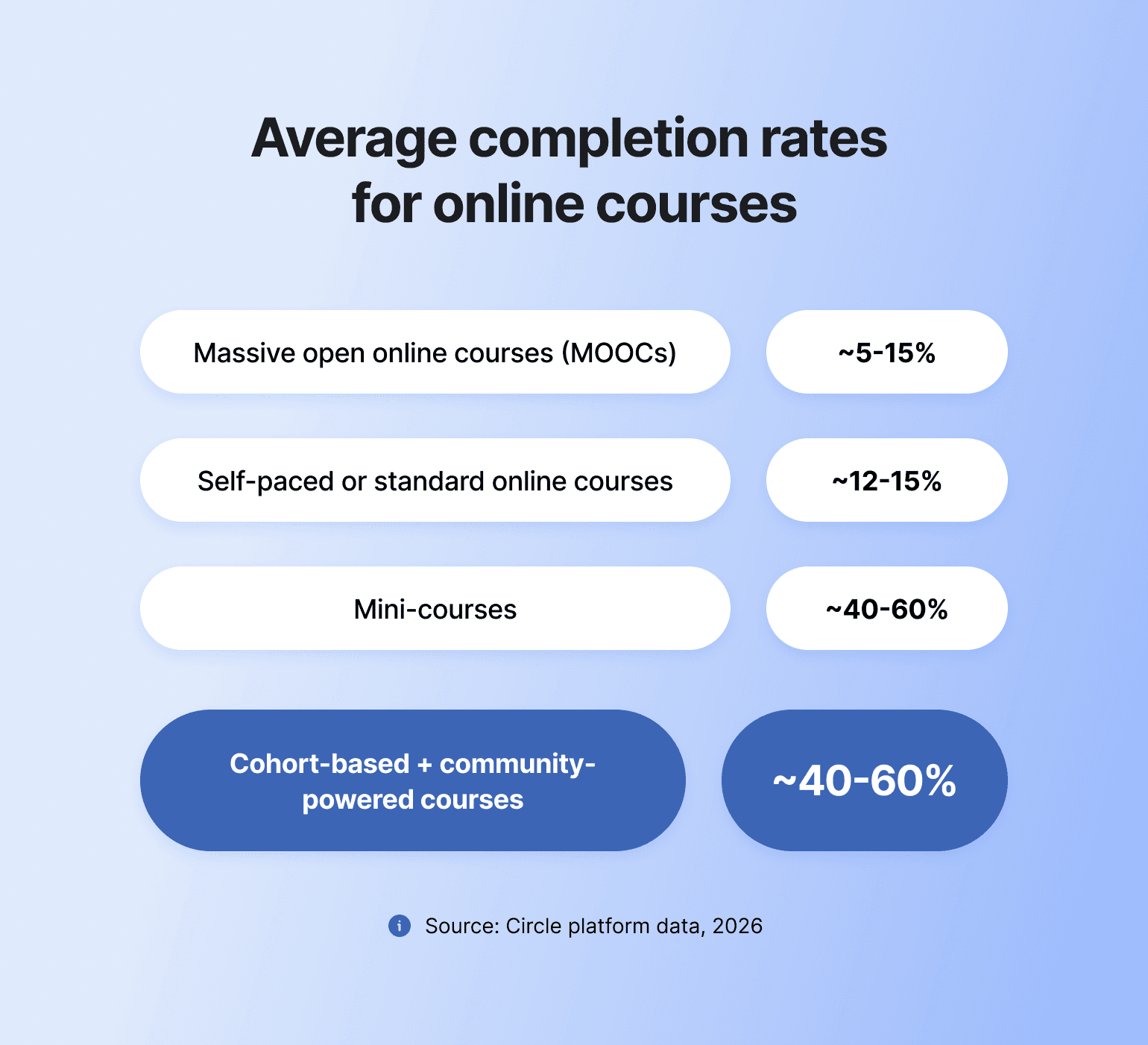
Industry average completion rates by course type
Most online courses go unfinished. Specifically, e-learning experts estimate the following completion rates for different course types and formats:
So…
What drives higher completion rates?
Most online courses go unfinished — industry-wide completion averages just 10–15%. The platform you choose is half the equation. The other half is how you design and support the learning experience:
- Intentional onboarding — "Start Here" spaces and kickoff calls push course start rates to 60–80%
- Clear progression — a paced curriculum with visible milestones keeps learners from getting lost and dropping off
- Peer accountability — weekly prompts and check-ins matter; cohort-based courses on Circle average 25% completion, roughly 2x the industry baseline
- Shared wins — spaces to celebrate progress and give feedback sustain motivation through the middle of a course
- Transformation focus — keeping outcomes front and center throughout (not just at signup) drives better retention
💡 Community-powered courses — where peer spaces, live sessions, and accountability tools are actively used — see 40–60% completion rates, compared to 10–15% for self-paced courses without community elements.
Circle course performance metrics
At Circle, we know what makes online learners tick because we’ve seen 20,000 brands (and millions of people) test, reiterate, and succeed with community-powered courses:
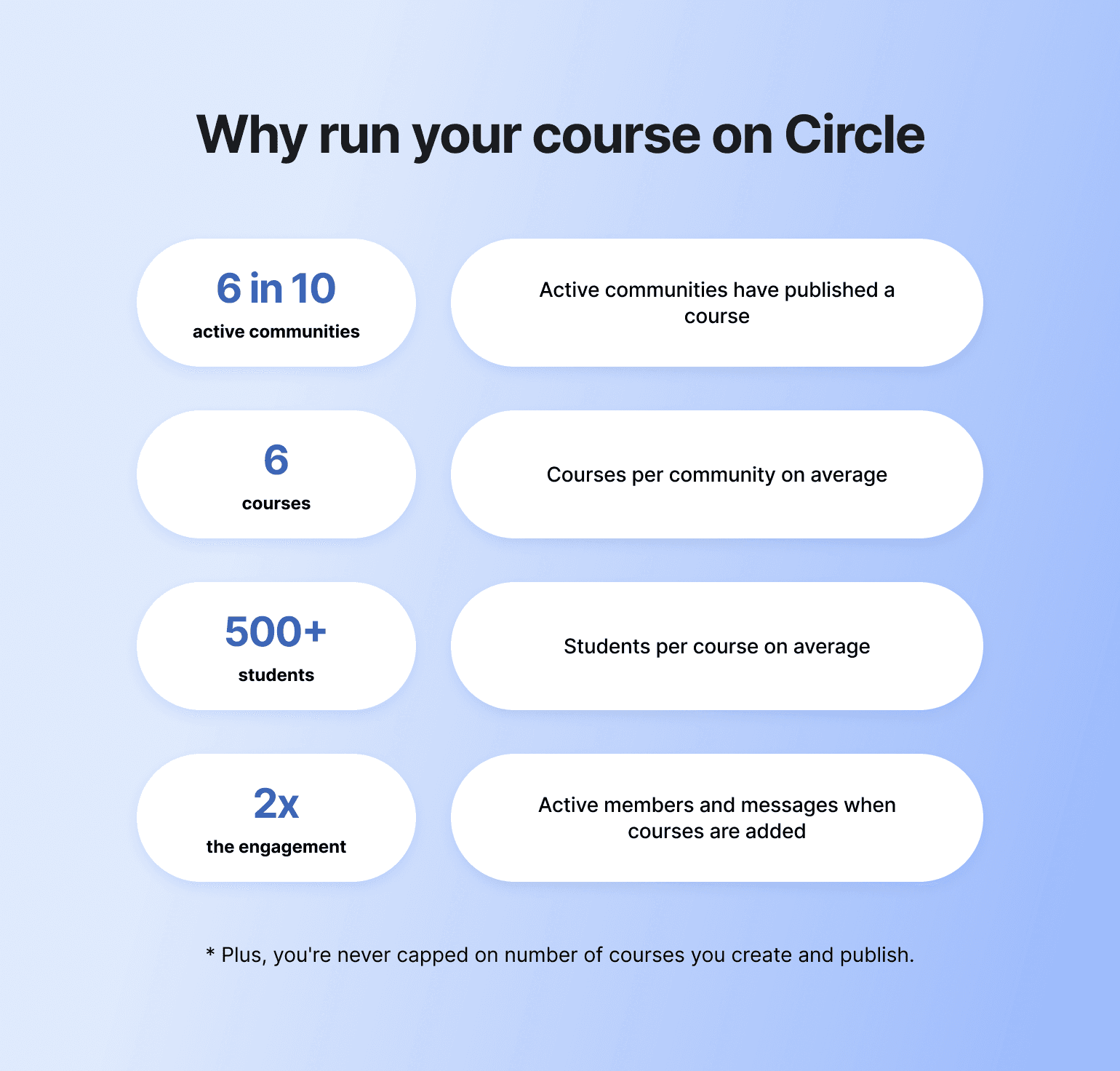
- More than 6 in 10 active Circle communities have published at least one course
- Course-running communities average 6 published courses each, reaching more than 500 students per course on average
- Cohort-based courses on Circle average 25% completion — roughly 2x the industry baseline of 10–15%
- Communities with published courses see 95% more active members and 122% more direct messages
The business impact of higher completion rates
Low course completion rates lead to less revenue over time, but higher completion rates mean more ROI.
How course completion rates impact your bottom line:
| Low completion rates lead to: | High completion rates deliver: |
|---|---|
Poor reviews from incomplete courses | Glowing testimonials and case studies |
Reduced word-of-mouth referrals | More opportunities to upsell |
Lower customer lifetime value (LTV) | Strong brand reputation |
Increased refund requests and chargebacks | Reduced customer acquisition cost (CAC) |
💡 Want to get the best course completion rates—consistently? Embrace the shift from content consumption to peer-driven transformation.
How to choose the right online course platform for your business
Look for these in any platform you evaluate:
- Essential: Course builder and curriculum tools · community and discussion features · payment processing · student progress tracking · analytics · design flexibility
- Differentiating: Peer interaction (spaces, chats, forums) · live cohort support · accountability systems · mobile access · email automation · AI tools
The features that actually move completion rates aren't course builders — they're the ones that make learning social and keep students accountable. Platforms that integrate community tend to outperform content-only platforms on both completion and student satisfaction.
| Online course platform A — Good/Basic | Online course platform B — Great/Community-driven! |
|---|---|
| Course builder and curriculum tools | Everything in A, plus: |
| Payment gateways, subscriptions, and conversion optimization | Peer interaction capabilities |
| Analytics and progress tracking | Progress sharing features |
| Design flexibility and branding | Group coaching tools |
| Marketing and automation | Live cohort support functionalities |
| Accountability systems | |
| Landing page builder |
Online course platform comparison: Feature-by-feature breakdown
Are you just starting out or looking to upgrade? We think the right online course platform for you is Circle, because it is the best self-hosted solution with community features custom-built for solo creators and brands.
The table below breaks down why.
| Platform | Best for | Type | Course features | Mobile app | Transaction fees | Starting price |
|---|---|---|---|---|---|---|
| Circle | Community-powered courses for creators & educators | Self-hosted | Drag-and-drop + AI builder; interactive lessons; live coaching | iOS & Android | 2% (Professional) | $89/mo |
| Teachable | Launching your first course | Self-hosted | Drag-and-drop builder; graded quizzes; certificates | iOS & Android | 7.5% on Starter; 0% on Builder+ | $29/mo |
| Kajabi | All-in-one for high-ticket businesses | Self-hosted | Templates; drip content; quizzes; AI tools | iOS & Android | Own-Stripe surcharge (new in 2026) | $143/mo |
| Mighty Networks | Mobile-first learning | Self-hosted | Multimedia builder; AI outlines; quizzes; cohorts | iOS & Android | 2% (Courses plan) | $79/mo |
| Podia | Simple, basic course experiences | Self-hosted | Self-paced/cohort/scheduled; webinars | Web only — no app | 5% on Mover; 0% on Shaker | $33/mo |
| Thinkific | Internal & customer training | Self-hosted | Assignments; AI quizzes; exams; self-paced/cohort | Branded app (add-on) | 0% with Thinkific Payments | $36/mo |
| Skool | Small-scale, simple learning | Self-hosted | Simple builder; progress tracking; no quizzes | iOS & Android | 10% + $0.30 (Hobby); 2.9% + $0.30 (Pro) | $9/mo |
| LearnWorlds | Integrations & flexibility | Self-hosted | Interactive video; assessments; AI assistant | iOS & Android | $5 per enrollment (Starter); 0% on Pro+ | $24/mo |
| Udemy | Course discoverability & reach | Marketplace | On-demand self-paced courses; basic builder | iOS & Android | Revenue share (~97% you-referred / ~37% Udemy-referred) | Free to publish |
| Coursera | Academic & accredited courses | Marketplace | Certificates & degrees; AI authoring; auto-grading | iOS & Android | Revenue share (partner agreement) | Free to partner |
| LearnDash | WordPress hosts wanting full ownership | Self-hosted | Drag-and-drop builder; 8 quiz types; certificates; drip | Via add-on / responsive web | None (flat annual license) | $259/year |
11 best online course platforms compared
1. Circle — Best platform to sell and run online courses
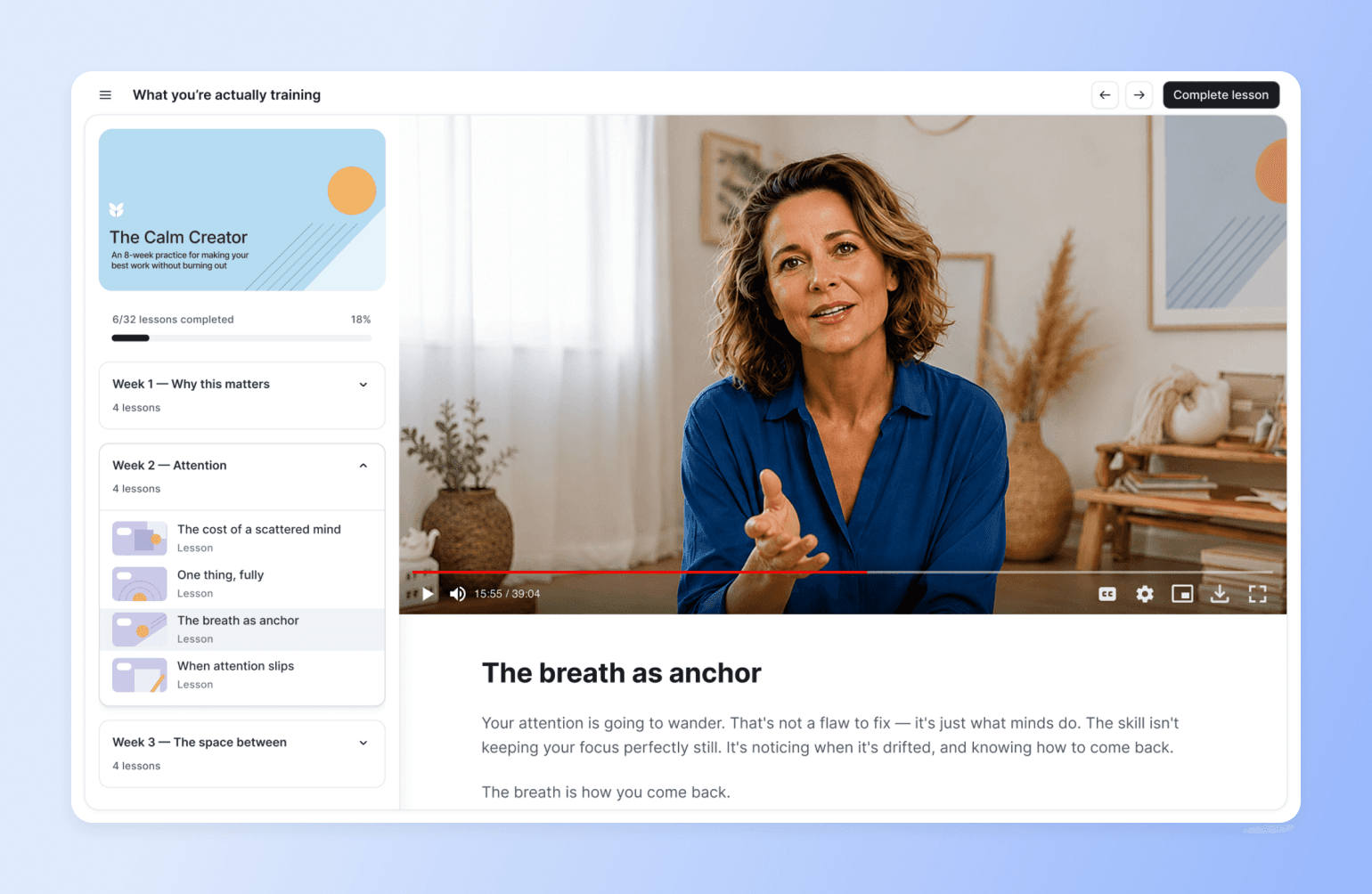
Most course platforms stop at the lesson. Circle is the modern platform for course and education businesses, where the course, the community, checkout and your audience live in one place under your brand. Build the course with the drag-and-drop builder or Circle AI, grow with a website, landing pages and email, teach through cohorts, live sessions and community so students finish, and monetize with installments, bundles, upsells and affiliates. Unlike course-only tools, students learn alongside each other, so a finished course turns into the next sale. Track progress with analytics and workflows.
Key features:
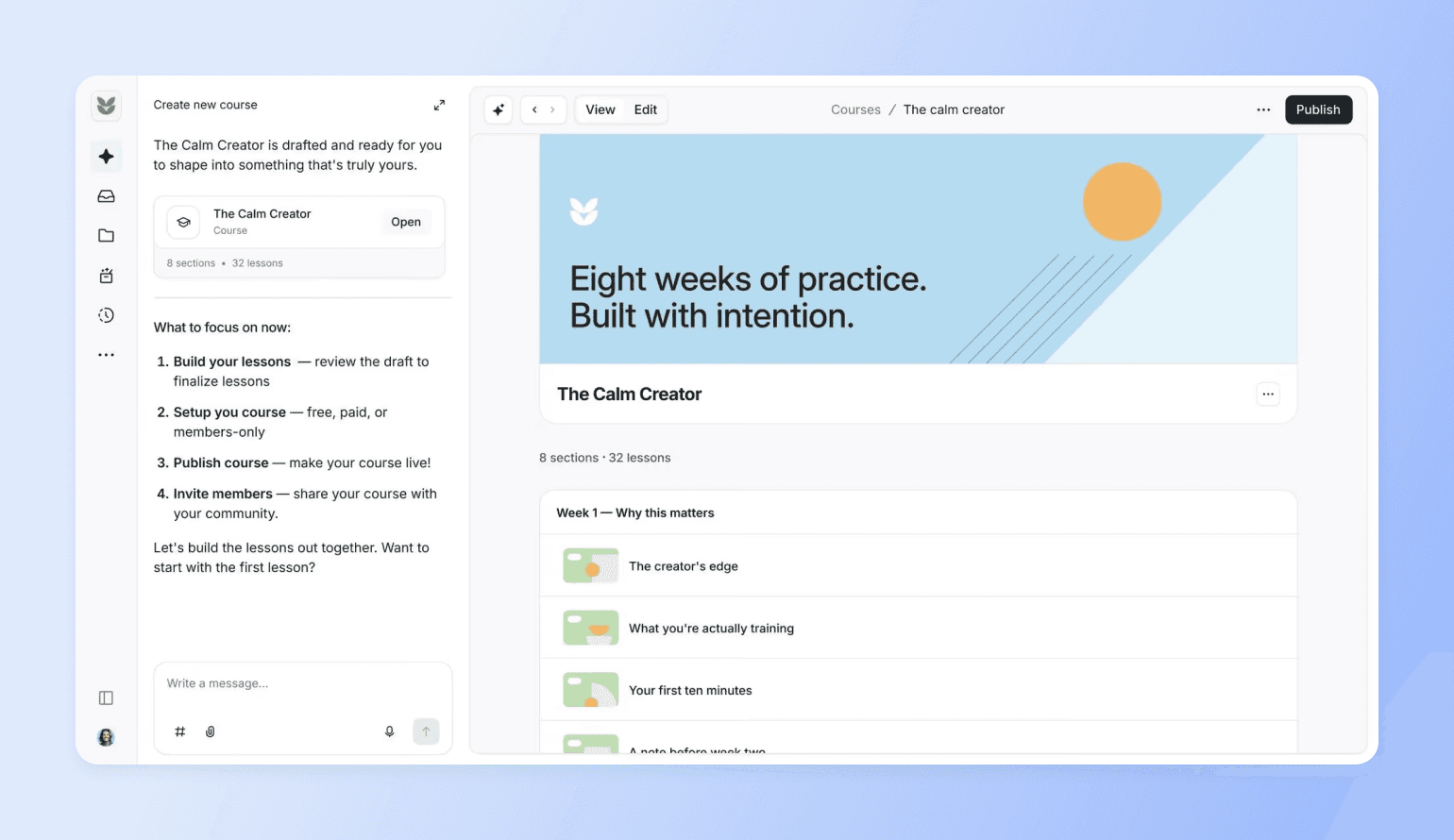
- Build: a drag-and-drop course builder with support for video, audio, text and files, visual learning paths (new in 2026), and Circle AI to draft the curriculum from an outline in hours, not months.
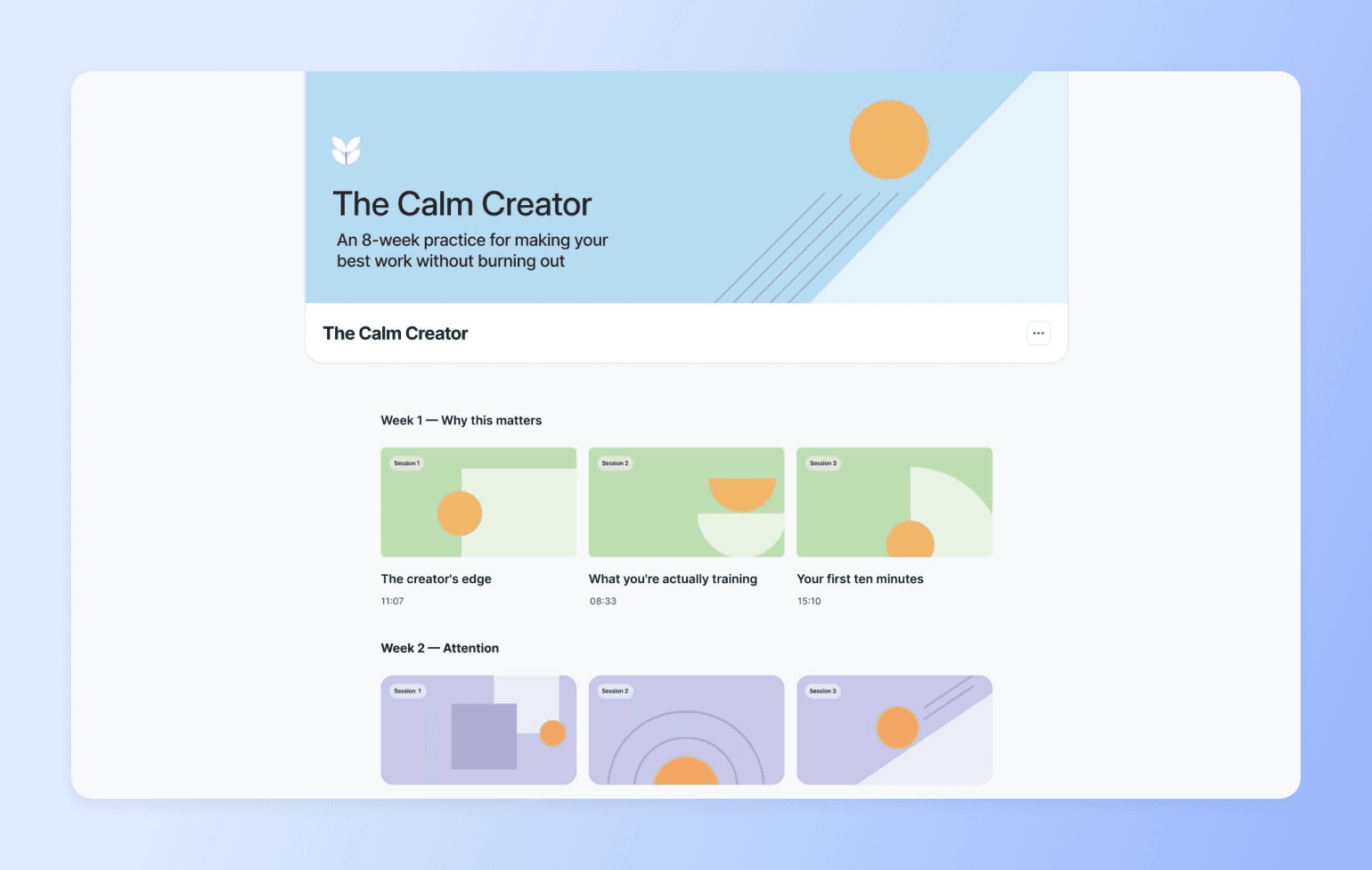
- Teach: cohort delivery, drip content, quizzes, live events, office hours and coaching alongside the course content.
- Keep students going: a community space per course or cohort, lesson comments, automated reminders and DMs triggered by progress, and leaderboards.
- Teaching assistant on call: AI Agents trained on your course content answer student questions around the clock, without you in the loop (AI Agents start on the Scale plan).
- Sell: sales pages, paywalls and flexible payments for one-time courses, memberships and free trials, with installment pricing and post-checkout upsells.
- Fill the funnel: public webinars with RSVP capture, and Circle Discover so new students find your program.
- Stay in touch: email marketing with Email Hub (an add-on) for launches, reminders and follow-up.
- Learn anywhere: mobile and branded apps on iOS and Android, plus a desktop app for Mac and Windows.
Pricing:
Circle starts at $89/month with a 14-day free trial for core community features, plus unlimited courses and unlimited members. Transaction fees run 2% on Professional, 1% on Business and Scale, and 0.5% on Circle Plus.
Best for:
Course creators and educators who want to focus on teaching well, getting students to finish, and selling the next course or cohort without juggling tools.
Users say:
👍🏻 “We moved onto Circle after trying many platforms to be able to have our course content and community space in one space that was ours (vs a social media site or multiple platforms). They are constantly updating things…and many of the features we were missing when we signed up are now on Circle.”
🤔 “Sometimes it’s difficult to find certain settings because there are so many options. I’d recommend consolidating some of the menus to make navigation easier.”
| Pros | Cons |
|---|---|
High course engagement and completion rates due to features | Not built for in-person learning |
All-in-one solution (courses + community + webpages + events + email + automations + payments) | Can be hard to keep up with product improvements |
Available on desktop and mobile (iOS and Android) | Doesn’t partner with academic institutions (but we do offer nonprofit discounts) |
Deeply integrated course and community features | Can be hard for large communities and learning groups to keep up with product improvements |
AI-powered course creation and marketing toolkit included with Circle AI |

Your course — with community built in
2. Teachable — Best for launching your first course
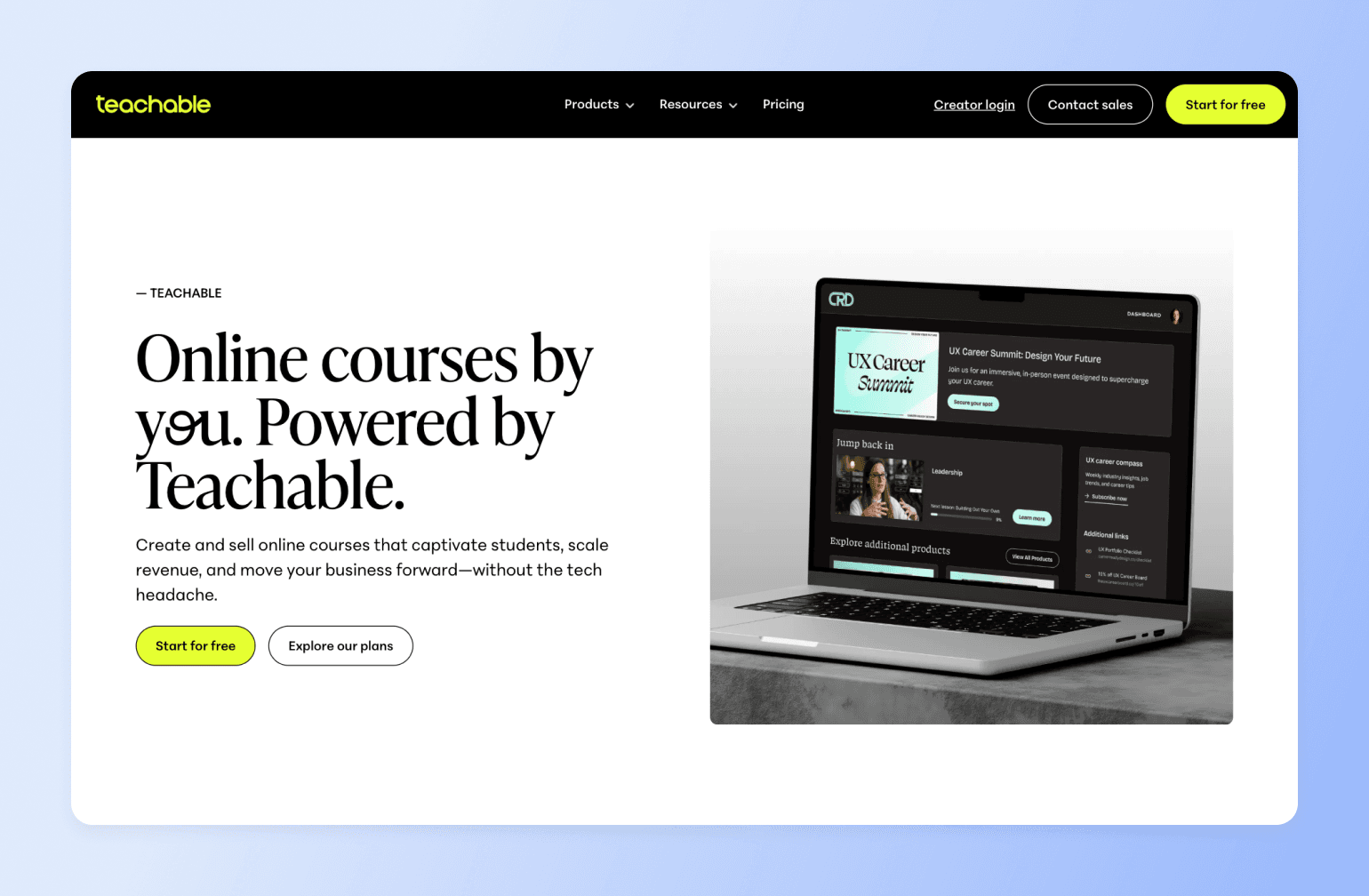
Teachable is a learning management system for creators and subject matter experts looking to create and sell learning products like coaching sessions, digital downloads, and, of course, online courses. The app is easy to use and flexibly priced, making it a low-stakes option for new course builders testing the waters.
And while Teachable has recently expanded to memberships and community spaces, their engagement features are basic at best, and manual at worst. With Circle, you can automate workflows with courses that send out reminders, prompt completion, and re-engage students.
Key features:
- Drag-and-drop builder to create and customize courses
- Built-in AI tools for idea generation, content drafting, sales page creation, video transcription, and more.
- Custom domain and white label website for advanced customization
- Learner engagement tools like graded quizzes and certificates
- Community space for student-to-student and student-to-instructor connections that go beyond the course curriculum
Pricing:
Teachable’s plans start at $29/month (billed annually) with a 7.5% transaction fee and only 1 published product, such as a course, coaching, or download. Free trials are available for most plans.
Best for:
Creators and subject matter experts launching their first course
Users say:
👍🏻 “It (Teachable) allows you to fully customize your school from Home page to Thank you page.”
🤔 “I can't automatically send out reminders to students who haven't finished courses. While Teachable does integrate with Mailchimp, it only syncs the email address, meaning that any marketing has to happen manually.”
| Pros | Cons |
|---|---|
Combines courses and community | No Android app, just iOS |
Offers both low-cost and premium pricing | No native cohort management — drip scheduling simulates cohorts but there's no peer grouping or cohort dashboards. |
Includes payment gateway | High transaction fees |
No gamification (no points, leaderboards, or badges). |
Teachable community limitations vs Circle
Teachable is well-known and widely used as an online course tool, but its community features are relatively new.
Want a trusted alternative with both courses, community spaces, and email marketing? Consider Circle (whether migrating your course or starting from scratch). And if a migration feels too complex or ill-timed at the moment, explore an integration instead (course on Teachable, community on Circle).
Here’s a great part 2-part tutorial from Marc Sabatella of Outside Shore Music community on how to integrate Teachable + Circle.
Teachable vs. Circle: See how Teachable stacks up.
3. Kajabi — Best if you have an unlimited budget
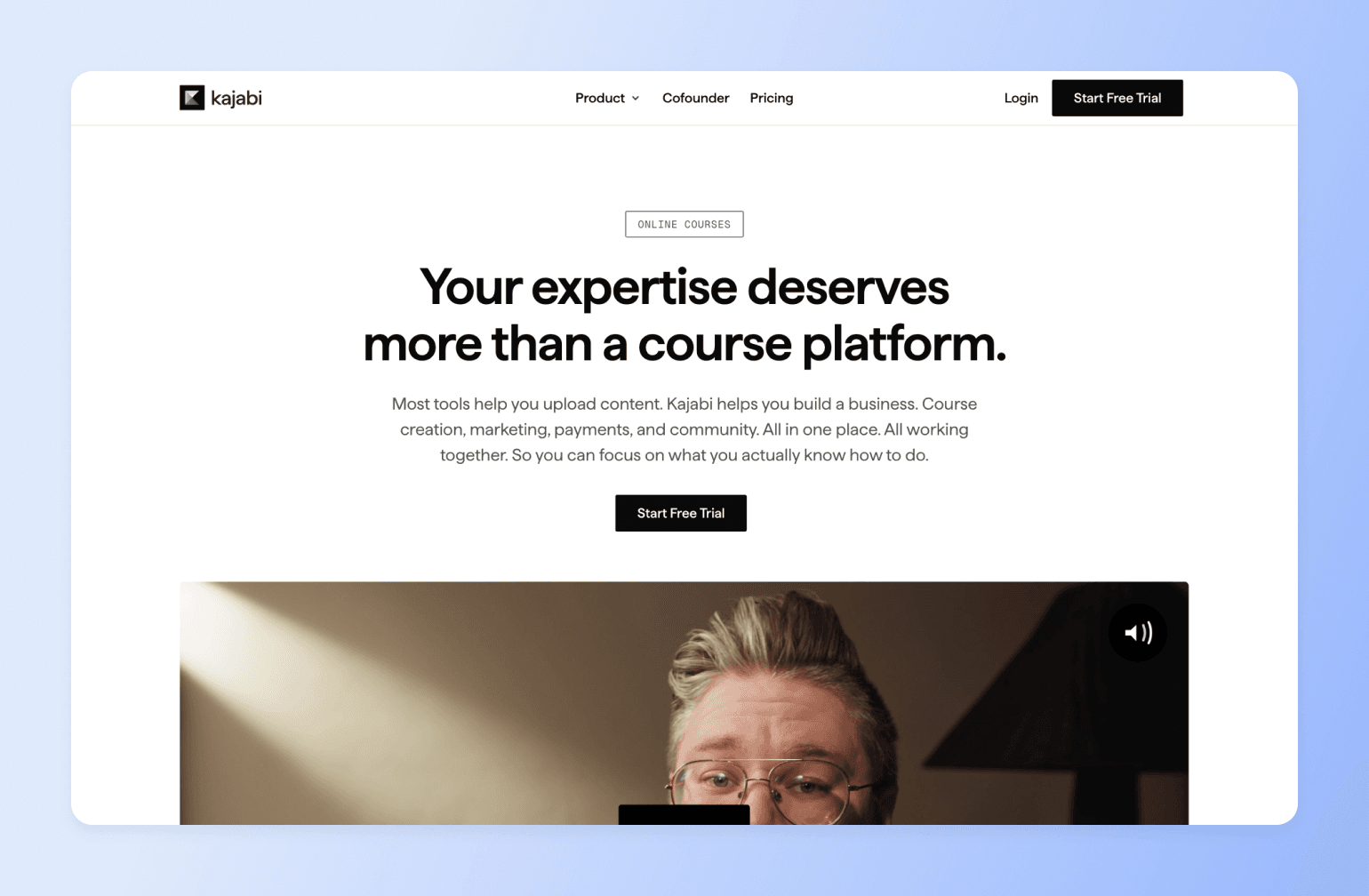
Kajabi is a suite of tools for selling online courses, coaching services, downloads, communities, newsletters, and podcast subscriptions.
It combines branding features, sales tools, and integrations, making it quite handy, especially if you have a big budget to spend on making your workflows more efficient. However, it may cost you more than anticipated, according to community experts and strategists like Jordan Godbey.
Don’t have time to watch the video?
Here’s the TLDR, according to Jordan.
- Kajabi's community tool is "under-baked" - none of the high-end users he's spoken with actually use it
- The platform hasn't innovated fast enough despite being around for 10+ years
- Creates friction through multiple logins, websites, and tools - the opposite of what busy students want
- No cohesive integration between courses and community features
- Students struggle to get help or connect with others when courses are the "home base"
- Mobile experience and engagement are subpar
There's a hidden cost in using 'old school' tools to run a modern online course or coaching business. If you have any kind of recurring subscription, then churn is your enemy.
How do you defeat churn? Remove as much friction as possible & make your program highly engaging. This is nearly impossible to do on Kajabi.
— Jordan Godbey, founder of Growth Community and community strategist for creators like Ali Abdaal
There's a hidden cost in using 'old school' tools to run a modern online course or coaching business. If you have any kind of recurring subscription, then churn is your enemy.
How do you defeat churn? Remove as much friction as possible & make your program highly engaging. This is nearly impossible to do on Kajabi.
Key features:
- Customizable templates and design tools for easy course building
- Built-in payments feature to simplify transactions
- AI tools for organizing course content and generating ideas
- Live sessions and community engagement features for robust student experiences
- Flexible commerce system that lets you optimize your funnel, grow learner satisfaction, and earn more
Pricing:
Paid plans start at $143/month with Basic (billed annually), and users can access 14-day free trials for all Kajabi plans.
Note: Their Basic plan only includes five published products, like an online course, coaching, community, newsletters, podcasts, or downloads.
Best for:
Creators and educators selling high-ticket learning programs
Users say:
👍🏻 “We use Kajabi to host our eLearning courses. It is fairly easy to use, but can be pricey per month.”
🤔 “...most of the features don't work consistently, you spend more time dealing with the support team than you do running your business.”
| Pros | Cons |
|---|---|
Single dashboard for creating, marketing, and selling courses | Relies heavily on 3rd-party tools, creating data silos and sync issues |
Includes bolted-on community elements | Community lives in a separate section from courses — students navigate away from lessons to reach discussions, and embeds don't render on mobile. Cohort courses are Growth/Pro only ($199+/mo). |
Full content ownership and control | 2025 price increase removed the Kickstarter plan; Basic now starts at $143/mo + Stripe surcharge on transactions |
Migrating from Kajabi to Circle: What creators say
Seth David of Nerd Enterprises found Kajabi's community functionality so limited that he created separate Slack workspaces for each course to give members proper support. This workaround cost him $1,000/month just for his mastermind group alone.
Here's how he describes his move to Circle:
When I started producing courses on Kajabi I wanted to offer a unique experience by giving members a nice platform where they could get specific questions answered. So for each major course I would set up a Slack Workspace.
Fast forward, and Slack was getting ridiculously expensive. Suffice it to say, one of the first “draws” for me with Circle was “unlimited users” 😜.
— Seth David, founder of Nerd Enterprises
When I started producing courses on Kajabi I wanted to offer a unique experience by giving members a nice platform where they could get specific questions answered. So for each major course I would set up a Slack Workspace.
Fast forward, and Slack was getting ridiculously expensive. Suffice it to say, one of the first “draws” for me with Circle was “unlimited users” 😜.
Seth made the switch by taking advantage of our free concierge migration services—something Tamara Grominsky, former VP of Product Marketing at Kajabi, also used to migrate her entire business to Circle.
At Kajabi, we acquired the tool that was the community builder, and so it's not integrated fully with Kajabi. It was actually designed for consumer communities, so some of the questions in the profile just have absolutely nothing to do with my professional community—but I can’t edit the fields.
— Tamara Grominsky, founder of PMM Camp, and former VP of Product Marketing at Kajabi
Kajabi vs. Circle: See how Kajabi stacks up.
4. Mighty Networks — Best for on-the-go learning
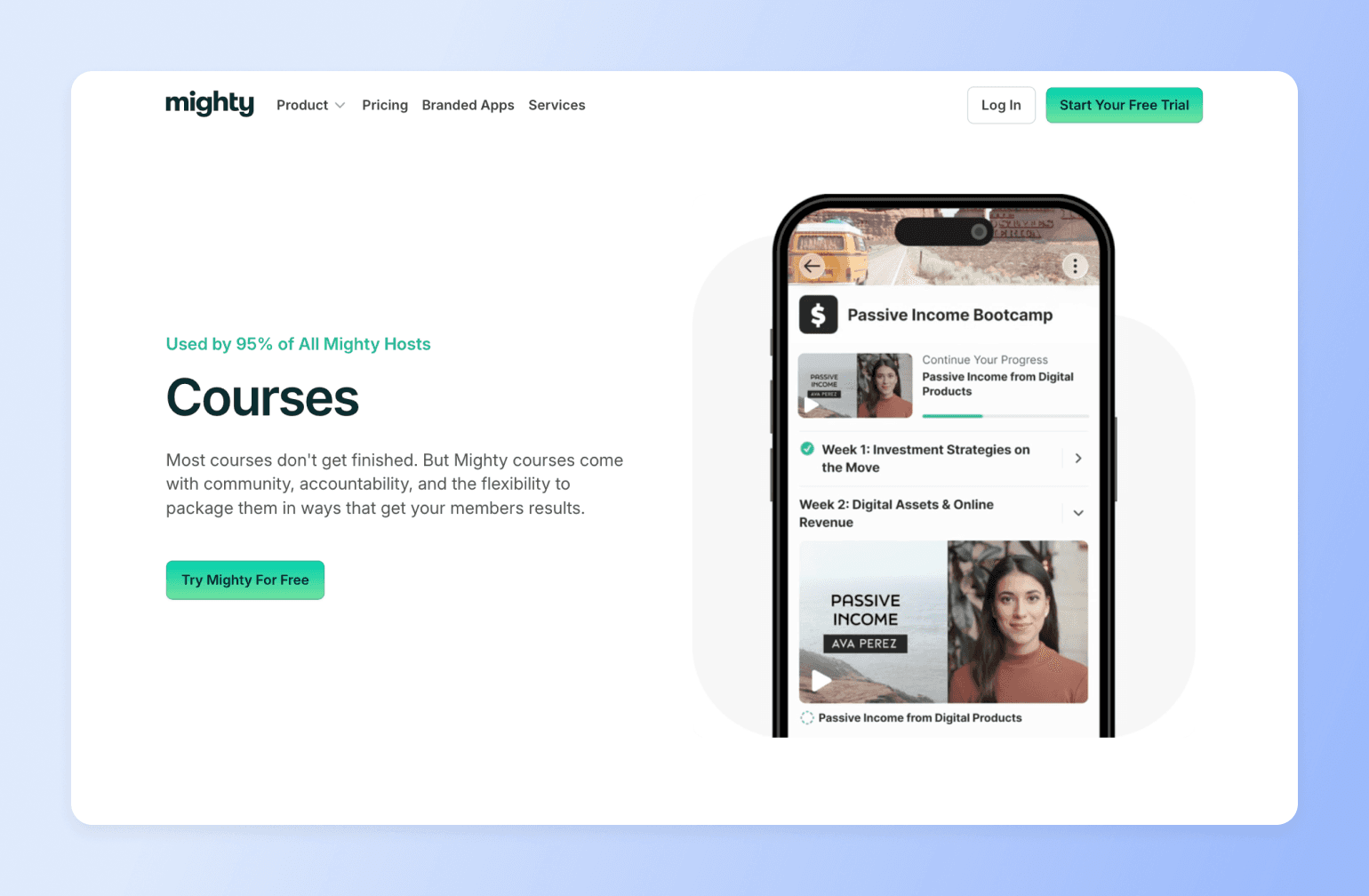
Mighty Networks helps users deliver engaging learning experiences, whether async or live. Its branded mobile app options and community-driven features support connected, interactive learning hubs.
But while alternatives like Circle offer solid mobile and desktop experiences, Mighty Networks prioritizes the former above all. It still has a web interface, but that element isn’t as emphasized or highlighted as its mobile accessibility.
Key features:
- Multimedia course builder that supports video, audio, and file attachments
- AI features, like a course outline generator, to make content creation easier
- Quizzes and assessments to aid learning and retention
- Web, Android, and iOS accessibility for student convenience and engagement
- Course payment options like one-time fees and cohort-based pricing
Pricing:
Mighty Networks offers a 14-day free trial, and its paid plans (that include courses) start at $79/month (billed yearly).
Best for:
Creators and entrepreneurs focused on mobile-first learning
Users say:
👍🏻 “We love that we can host courses, cohort spaces, and a community feed to keep everyone connected”
🤔 “For a platform positioned as an all-in-one solution, it lacks the seamless flow needed for a course-based business model. I'm now exploring other platforms that offer more flexibility and user-friendliness.”
| Pros | Cons |
|---|---|
AI-powered | Basic course structuring tools |
Includes community and membership tools | Limited layout and design options |
Branded apps for self-hosting | Pricey and less accessible to creators on a budget |
Mighty vs. Circle: See how Mighty stacks up.
5. Podia — Best for basic course experiences
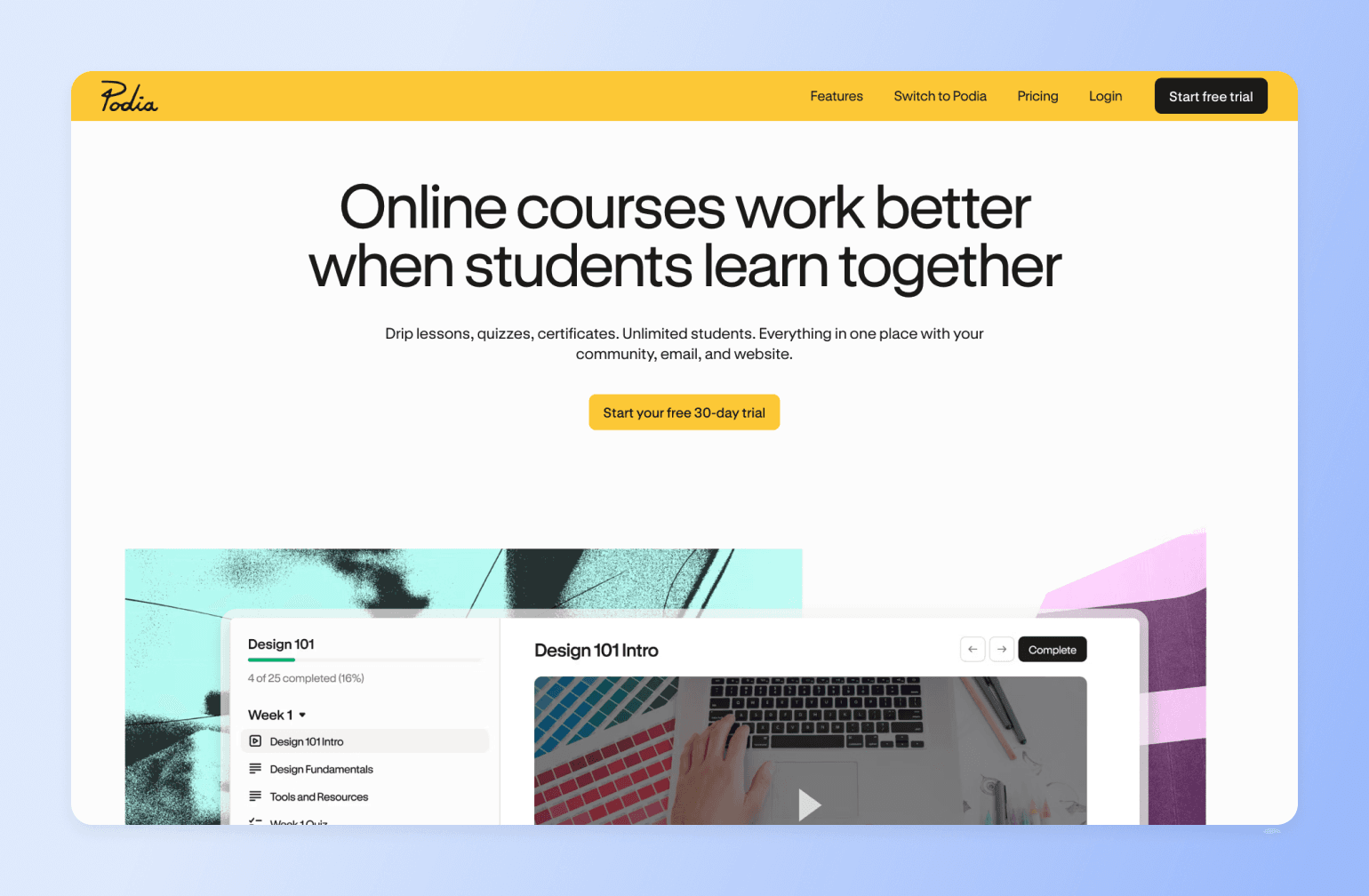
Podia is an all-in-one platform for building websites, running email marketing campaigns, and selling items—such as courses—online. Its customizations, integrations, and templates make it easy for creators to set up business workflows without starting from scratch or using clunky workarounds.
However, if you want a platform that’s custom-built for community-powered courses, rather than just being one of several generic features, it’s okay to opt for a more tailored option.
Key features:
- Online store that makes building and selling courses easy
- Webinars and workshops for live learning experiences
- Built-in discussion forums for announcements, Q&As, and peer-to-peer interaction
- Multiple course format options, including self-paced, cohort-based, on delivered on-schedule
- Presells and upsells to make course promotion easy
Pricing:
Podia offers a 30-day free trial and paid packages starting at $33/month (billed yearly).
Best for:
Solo business owners focused on digital products like online courses, or adding them to their existing offering
Users say:
👍🏻 “It (Podia) makes it easy to sell digital products and courses in no time.”
🤔 “There are one or two features I would like to have, like being able to copy lessons and modules from one course to another.”
| Pros | Cons |
|---|---|
Ideal for solopreneurs and new founders | Not designed for big or enterprise brands |
Unlimited courses on both plans | Limited community features |
Extensive free trial period (30 days) | No branded apps or code-driven customizations |
Podia vs. Circle: See how Podia stacks up.
6. Thinkific — Best for internal training
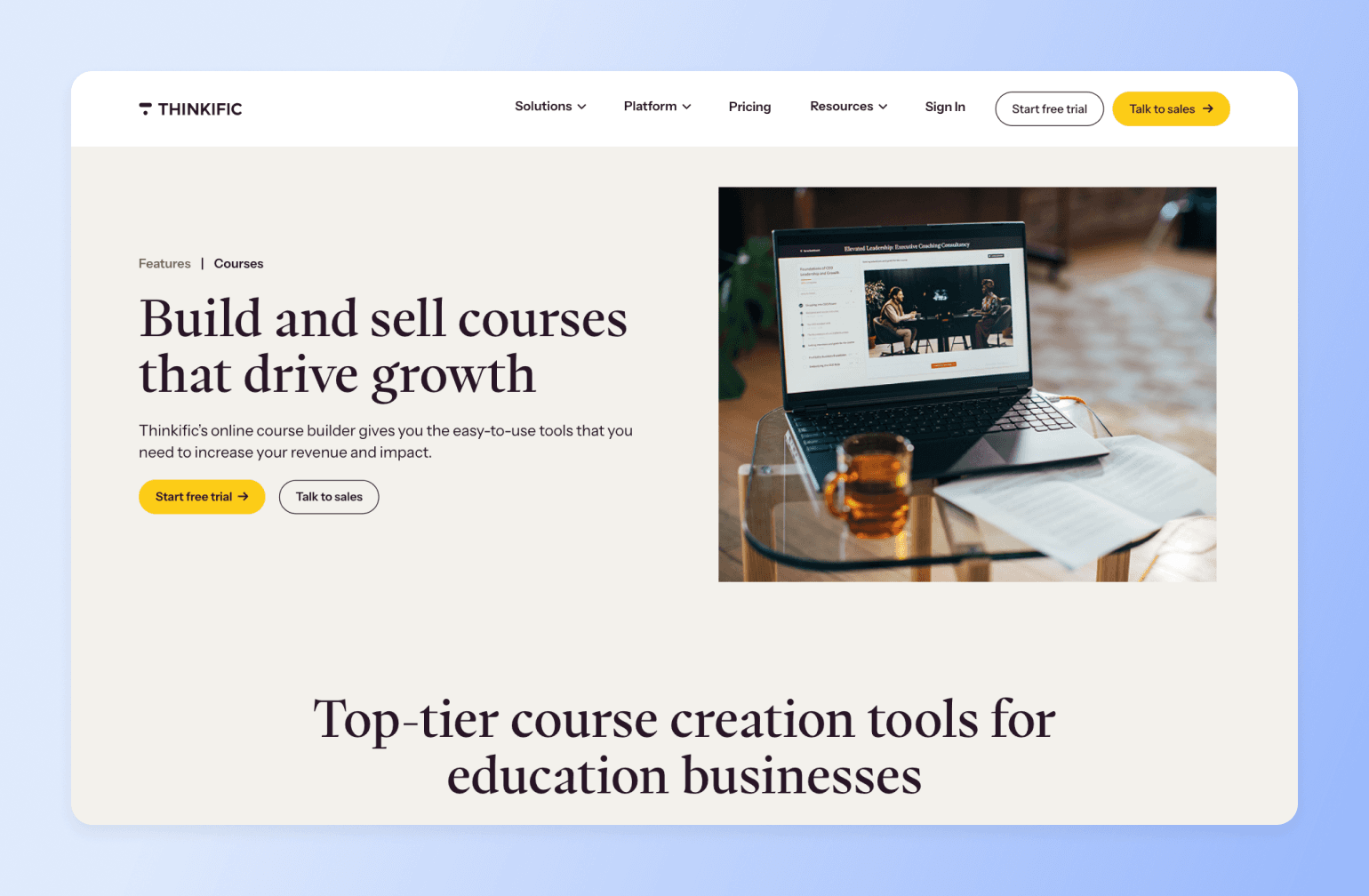
Thinkific supports online learning experiences with course, community, and assessment tools. Its monetization features work well for individual or institutional course creators selling to external audiences, but Thinkific stands out more for internal training use cases.
Unlike many other platforms, it explicitly supports customer education and workforce development, making it a strong choice for organizations interested in either.
Key features:
- Bulk course enrolment, custom user roles, and branded learning portals
- Assignments, surveys, AI-generated quizzes, and exams to ensure engagement and commitment
- Analytics dashboard for tracking engagement, performance, and revenue metrics, as well as driving data-backed decisions
- Self-paced, cohort, or scheduled courses so you can offer learners one or more options
- Zoom, CRM, and SSO system integration
Pricing:
Thinkific offers a 30-day free trial, and its paid plans start at $36/month (billed annually).
Best for:
Businesses and educational institutions focused on large-scale training or corporate learning
Users say:
👍🏻 “The course management system is straightforward and user-friendly.”
🤔 “Better analytics are possible and coding expertise is required for design customisation. Workaround are necessary for some integrations which can be inconvenient”
| Pros | Cons |
|---|---|
User-friendly UI for instructors and learners | Occasional technical issues, like slow video loading |
Strong course marketing and sales features | Basic analytics on lower-tier plans |
No transaction fees on sales | Limited HTML editor |
Thinkific vs. Circle: See how Thinkific stacks up.
7. Skool — Best for small-scale learning
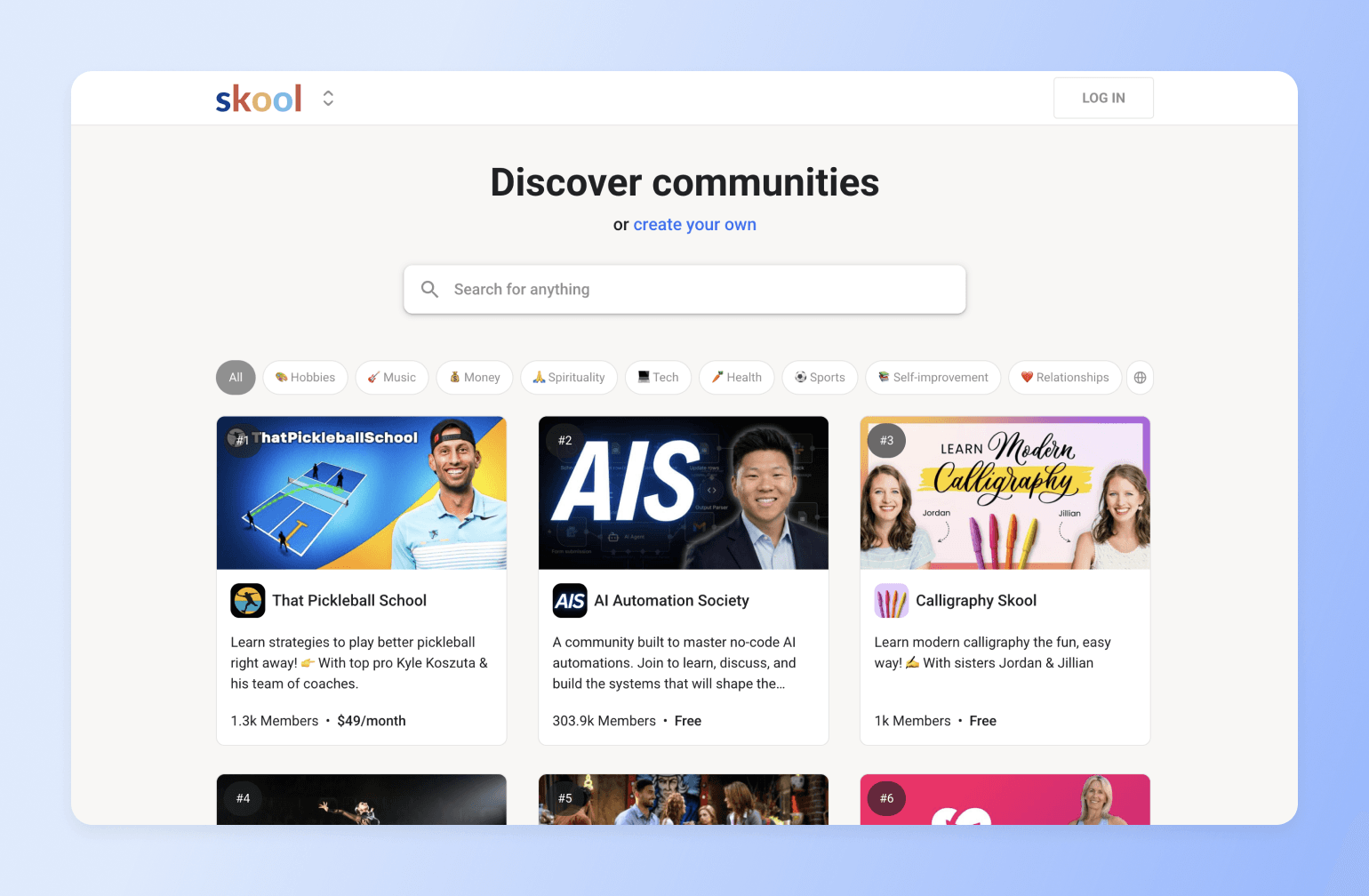
Skool is a simple, self-hosted community platform for instructors who want to share their knowledge without the technical complexity. It combines a basic course builder with an integrated community, calendar, and gamification system.
While it lacks advanced features like complex learning paths or native integrations, Skool shines in its simplicity. Everything is streamlined—course hosting, learner discussions, and scheduling—making it perfect for small learning communities, group coaching, or those just getting started with digital courses.
Key features:
- Clean and intuitive course builder with support for video, files, and progress tracking
- Calendar integration for scheduling live calls, events, or cohort start dates
- Built-in community forum for learner discussions and peer interaction
- Gamification system with points and leaderboards to encourage participation
- Mobile-friendly layout with no setup or coding required
Pricing:
Skool offers two plans: one at $9/month and another at $99/month. Both include unlimited courses, members, and community access. It also provides a 14-day free trial.
Best for:
Coaches, creators, and educators who need a simple platform to host and deliver basic online courses with community features.
Users say:
👍🏻 “My favorite thing about Skool is the way it gamifies everything. Leaderboards, points, and levels give members something to work towards and keep them engaged.”
🤔 “No built-in quizzes or assessments to test student knowledge.”
| Pros | Cons |
|---|---|
Clean, distraction-free interface | No built-in video hosting—requires external platforms like Vimeo or YouTube |
Built-in community and gamification tools | Limited customisation and branding options |
Simple pricing with unlimited courses and members | No native live streaming or webinar functionality |
Circle vs Skool: Community platform comparison
Skool is an all-in-one space for hosting courses and community, but its simplicity can also be a limitation. If you need something more powerful and flexible, creator Marley Jaxx thinks you should consider Circle.
Here’s the TLDR, according to Marley:
- Every Skool community looks the same - lacks visual differentiation and branding flexibility, which makes it hard for communities to stand out
- Basic analytics only - missing the deep insights needed for strategic decisions
- Basic automation capabilities that fall short of what's needed for scaling
- Simple gamification features without advanced customization options (and not all communities use gamification for engagement!)
- Not built for long-term growth and advanced community management needs
- Lacks enterprise-level features for serious community builders
Here's the bottom line: if you're cool with the basics, Skool might be enough. But if you want to build something truly epic, Circle's got the tools to make it happen: customization, automation, data. It's all there ready to take your community to the next level.
— Marley Jaxx, award-winning filmmaker and expert in video creation, YouTube growth, and content strategy
Skool vs. Circle: See how Skool stacks up.
8. LearnWorlds — Best for integrations and flexibility
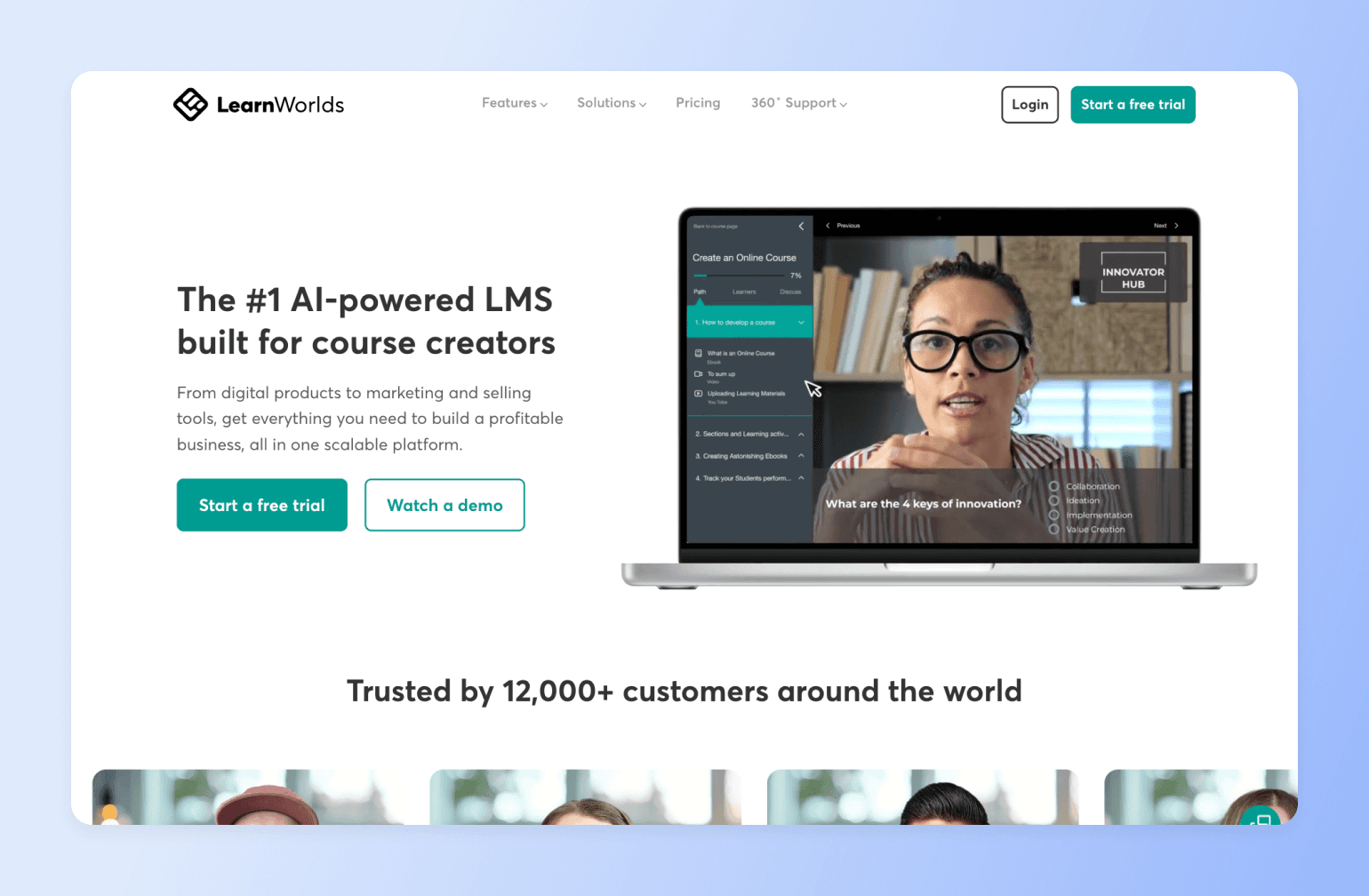
LearnWorlds is an AI-powered learning management system for course creators. Like Thinkific, customer and employee training are some of its key use cases. With integrations like Zapier and flexible customizations, LearnWorlds helps brands connect their existing tech stack and workflows.
Key features:
- AI assistant for course creators to generate program outlines and text-based content
- Interactive videos, assessments, live sessions, social activities, and more to drive course engagement and completion
- Bundles, coupons, and subscriptions to help with course promotion and sales
- Advanced course insights to inform decision-making
- Extensive integration options with tools like Zapier, HubSpot, Salesforce, and Zoom
Pricing:
LearnWorlds’ pricing starts at $24/month (annually). However, this plan also includes an extra +$5 charge every time someone new enrolls.
Best for:
Course creators who want flexible, multi-integration course delivery
Users say:
👍🏻 “Their (LearnWorld’s) support team and academy offer rich assistance as you create”
🤔 “Wish there were additional incentives or badges relating to course completion as opposed to just community discussions.”
| Pros | Cons |
|---|---|
Interactive learning features like quizzes and assessments | No built-in email marketing tools, requires 3rd-party integration |
Comes with a website builder and community tools | Complex UI that can get overwhelming for new users |
Offers a mobile app builder and white labeling | Top features like white labelling only come with higher-tier plans |
9. Udemy — Best for professional discoverability
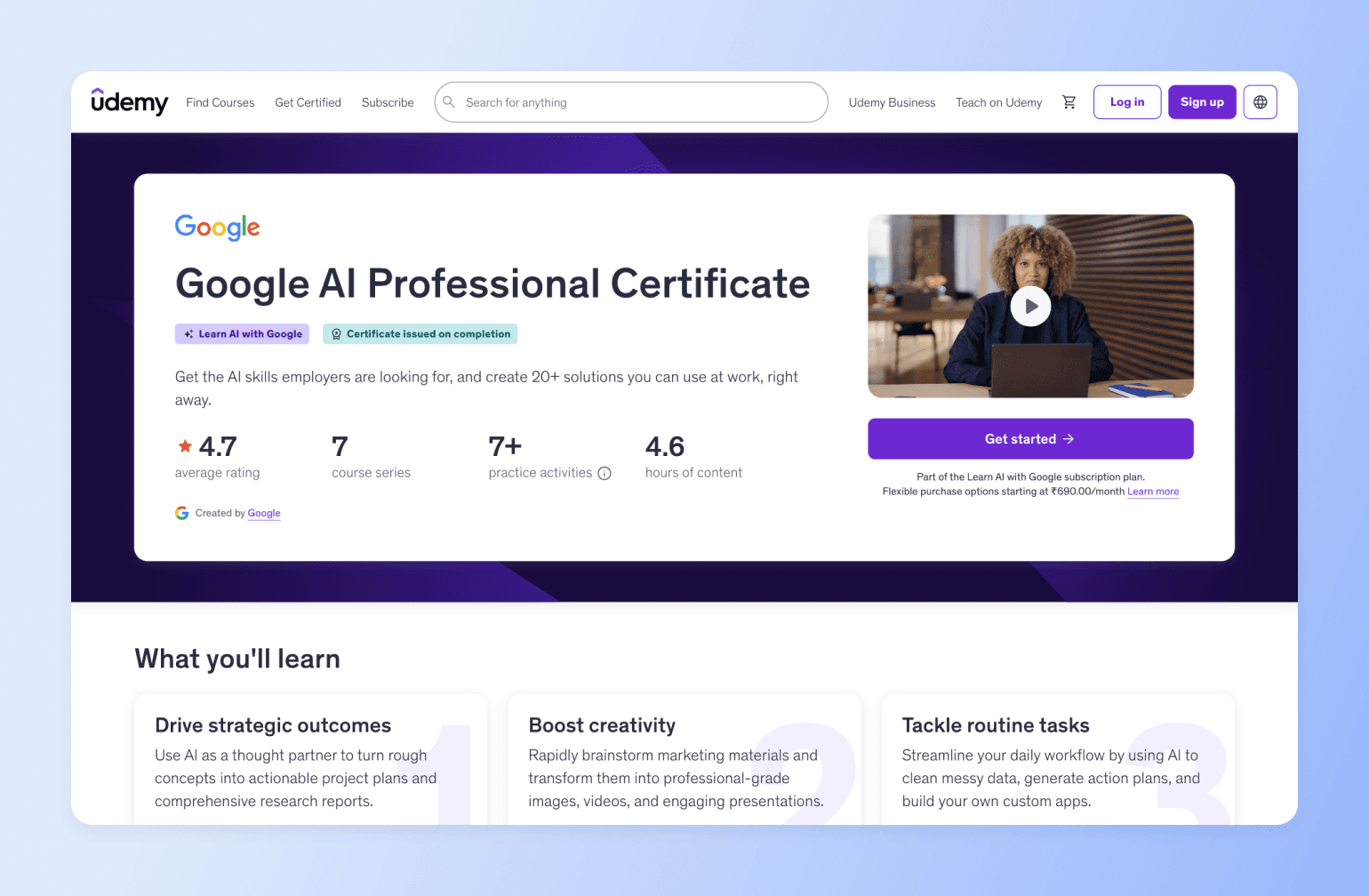
Udemy is a course marketplace where instructors across industries offer on-demand learning. Named in Time’s 2025 list of top edtech companies, it’s popular among students who want self-paced learning and businesses building employee upskilling programs.
Note: Udemy Business is a corporate learning solution that lets companies access a curated course library. Businesses enroll their employees, who can then take courses from approved instructors.
Unlike some platforms that support various digital products and include advanced community features, Udemy focuses on courses and basic discussion forums. While it’s easy to get set up, course creators have very minimal ownership of the overall student experience, from prospect to graduate.
Key features:
- Instructor dashboard and curriculum pages to keep things organized
- Support team to answer instructor questions and review sample course videos
- Teaching center and online community of experienced instructors to guide new users
- Custom coupons for offering enrolment incentives to prospects
- Global promotions tool and Udemy Business program to drive course traffic
Pricing:
Launching a course on Udemy—paid or unpaid—is free. However, some revenue share scenarios apply based on factors like promotions, taxes, business program membership, and more.
For example, if you bring the learners, you get the majority of revenue (~97%). However, you get only ~37% if learners discover your course via the platform.
Best for:
Industry experts looking to test the online course waters
Users say:
👍🏻 “Udemy is a great platform to sell courses online, it's easy to use, simple to add courses and they do the marketing campaigns for their users.”
🤔 “(The) web based version (of Udemy) is more limiting than (the) mobile app.”
| Pros | Cons |
|---|---|
Easy to use | Cohort-based learning is only offered in Udemy Business |
Launching courses is free | More lucrative for those with a stronger network because revenue depends on where students come from |
Published instructor club for guidance and networking | Little room to customize learner experiences |
Limited community spaces, mostly available via Udemy Business or third-party integrations |
10. Coursera — Best for academic courses
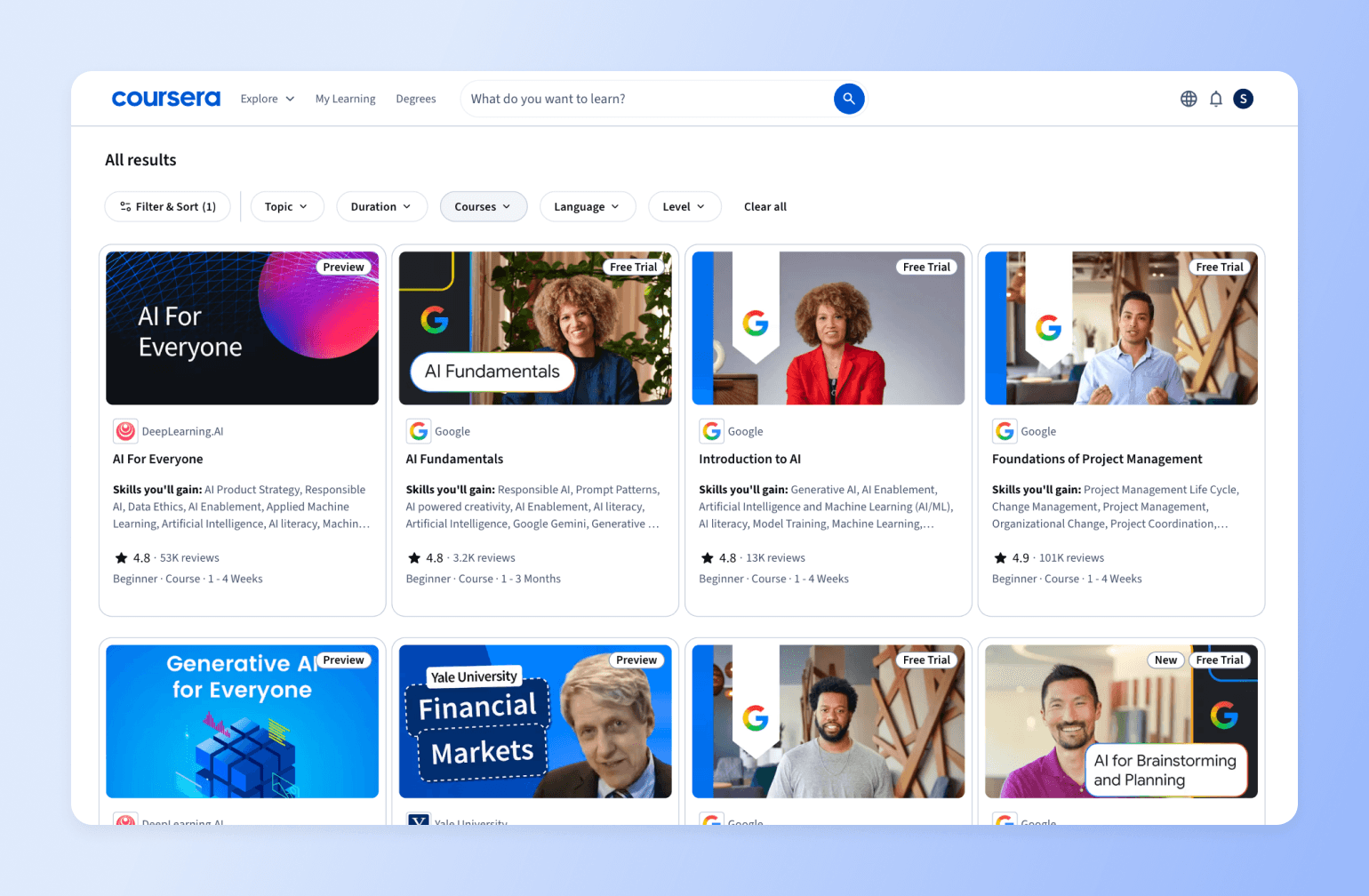
Coursera is an on-demand learning hub that’s home to thousands of MOOCs. Known for its academic rigour, universities, colleges, governments, and organizations use it to provide professional training, certifications, and degrees.
Though similar to Udemy, Coursera has been around for longer and offers more formal, comprehensive, and (sometimes) accredited courses. Also, solo creators can only publish courses on Coursera if they collaborate with the platform’s higher education or industry partners.
Key features:
- AI-assisted course authoring tool to keep training materials relevant and up-to-date
- Auto-generated suggestions for course learning objectives, outlines, and descriptions
- Professional certificates and degrees to boost student employability post-learning
- LMS integration so you can connect the platform to your existing learning management system
- Partnerships program for universities and industry-leading brands looking to reach more learners across the world
Pricing:
Becoming a Coursera partner is free, but you’ll need to pay for marketing support services and additional content production.
Best for:
Universities, colleges, governments, and organizations that want to offer virtual learning options
Users say:
👍🏻 “Our Google Career Certificates (via Coursera) have proven to be an effective way to help people prepare for well-paying, high-growth jobs.”
🤔 “Software support is not easily reachable.”
| Pros | Cons |
|---|---|
Partner universities and businesses can publish and give their students and staff access to multiple courses | Does not encourage course continuity and completion enough; lacks early alerts on potential dropouts |
Powerful analytics and customization tools | Not very accessible for solo experts |
Aligns learning with real-life applications | AI task-grading is not always accurate |
11. LearnDash — Best for WordPress site owners
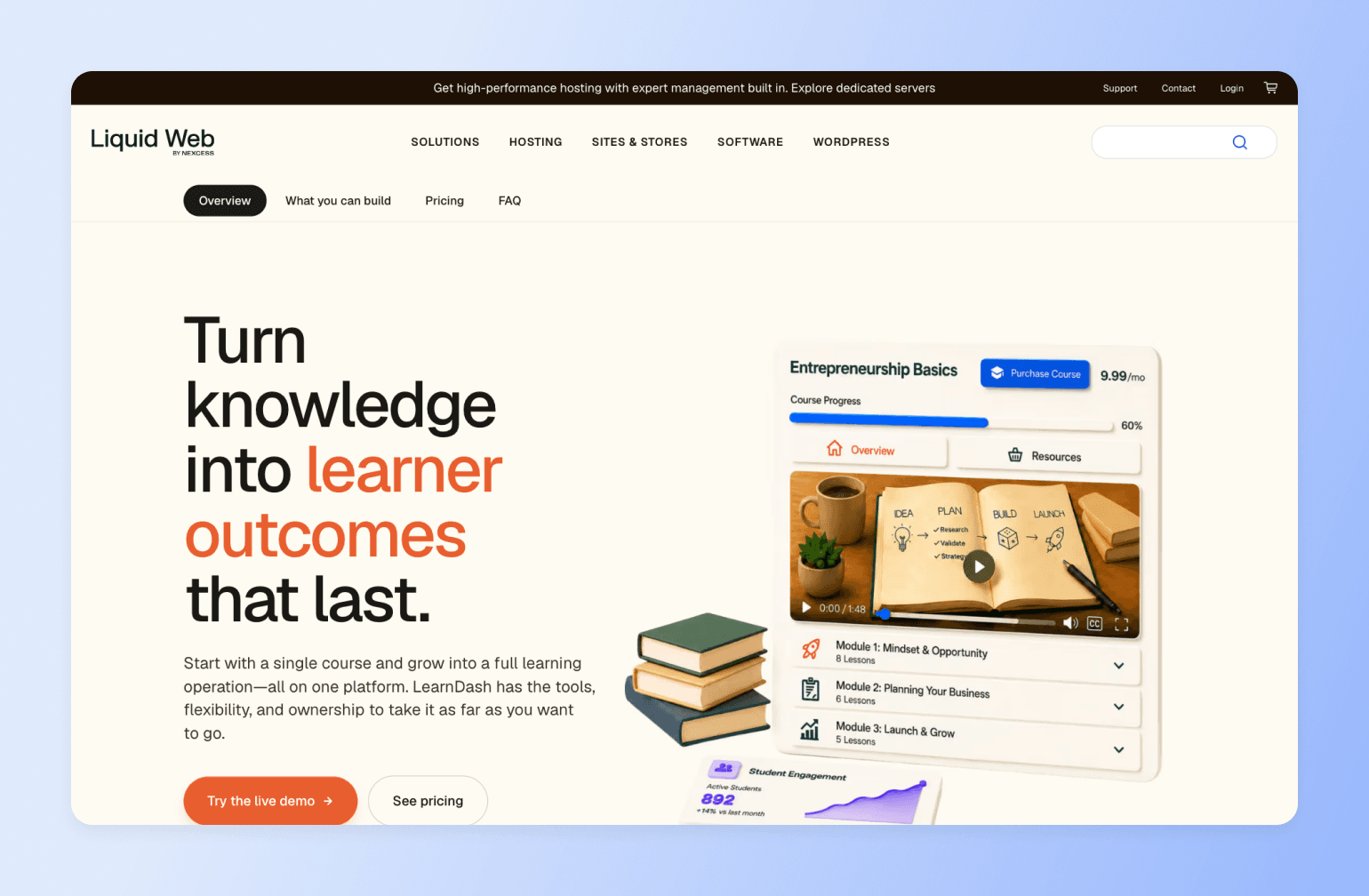
LearnDash is a WordPress plugin that lets you build, manage, and sell courses directly from your own WordPress site. It boasts over 100,000 active installs and has been used to teach more than 25 million learners—making it a go-to for creators, agencies, universities, and training teams that want complete ownership of their platform, student data, and revenue.
It’s a flexible platform, but you also need to maintain your own Wordpress site. That could be a hosted one on platforms like WP Engine or your own servers. Because everything lives on your WordPress site, you're also responsible for your own hosting, updates, security, and plugins—and community features aren't native, so you'll typically bolt on a third-party tool. With Circle, your courses and a fully native community live together out of the box, with no WordPress upkeep to manage.
Key features:
- Drag-and-drop course builder with lessons, topics, and a quiz builder.
- AI course outline and quiz builder that turns a simple prompt into a structured curriculum you can customize.
- Reporting dashboard for real-time enrollment tracking, completion rates, quiz analysis, and at-risk learner alerts (Pro and Elite plans).
- Groups, cohorts, and seat-based enrollment so you can sell to organizations and let group leaders manage their own teams (Elite plan).
- Built-in payments through Stripe and PayPal, plus WooCommerce integration for selling courses, bundles, and memberships.
- Certificates, achievements, automated learner notifications, video progression, and focus mode to support engagement and completion.
Pricing:
LearnDash uses simple annual pricing with no per-student fees: Essentials at $259/year, Pro at $399/year, and Elite at $599/year. Every license includes unlimited courses and unlimited learners, and you can try a live demo free for 48 hours with no credit card required. Keep in mind you'll also need your own WordPress site and hosting, which is an added cost on top of the license.
Best for:
WordPress users, agencies, and L&D teams that want full ownership and control of their course platform
Users say:
👍🏼 “I've built a couple of websites with LearnDash now, and I've got to say that customer support is one of my favorite features.” — Verified review from G2
🤔 “Some things like course bundling and shopping carts are unnecessarily complex; and when integrated into CMSs, it is hard to track class enrollments with an external too” — Verified review from G2
| Pros | Cons |
|---|---|
Complete ownership of your content, student data, and revenue | Requires your own WordPress site, hosting, and ongoing maintenance |
Flat annual pricing with no per-student or transaction fees | Community and discussion features aren't native |
Built-in memberships plus Stripe, PayPal, and WooCommerce flexibility | Steeper setup and learning curve than hosted all-in-one platforms |
The bottom line
Course completion isn't a content problem — it's a structural one. Most platforms hand you a course builder and leave engagement, accountability, and community as an afterthought (or a separate tool entirely). That gap is exactly why industry completion rates sit at 10–15% while cohort-based courses on Circle average roughly 2x that.
Circle closes the gap by building community into the course experience itself, not bolting it on. Peer discussion, live coaching, automated nudges, and progress-based DMs all live in the same place as the curriculum, so students stay accountable instead of quietly dropping off. Checkout lives there too: sell the course in installments, upsell the next one at checkout, and run it all, with AI tools to build programs faster and a mobile app to keep learners engaged between sessions, on one subscription instead of a stitched-together stack of course, community, and email tools. If completion (and the revenue that comes with it) is the goal, the platform needs to be built for it from the ground up. That's Circle.
Teach it, sell it and keep students going in one place: build the course, sell it with installments and upsells, and run cohorts, live sessions and a community so students finish and buy again. If completion and the revenue that follows it are the goal, the platform needs to be built for both from the ground up.
Ready to see it in action?
FAQs on online course platforms
What is an online course platform?
An online course platform is software that lets creators and businesses build, host, and sell educational content, with core tools like a course builder, payment processing, and student management. Platforms fall into two camps: marketplaces such as Udemy and Coursera that come with a built-in audience, and self-hosted solutions like Circle, Kajabi, and Teachable that give you full control over branding, pricing, and student data.
What's the difference between a course platform and an LMS?
Course platforms are built for creators — they're fast to set up, easy to manage without a tech team, and optimized for selling and delivering courses to paying students. Learning management systems (LMS) are built for organizations — they add features like compliance tracking, certifications, bulk enrollment, SSO, and integrations with enterprise HR tools. If you're a coach, educator, or creator building a course business, you almost certainly want a course platform. If you're an L&D team building internal training at scale, an LMS is the right category — Thinkific and LearnDash both sit closer to this end of the spectrum.
How much do online course platforms cost?
Pricing ranges from free (marketplaces that take a cut of your revenue) to $500+/month — but the sticker price rarely tells the whole story. Entry-level platforms like Teachable start around $39/month, and from there you often add separate tools for email marketing ($50+/month), community ($100+/month), and a website ($30+/month). Once integrations and transaction fees are factored in, a full stack can run $300–600+/month. Circle consolidates courses, community, payments, a website and live events into one subscription starting at $89/month, with 2% fees on Professional, 1% on Business and 0.5% on Circle Plus. Email Hub is an add-on.
What features should I look for in a course platform?
Start with the essentials: a multimedia course builder, student progress tracking, payment processing, and analytics. The features that actually move the needle, though, are the engagement-focused ones — community discussion spaces, mobile access, email automation, live event hosting, and peer accountability tools. Course platforms that build in community tend to outperform content-only platforms on both completion and student satisfaction.
Self-hosted vs. marketplace platforms: which is better?
It depends on your goal. Marketplaces like Udemy and Coursera hand you a built-in audience, which is great for discovery — but they take a significant share of revenue (often 37–63%) and control your pricing, branding, and student relationships. Self-hosted platforms like Circle, Kajabi, and Teachable let you keep nearly all of your revenue, set your own prices, own your student data, and build a branded experience that supports premium pricing. The trade-off is that you handle your own marketing. For a sustainable, long-term course business, self-hosted usually wins.
What's the difference between a WordPress plugin and a hosted course platform?
WordPress plugins like LearnDash install on a WordPress site you manage yourself — which gives you full ownership of your data and no ongoing platform fees beyond the annual license. The trade-off is that you're responsible for your own hosting, security, updates, and any community or email tools you want to add, since those aren't native. Hosted platforms like Circle, Kajabi, or Teachable handle all of that for you: infrastructure, updates, and an integrated feature set out of the box. If you already run a WordPress site and have the technical comfort to maintain it, a plugin can be cost-effective. If you want to focus on your course and community rather than your stack, a hosted platform is almost always the faster path.
How can I improve my online course completion rates?
Most self-paced courses see just 10–15% completion. The biggest gains come from designing for engagement rather than passive consumption: intentional onboarding (think "Start Here" spaces and kickoff calls), clear progression paths, weekly prompts and peer check-ins, and spaces to celebrate wins. Adding peer interaction alone can roughly triple completion, from 15% to 45%+. It's why community-powered platforms like Circle average 40–60% completion across their communities.
Do I really need a mobile app for my courses?
For most creators, yes. Mobile access lets students learn during commutes, breaks, and downtime when they're away from a desk, and push notifications re-engage learners before they drift away. Circle communities with mobile apps see 95% more active members and 122% more direct messages. For premium programs, a branded app also raises perceived value and helps justify higher pricing.
How do I migrate my existing courses to a new platform?
Most platforms let you export your content, though formats and ease of transfer vary. The riskiest part of a DIY move is disrupting the student experience or losing data along the way. Circle offers free concierge migration that transfers your course content, student data, and payment information for you — typically over 2–4 weeks, including technical setup, content formatting, student communication templates, and launch support — so your business keeps running through the switch.
What's the most used online course platform?
By sheer scale, Udemy is the largest marketplace, with 250,000+ courses and around 80 million learners. But "most used" isn't the same as "best for your business" — marketplaces trade reach for control and a large cut of your revenue. For creators building a sustainable, branded business, self-hosted platforms like Circle tend to deliver stronger outcomes; its 15,000+ communities average 425 students per course.

Head of Performance Marketing
Marcus is the Head of Performance Marketing at Circle—and Circle's main demand gen nerd.