The 6 best AI website builders for creators selling memberships and courses
TL;DR
- Every major website builder now generates AI pages, so the real choice is what the site does after you publish it.
- Design-first AI builders push creators toward third-party membership tools, which splits member data across systems and adds cost that compounds as you grow.
- Circle is the only builder in this comparison where the website, checkout, email, courses, and community share a single member record, and you can use AI to control them all.
Tom Ross built Learn.Community on Circle over a weekend and runs it as a paid membership, with the website and the business as one system. That's the part most AI website builders can't even begin to reach.
Every AI website builder promises the same thing: describe your business and the AI spins up a site in minutes. They're not lying, and the site does show up. The problem is what it can't do next. It can't take a payment for a membership, it can't tell a paying member from a stranger, and it can't deliver the thing your buyer actually paid for. So you start bolting on tools: one for checkout, one for the course, one for email, one for community. Each keeps its own member list, and none of them talk to each other.
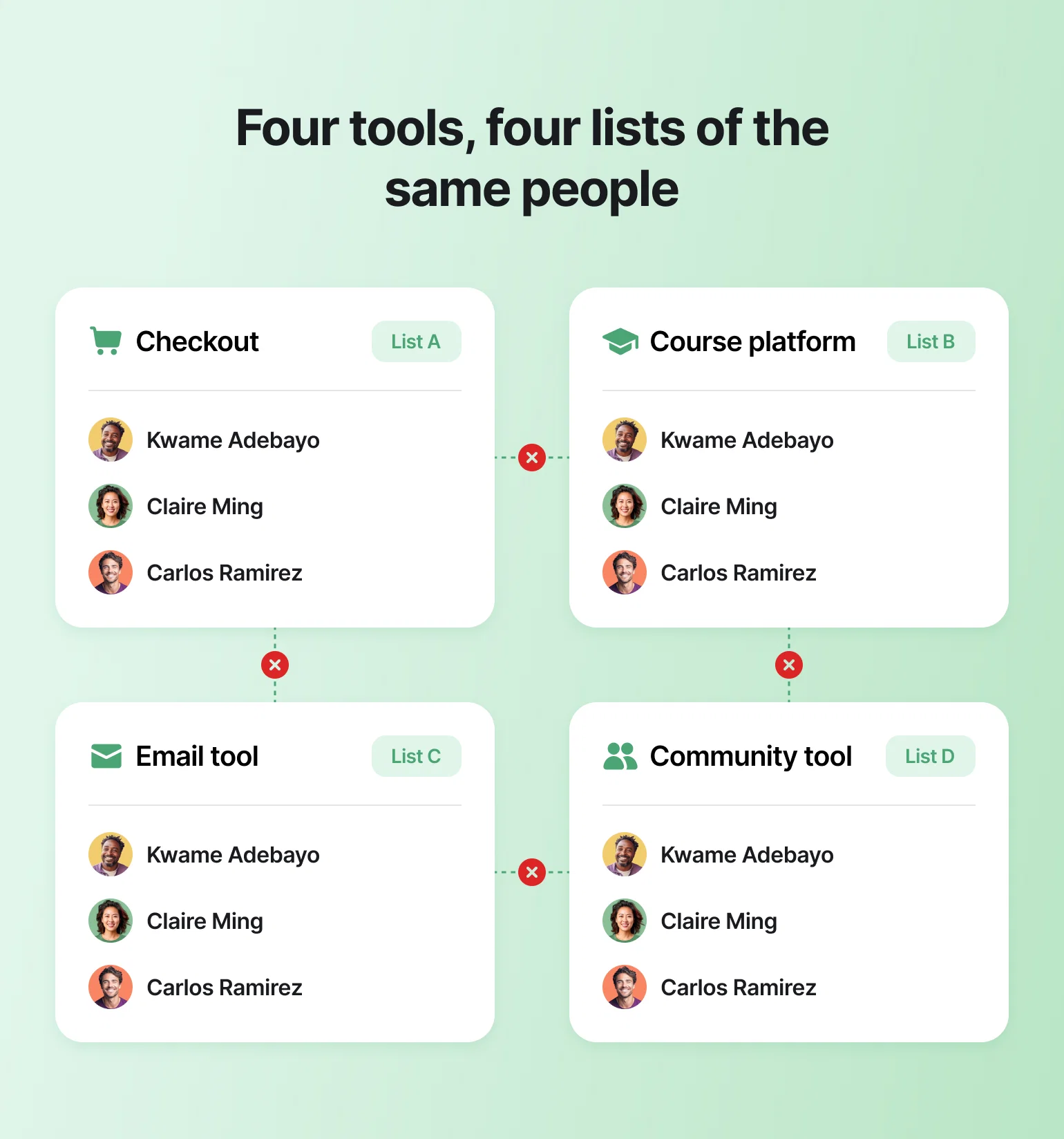
If you have an audience and you want to turn some of them into paying members of a course, a coaching program, or a community, the builder you pick decides how much of that you'll be stitching together yourself. Circle is the one platform here built the other way around. Below, we break down all six builders and what each one is best for.
AI website builders for creators, compared
| Platform | AI capability | Native membership gating | Courses + community | Membership transaction fee | Starting price (annual billing) |
|---|---|---|---|---|---|
| Circle | Circle AI builds and edits pages from your brand context; AI Agents for members | Yes: paywalls, tiers, trials, installments | Yes, both native | 2% to 0.5% by plan | $89/mo |
| Squarespace | Blueprint AI site generation, block-level AI copywriting | Yes, with documented limits | Courses yes; no community forum | 7% to 0% by plan | Basic at $19/mo |
| Wix | AI site and block generation, GPT-4 content tools | Partial: member pages, password protection | Courses via third-party apps | No platform fee on paid plans (processing only) | Light $17/mo; Core $29 to sell |
| Framer | Wireframer, Workshop, AI Translate | No: requires third-party plugins | No native courses/community | N/A | Basic $10/mo + ~$20/seat |
| Webflow | AI Site Builder, multi-page generation | No: User Accounts sunset in 2026 | No native customer-facing courses/community | N/A; ecommerce fees may apply | Basic $15/mo; Premium $25 |
| Durable | Fast full-site generation | No native memberships | No course/community tools | N/A; no shopping cart | Free tier; paid from $22/mo |
1. Circle: the only builder where your site knows who your paying members are
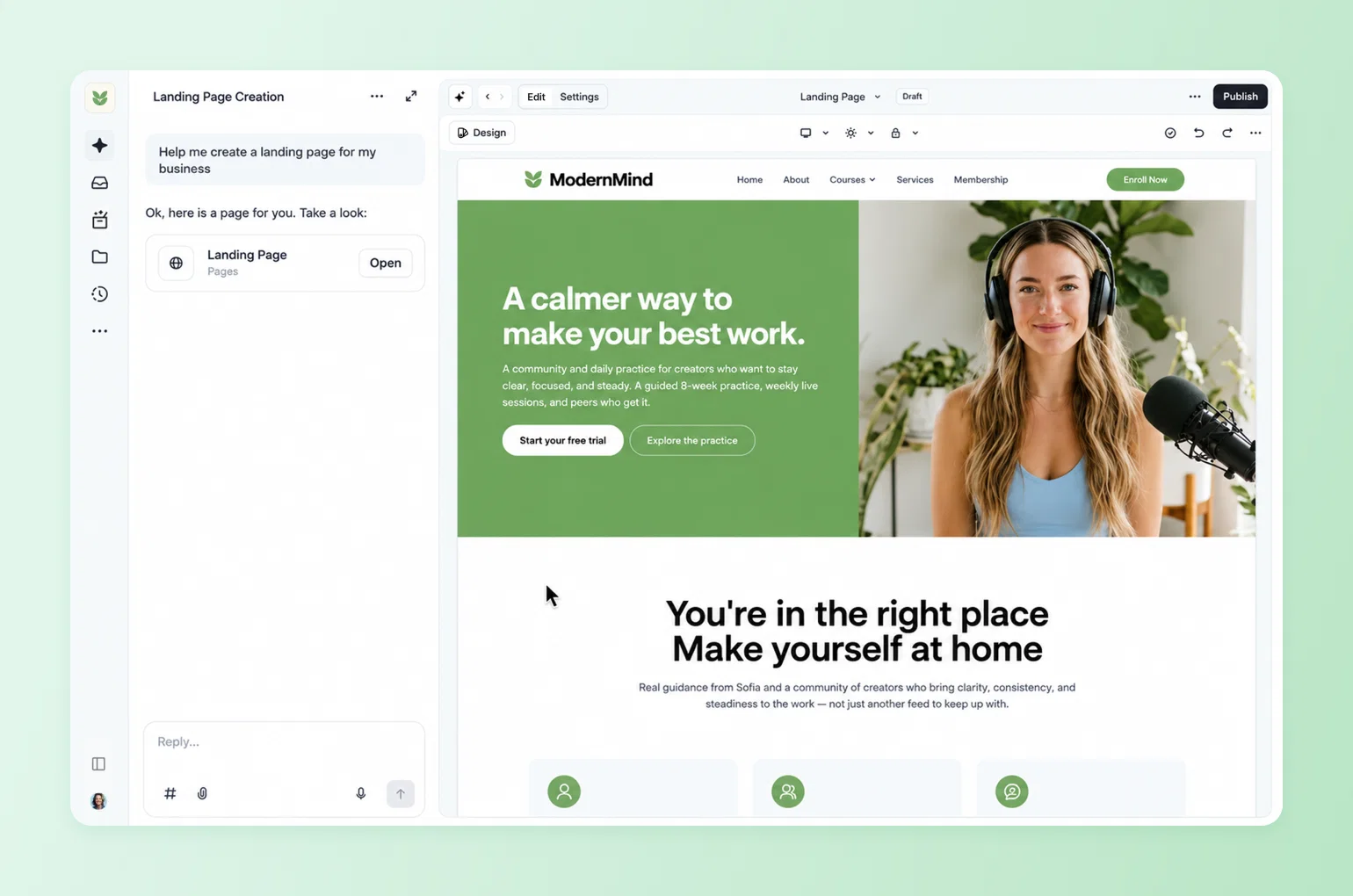
Circle is the all-in-one community platform built for creators, coaches, and educators running community-led businesses. The website builder, checkout, courses, events, email, and CRM all live under one roof and read from one member record, so a visitor who pays gets instant access, and a member who logs in sees a different site than a stranger does.
Best for
Coaches, creators, and educators who want an AI builder that generates a working membership site you can actually run, not just a marketing page the AI hands off and forgets.
Key features
- Circle AI: A conversational partner built into every surface of the product, not a separate feature bolted on. Describe the community you want and it drafts the structure, spaces, access groups, paywalls, and branding, then waits for your approval before building anything. A live canvas shows the work as it happens, and in one internal test a team member went from an empty workspace to a fully structured community, with course and event spaces, branded images, and cover art, in under 30 minutes.
- Course builder: Drop an outline into the chat and Circle AI generates the full course, lesson by lesson. One creator turned a 30-day YouTube challenge outline into 30 built-out lessons, with images and content, in seconds.
- AI Agents (Circle Plus): Member-facing assistants trained on your Spaces, courses, posts, and files, with multiple Agents per community, each with its own role, all flowing into a shared AI Inbox with human handoff.
The difference from AI in generic builders: Circle's AI operates on live member data, day after day, rather than generating a page once at setup. And nothing gets created without the admin's approval, so the operator is always in control of what goes live. If you want to see the full flow, here's how to build a membership site on Circle end to end.
Pricing
Professional is $89/month with a 2% transaction fee, Business is $199/month at 1%, and Circle Plus is custom-priced at 0.5%, all on annual billing. Every plan includes unlimited members, the Website Builder, courses, events, paid memberships, and a custom domain. Professional and Business come with a 14-day free trial, no credit card required.

The site that knows your members.
2. Squarespace Blueprint AI: polished design, shallow membership mechanics
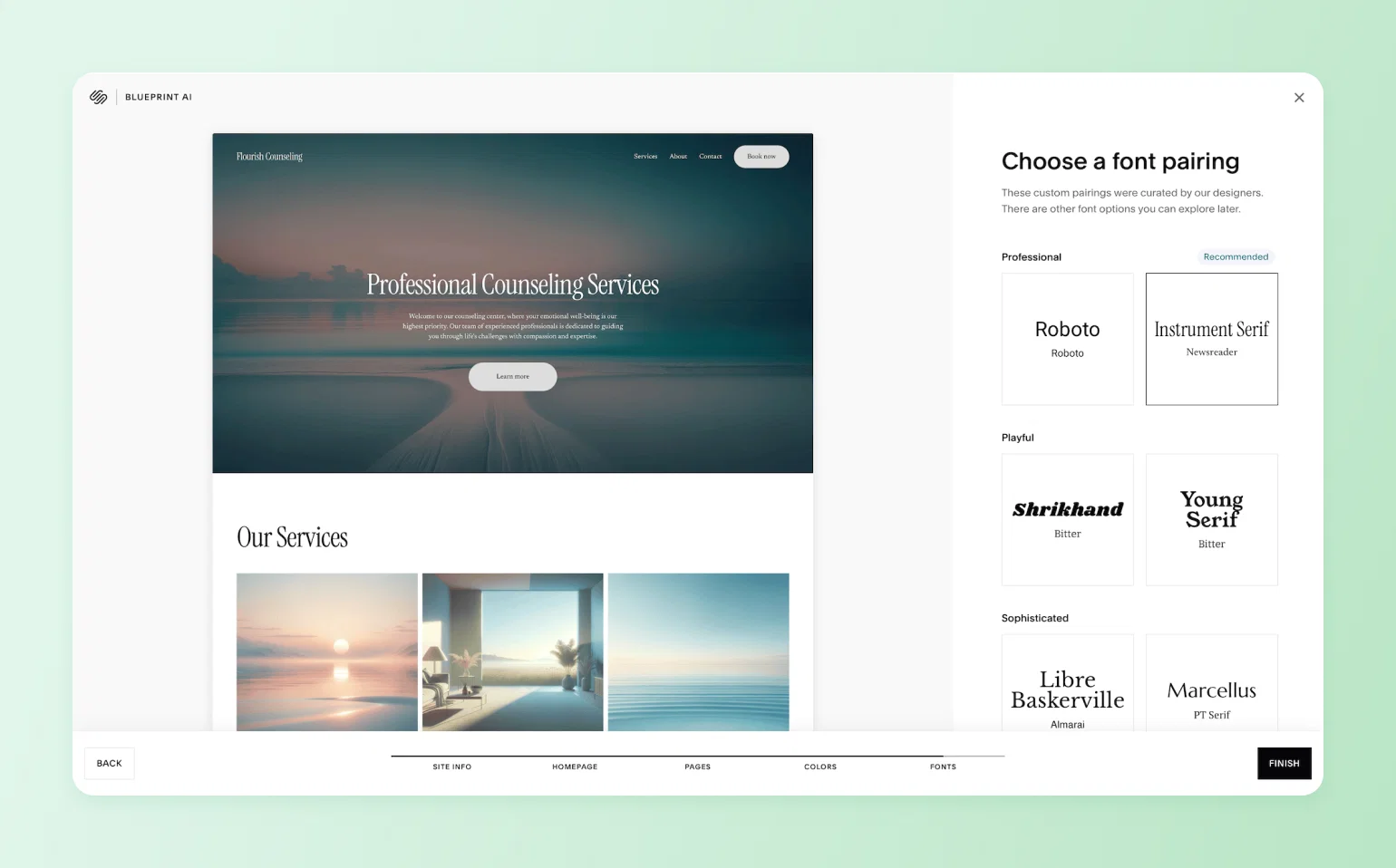
Squarespace is the strongest generic builder here for creators who want gated content without add-ons. Its membership tooling runs out of depth well before a real membership business does.
Best for
Service providers, portfolios, and creators with a simple, single-tier paid content offer who prioritize design polish. Strongest fit when the site needs to look sharp quickly and the paid offer stays simple.
Key features
Blueprint AI generates a personalized website framework in minutes, collecting details like your business type, goals, and brand personality before providing design suggestions. The results come from standard Squarespace template patterns rather than a fully custom brand build, so further edits are usually still needed. AI copywriting works block by block inside the editor, with AI usage varying by plan. On the membership side, Squarespace offers Member Sites for subscription content and a separate Courses product for structured lessons. You can gate any area of the site and charge one-off or recurring fees.
Pricing
Four plans on annual billing: Basic at $19/month, Core at $29, Plus at $49, and Advanced at $99. For creators, the digital-content transaction fee matters: 7% on Basic, 5% on Core, 1% on Plus, and 0% only on Advanced.
Limitations
- Membership tooling is basic: Member Sites works for simple gated or subscription content, but it's thin on the mechanics a real membership often needs, like drip-released content, free trials, tiered or household access, manual approvals, or a discussion forum. If your offer depends on any of those, confirm Squarespace handles it before you build around it.
- Checkout friction: buyers have to create an account before they can begin checkout for member areas or courses, an extra step that can cost conversions.
- No community layer: Squarespace can gate a page, but it can't run the member relationship. No discussions, no member profiles, no community for the people who paid.
Blueprint AI stops at design; it doesn't know anything about membership businesses. Circle AI is trained on anonymized patterns from 20,000+ communities on the platform. That means it knows which pricing tiers convert, which programming rhythms retain, and which structures fit a coaching business versus a course business. Ask "for a business like mine, what would you do to grow it?" and it answers with specifics drawn from what actually works, not generic design suggestions.
3. Wix: strong for product sales, thin for member relationships

Wix is a capable general-purpose builder, strongest for creators who sell physical products. For selling access to yourself and your knowledge, it thins out fast.
Best for
Creators whose revenue leans on product sales: merch, digital downloads, or a storefront alongside content.
Key features
Describe the site you want and Wix AI generates a draft with layout, copy, images, and a logo. Unlike the older Wix ADI, the current AI builder feeds into Wix's standard editor, so you keep full customization after generation. It also includes GPT-4 content tools and an AI logo maker. Member tools exist: password-protected pages, member signup requirements, member profiles, and Wix Forum.
Pricing
Wix has a free plan plus four paid tiers on annual billing: Light at $17/month, Core at $29, Business at $39, and Business Elite at $159. Selling anything, including memberships, requires at least Core. Wix doesn't add its own platform transaction fee on paid plans, but payment processing (around 2.9% plus $0.30 per transaction) and the paid apps you'd add for courses or member tools push the real cost above the sticker.
Limitations
- Courses live in the App Market: online courses on Wix usually push creators toward third-party add-ons rather than one native course-and-community system.
- Fees reach 0% only at the top plan: the membership transaction fee drops to 0% only on the highest tier. And because Wix locks you into your template once it's chosen, a redesign means building a new site.
With Wix, you pick a template up front and you live with it. Circle AI skips the template step entirely. You describe the business you want to run in plain English, say, "a mindfulness community with an 8-week course, weekly live events, and a reflections space, with a free trial." It then proposes and builds the full structure: spaces, access groups, paywall configuration, and landing pages. A live canvas shows the build happening in real time. When your business evolves, you keep talking to Circle AI instead of starting over.
4. Framer AI: good-looking output, with nowhere to put a course or community
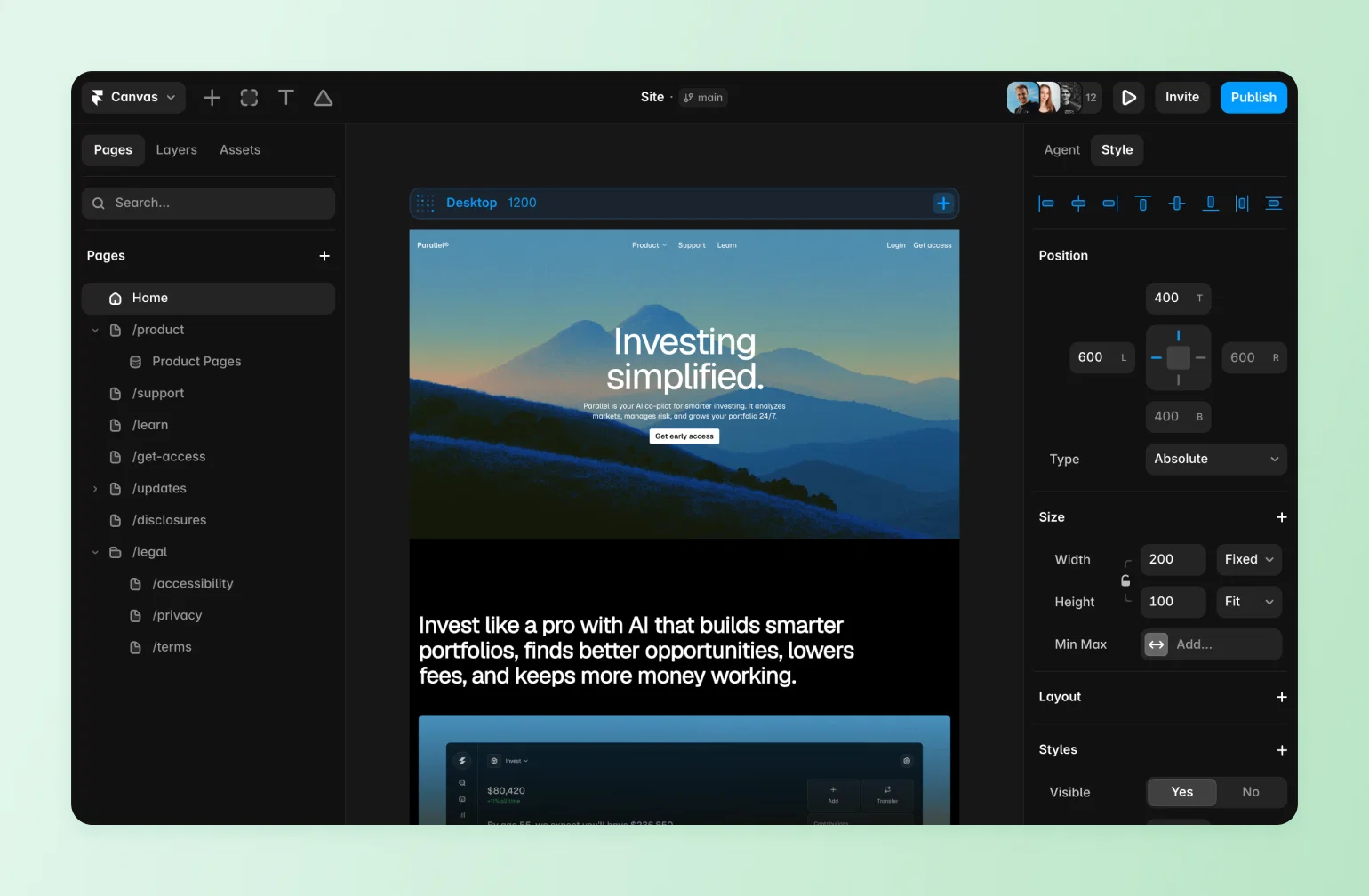
Framer is a design-first website builder. Its AI generates polished, professional-looking marketing sites, which is exactly what Framer is built for. What it doesn't do is sell memberships, host courses, or run a community, so creators who need those hit a wall fast.
Best for
Designers, agencies, and startups building marketing sites where visual quality is the whole job. It fits teams comfortable with design tools, not creators who need to sell access and deliver a paid member experience in the same place.
Key features
Framer's AI features include Wireframer for chat-based page generation, Workshop for component generation, AI Translate for localization, and AI plugins connecting major model providers. Those tools make it strong for producing and refining marketing pages, especially when a designer wants a polished starting point inside a visual editor.
Pricing
Framer bills per site and per editor seat, so the two costs stack. On annual billing, site plans run from Basic at $10/month to Pro at $30 and Scale at $100, with a free tier for testing, and each editor seat is roughly $20/month on top. Because Framer has no native membership tools, budget for third-party plugins as well.
Limitations
- No native membership, course, or community functionality: Framer has no built-in way to charge for access, host a course, or run a member community. Anything gated has to be stitched on with third-party plugins like FramerAuth or Outseta.
- You end up managing a stack of tools: Framer builds the site, but the moment you need member approvals, CRM records, contracts, or paid access, each of those comes from a separate app. You're left maintaining several disconnected tools, with member data split across all of them, instead of running one system.
Framer's AI writes marketing copy and layouts; it doesn't build a business behind them. Circle AI takes plain-English instructions ("set up a three-tier membership with a free onboarding space and two paid tiers") and executes them, creating the spaces, configuring the access groups, building the paywalls, and updating the canvas in real time. Framer generates a site. Circle AI generates a business.
5. Webflow AI Site Builder: full design control, zero membership logic
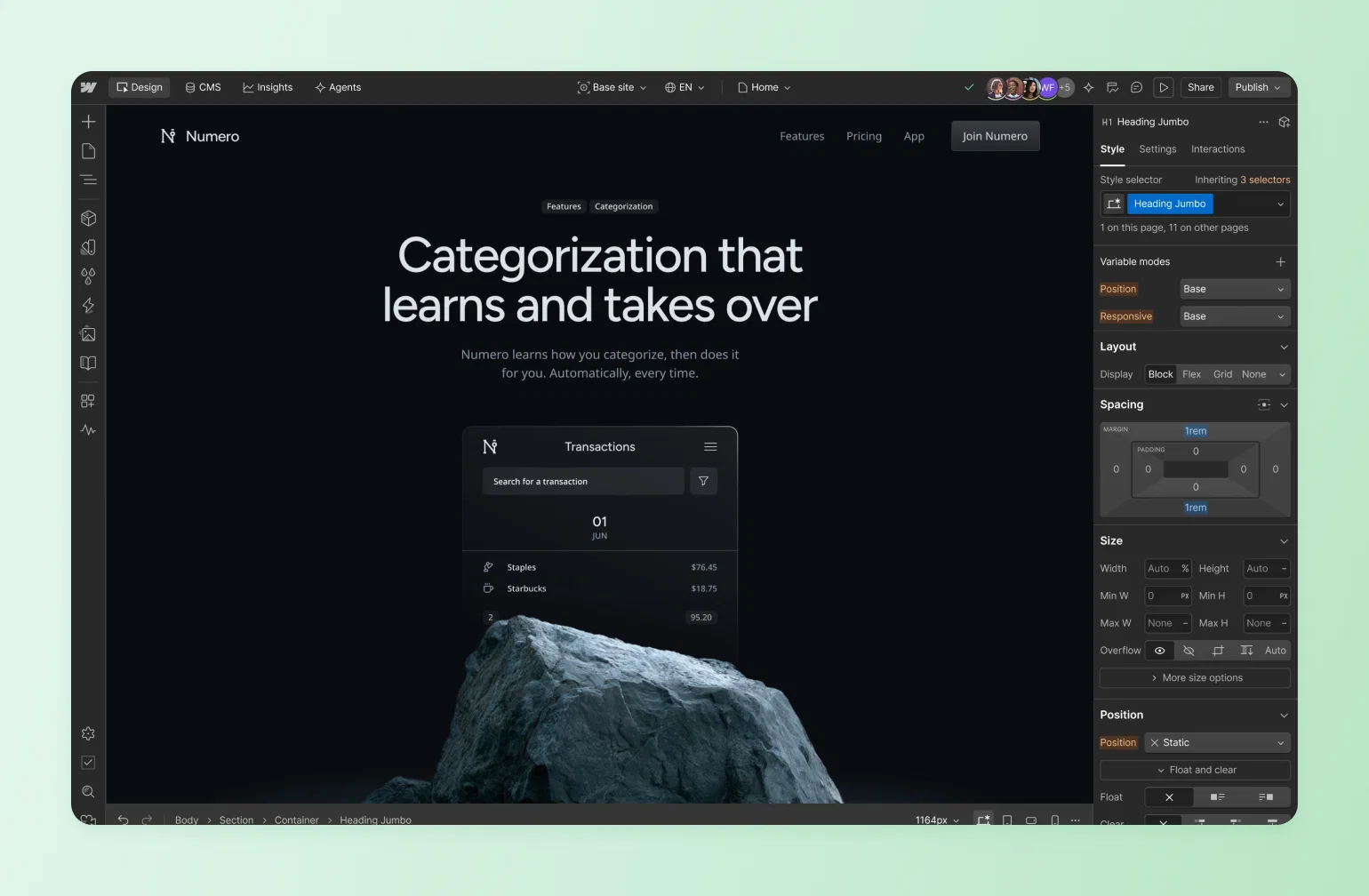
Webflow is a visual builder made for design teams, giving close to code-level control over layout and styling for marketing and CMS-heavy sites. It's a serious design tool. It just isn't a membership platform anymore.
Best for
Teams and agencies that want code-level design control with a visual interface, building marketing sites and content-heavy CMS sites.
Key features
Webflow's AI Site Builder produces multi-page sites with structure, styles, and animations from a prompt, generates CMS Collection items, and assists with SEO guidance. Every generated block stays editable in Webflow's visual tools, which is the core reason design teams keep Webflow in the shortlist even when it isn't the right membership system.
Pricing
After Webflow's May 2026 restructure, the self-serve site plans on annual billing are a free Starter tier, Basic at $15/month, and Premium at $25 (the old CMS and Business plans merged into Premium), with Team and Enterprise above them. Workspace seats and add-ons are billed separately, so the real monthly cost lands well above the site-plan sticker.
Limitations
- Native memberships are gone: Webflow disabled User Accounts on all existing sites on January 29, 2026, completing a deprecation that began a year earlier. Webflow chose to focus on visual website building rather than compete with dedicated membership platforms.
- AI output still needs manual work: AI-generated output depends heavily on prompt quality and manual refinement for custom layouts or advanced functionality.
- A separate membership stack: creators now need one tool for the site, another for accounts and access, and often another for courses or community.
Webflow deliberately walked away from the member relationship. Circle went AI-native in the opposite direction. Circle AI ships more than 50 specialized skills across 12 domains: community setup, member management, content, monetization, growth strategy, and more. A solo operator can invoke any of them just by asking. It takes on the repetitive strategist, operator, and community-manager work that used to stretch a small team, freeing the operator to spend their time on members and the relationships only they can build, all inside the same platform running the site. Webflow left creators to assemble a membership stack; Circle AI is trying to replace the stack with a partner.
6. Durable: the fastest generic site, and not much past that
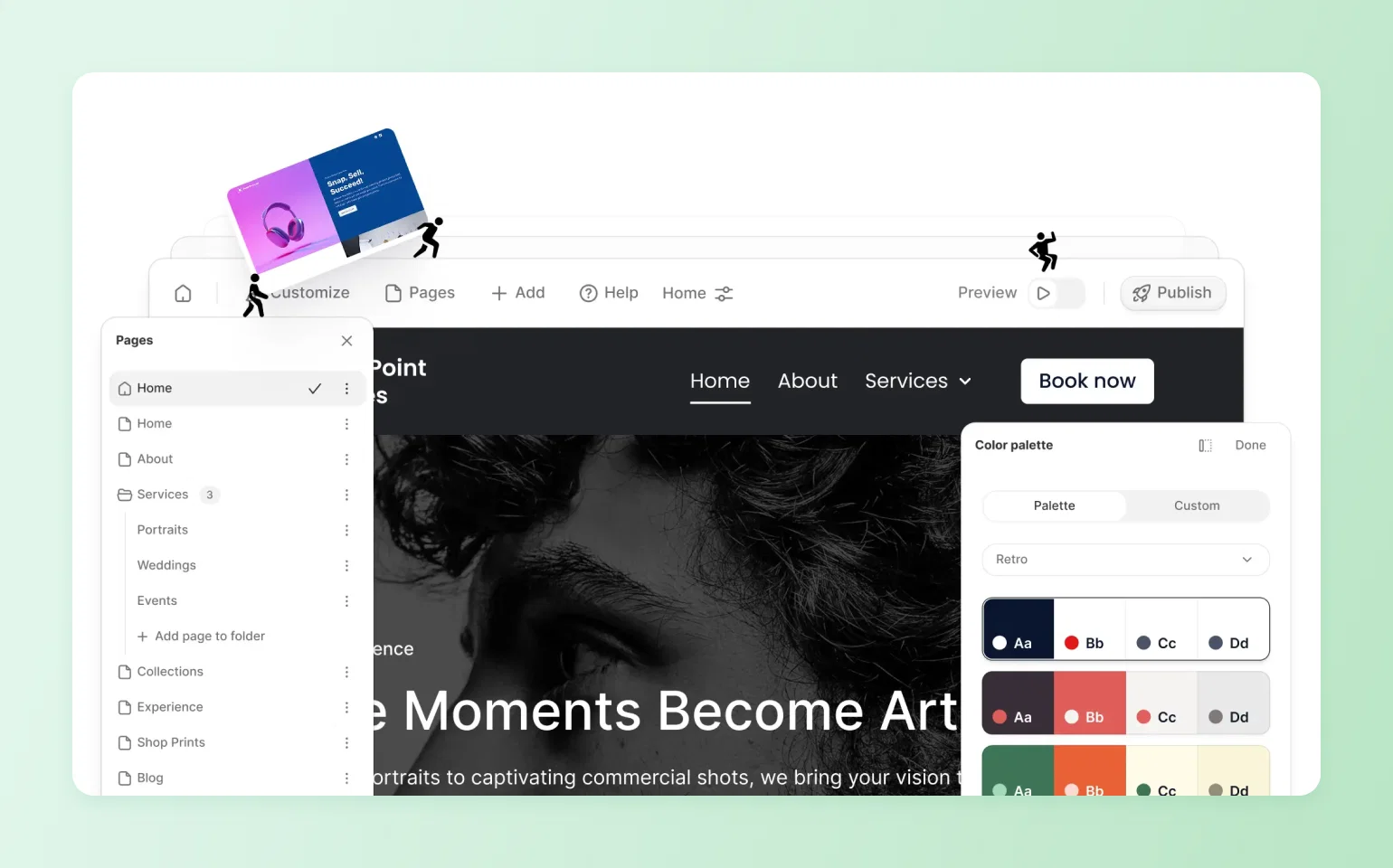
Durable is built around fast full-site generation from a short setup flow. That speed is real, and it's essentially the whole product.
Best for
Local service businesses that need a brochure site, a booking calendar, and a basic CRM live today. Durable's marketing targets independent, appointment-based service businesses.
Key features
Durable bundles basic website, booking, CRM, SEO, hosting, and AI-assistant features. For a solo local business, that combination can be enough to get a simple online presence live quickly. For a creator selling a paid course, cohort, or membership, the missing pieces show up almost immediately.
Pricing
Durable has a free tier on a subdomain, then two paid plans on annual billing: Launch at $22/month and Grow at $41/month. Both bundle the website, booking, CRM, and SEO tools, but courses, memberships, and a real shopping cart aren't part of the product, so a creator selling those still has to add separate tools on top.
Limitations
- No shopping cart, no memberships, no courses: Tooltester found Durable "lacks shopping cart functionality" and isn't suited to sites that need to connect external services like email marketing, live chat, and similar tools.
- Stacked costs add up: memberships and courses don't appear anywhere in Durable's feature set, so creators often end up paying for separate tools that don't talk to each other. Total costs on that stacked setup can exceed purpose-built platforms.
Durable ships a brochure site and stops. Circle AI ships a whole growth surface on top of the platform. Its Daily Brief surfaces a personalized pulse of recent activity and recommended next actions every time an admin signs in, so a solo creator knows where to spend the next hour. Circle Discover 2.0, the platform's community marketplace, already sees 100,000+ monthly members and routes goal-based, high-intent traffic to creators who flip it on with a single switch. Durable helps you exist online. Circle AI helps you grow.
Why "AI-generated" stopped being the differentiator
Don't choose a builder because it can generate a homepage. Every platform in this comparison does that now, so the real differences show up in what happens after the homepage exists: pricing, distribution, and the tools attached to the site. AI generation is table stakes. It's also why a community-first builder tends to win once the launch is over.
The better question is what the AI can read after launch.
- A website builder's AI works from a generic prompt, once, at setup.
- A community platform's AI works from your actual business: your content, your courses, and your member records, continuously.
Circle's AI Agents are trained on your Spaces, course material, and files, know which member they're talking to, and respond to live questions around the clock. Circle AI, meanwhile, is wired into every part of the admin experience: it can duplicate a paywall in seconds, scan a community for duplicate member tags and clean them up in one prompt, and read hundreds of comments to surface event topics your members actually want.
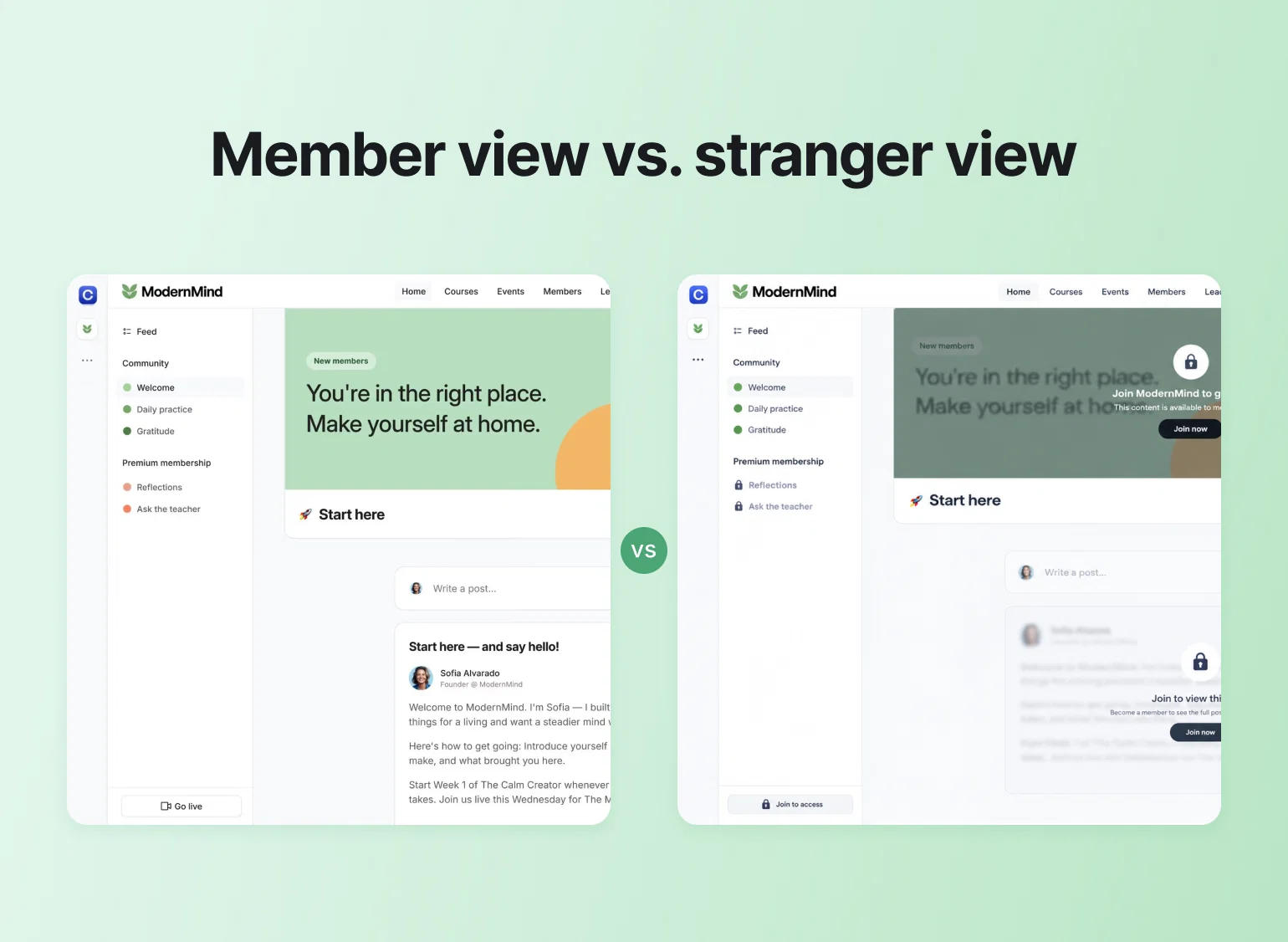
That's the shift Circle's creator economy research points to as well: creators are building paid member relationships instead of depending on social reach they don't control. A static AI-generated page can't hold that relationship. But a constantly-learning platform can.
What to actually check before you use AI to build your website
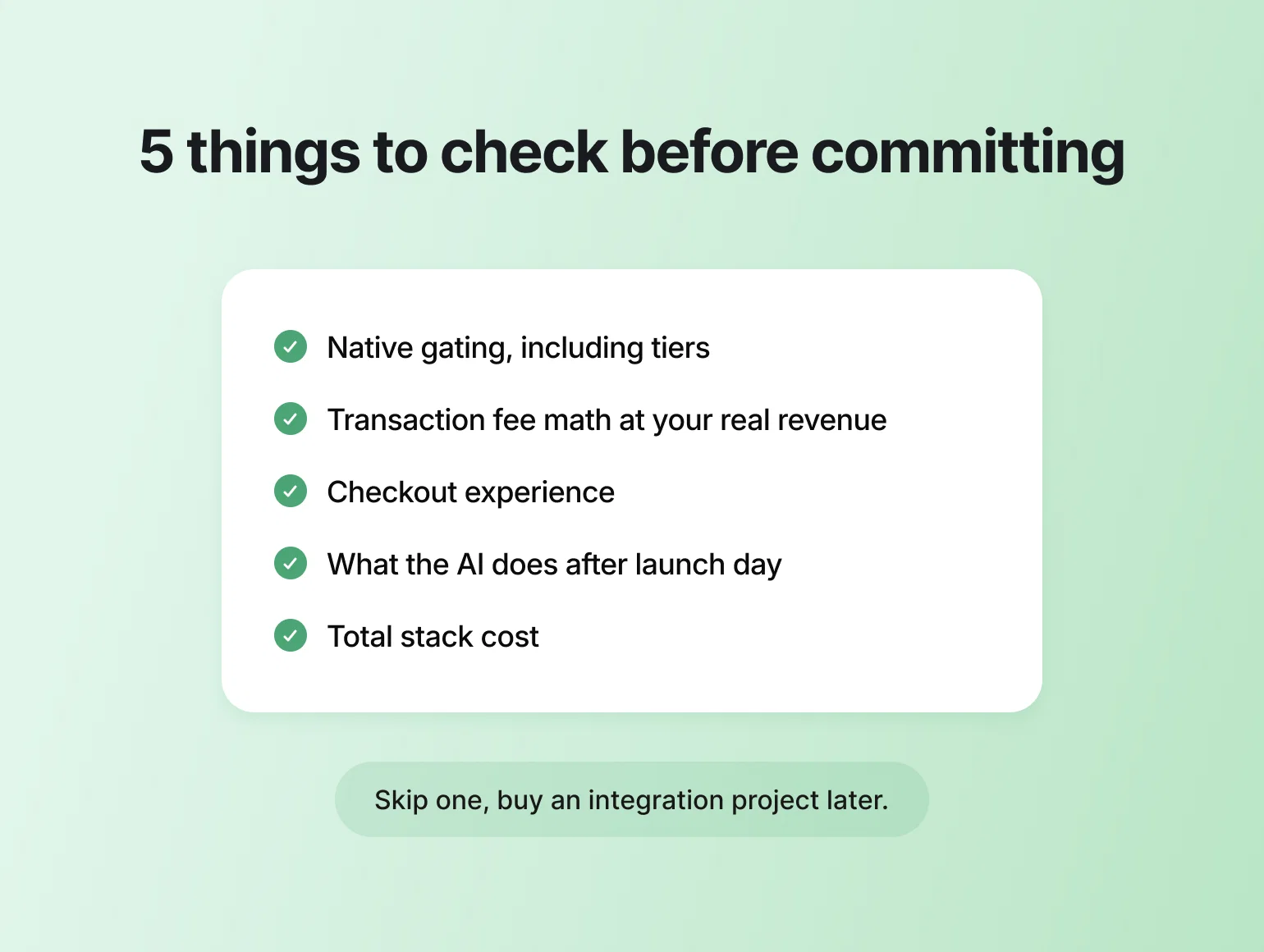
Run five checks before committing, in this order.
- Native gating, including tiers. If you'll ever sell more than one access level, confirm the platform handles it without plugins. Multi-tier support is a real buying criteria, so check it before you commit.
- Transaction fee math at your revenue, not at zero. A 7% fee on $2,000/month of memberships is $140/month, which erases the savings of a cheap plan. Compare the fee at the tier you'd actually buy: Squarespace runs 7% to 0%, Wix varies by plan, Circle 2% to 0.5%.
- Checkout experience. Creators evaluating builders describe the minimum as a sales page, Stripe checkout, account creation, and gated pages. Test the buying flow yourself before your customers do.
- What the AI does after launch day. One-shot generation saves you an afternoon; an AI that keeps working on your live business, your members, and your content saves hours every week. That ongoing operation is what Circle AI is built for, and where builder-bundled AI generally stops.
- The total stack cost. Price the builder plus every tool you'd bolt on for auth, payments, email, courses, and community, then compare that number against Circle. The bolt-on stack usually loses on both cost and data: five tools means five partial pictures of each member.
If a platform passes those checks, it can support more than a launch page. If it doesn't, you're probably buying a site now and an integration project later.
Why Circle is the strongest pick for creators
If your website exists to sell and deliver memberships, courses, or coaching, the comparison resolves quickly. Framer and Durable don't have native membership logic, and Webflow no longer has it after the User Accounts sunset. Wix and Squarespace can gate content but can't run the member relationship behind the gate, and their transaction fees punish exactly the recurring revenue you're trying to build.
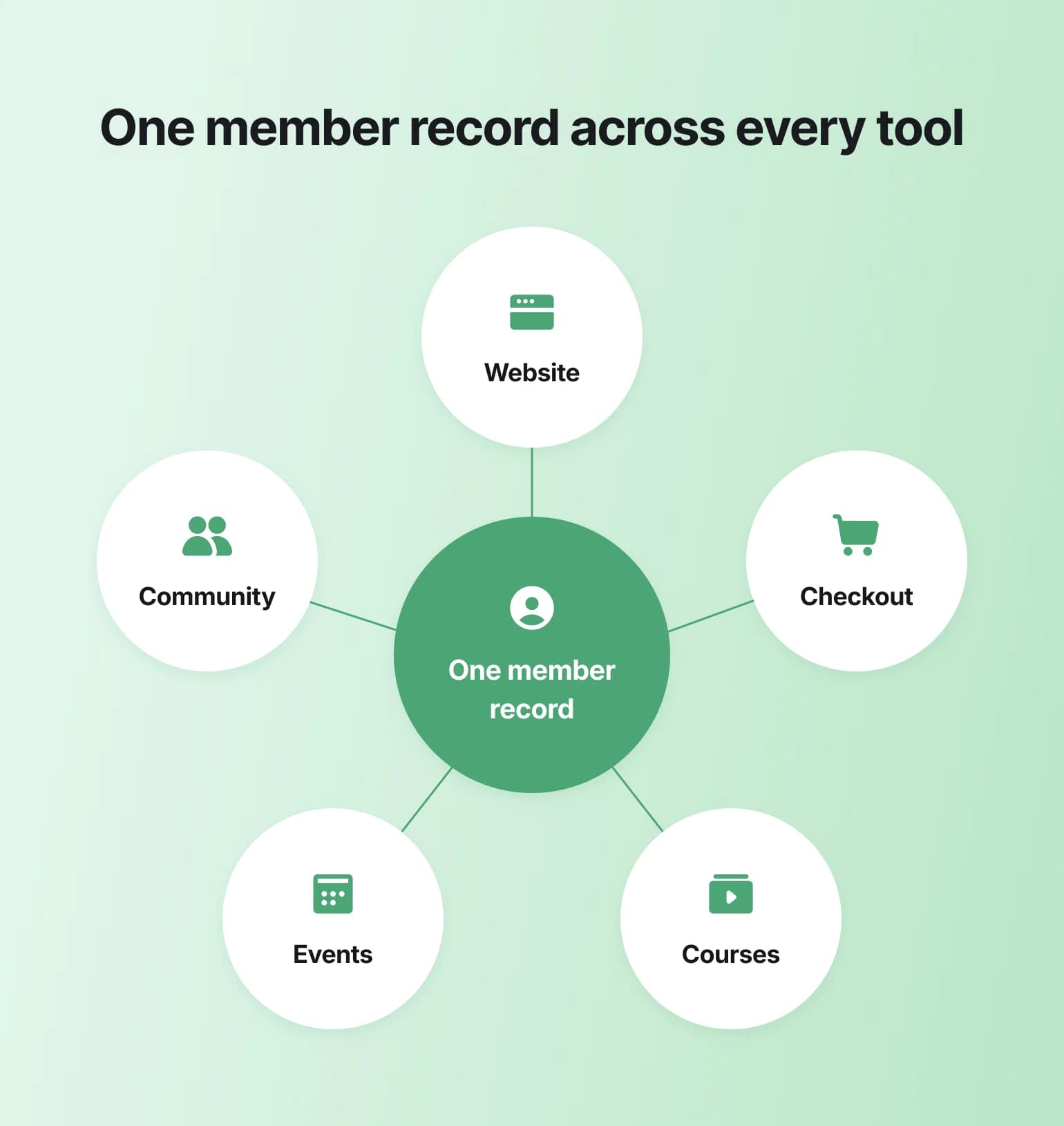
Circle is the one platform here where the public site, the branded checkout, the course player, the events, and the community all share a single member record, and where the AI works on your members and your content rather than a setup prompt. That's the difference between buying a site now and building the business behind it. For more of what creators have shipped this way, see these membership site examples.
One system for your business, not five.
AI website builders FAQ
What is the best AI website builder for membership sites?
Circle, because paywalls, tiered access, courses, and community are native to the platform rather than bolted on, and the website builder ships on every plan starting at $89/month. Squarespace is the strongest generic alternative, though its Member Sites are best suited to simpler paid-content offers rather than full community businesses.
Can Framer or Webflow handle paid memberships?
Neither can natively. Framer requires plugins like FramerAuth or Outseta for any gated content, and Webflow disabled its User Accounts feature on all sites on January 29, 2026, with the sunset covered by Summit Digital.
How much do transaction fees matter when choosing a builder?
A lot, once you're selling subscriptions. Squarespace charges 7% on digital content at its Basic tier, per Site Builder Report, and other builders may add plan-level fees or app costs, so a growing membership can pay more in fees than in subscription costs. Circle's fees run 2% on Professional down to 0.5% on Circle Plus.
Is Durable a good choice for coaches or course creators?
Durable generates a site quickly and works well for local service businesses, but it has no shopping cart, no memberships, and no course tools. For coaches or course creators, that usually means adding separate course and membership tools around the website.
Is AI site generation still a reason to pick one builder over another?
Not really. Website generation is now common across the category, so the better question is what the AI does after launch. Platforms like Circle train AI on your content and member data for ongoing support, run a course builder that turns an outline into a full lesson-by-lesson curriculum, and clean up member data on request, while generic builders use AI once, at setup.

Head of Performance Marketing
Marcus is the Head of Performance Marketing at Circle—and Circle's main demand gen nerd.