TL;DR
- Coaches don't need more AI tools, they need the right one for whether their bottleneck is admin, content, or scaling the business itself.
- Admin tools and general AI assistants save hours, but the coach still has to carry the work from one tool to the next.
- Once a coaching practice is ready to scale, the AI that matters most is the kind that runs across the whole business, not just one task.
It's 6 p.m., and a business coach in Austin just wrapped her fourth client call of the day — a founder who finally committed to the pricing change she'd been putting off for months. The breakthrough is the kind of moment that makes the work worth it. But now the coach is staring at four open tabs: the call notes sitting in one app, next week's session with another client still needing to be booked, a follow-up email to a different client that's been half-written since yesterday, and a course outline she promised a third client last Tuesday that's still a blank page. The coaching was the easy part. The rest of her evening is where the real work starts.
That backlog is the real problem for coaches in 2026. Everyone already knows AI can help with some of it. The question is how, exactly, and where it fits into the way a coaching business runs day to day.
The three jobs AI does for coaches
Most coaches do not need every AI tool on the market. They need the right kind of help for whatever is eating their time right now, and that's a different question than which tool is "best."
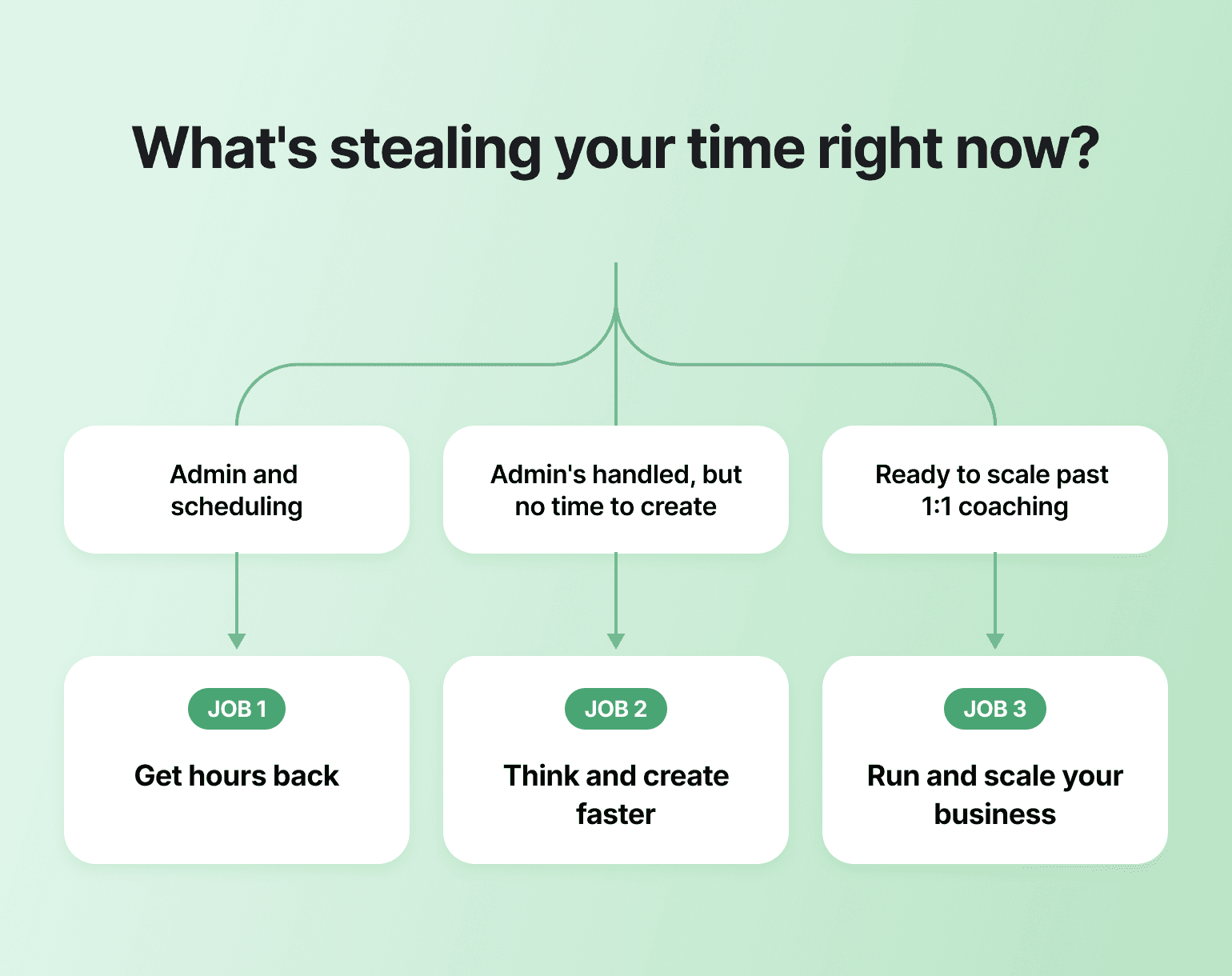
A coach buried in scheduling and follow-ups needs an admin tool. A coach with admin handled but no time to write needs a creative assistant. A coach running a growing cohort or paid community needs something bigger than either: a system that runs in the background while members move through it.
This guide groups tools by the job they do for your business right now. Figure out which job is your bottleneck, and start there.
| Job | Tool | Best for |
|---|---|---|
| Get hours back | Otter.ai / Granola | Session notes and transcription |
| Get hours back | Carly | AI-powered scheduling |
| Get hours back | CoachAccountable | Client management for structured programs |
| Think & create faster | ChatGPT | Flexible, general-purpose thinking |
| Think & create faster | Claude | Long-form thinking, session prep, document-heavy work |
| Think & create faster | Canva AI | Visual content creation |
| Think & create faster | Descript / Fireflies.ai | Turning calls into content |
| Run & scale your business | Circle | All-in-one platform once you're ready to scale |

Ready to run it all in one place?
Job 1 — Get hours back
If admin is eating the hours that should go to clients, start here. These tools work for any coach at any stage, and they're low lift to set up.
Otter.ai — best for session notes and transcription
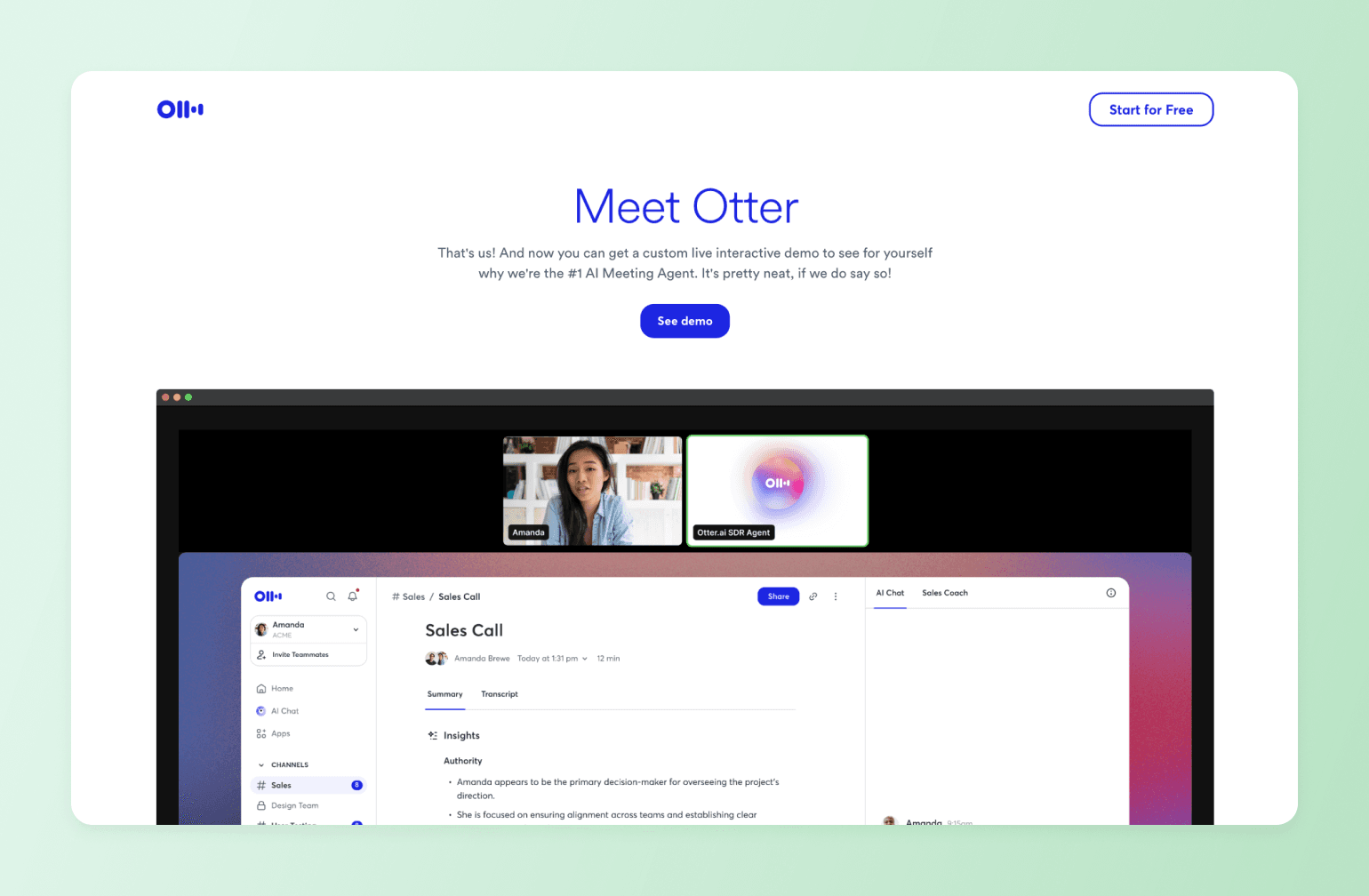
AI notetakers like Otter sit in on coaching calls and hand you a clean transcript and summary, so you can stay present in the conversation instead of scribbling. For a high-touch coaching practice, that's real time back.
Otter captures the conversation, summarizes what happened, and gives you something to review later. It's established, has a free tier, and is an easy first AI tool for a coach who wants immediate admin relief. If you'd rather the notetaker stay further out of view, Granola is worth considering as an alternative: instead of joining the call as a visible bot the way Otter does, it captures audio straight from your device, so there's no "Otter is recording" announcement in front of a client.
Carly — best for AI-powered scheduling
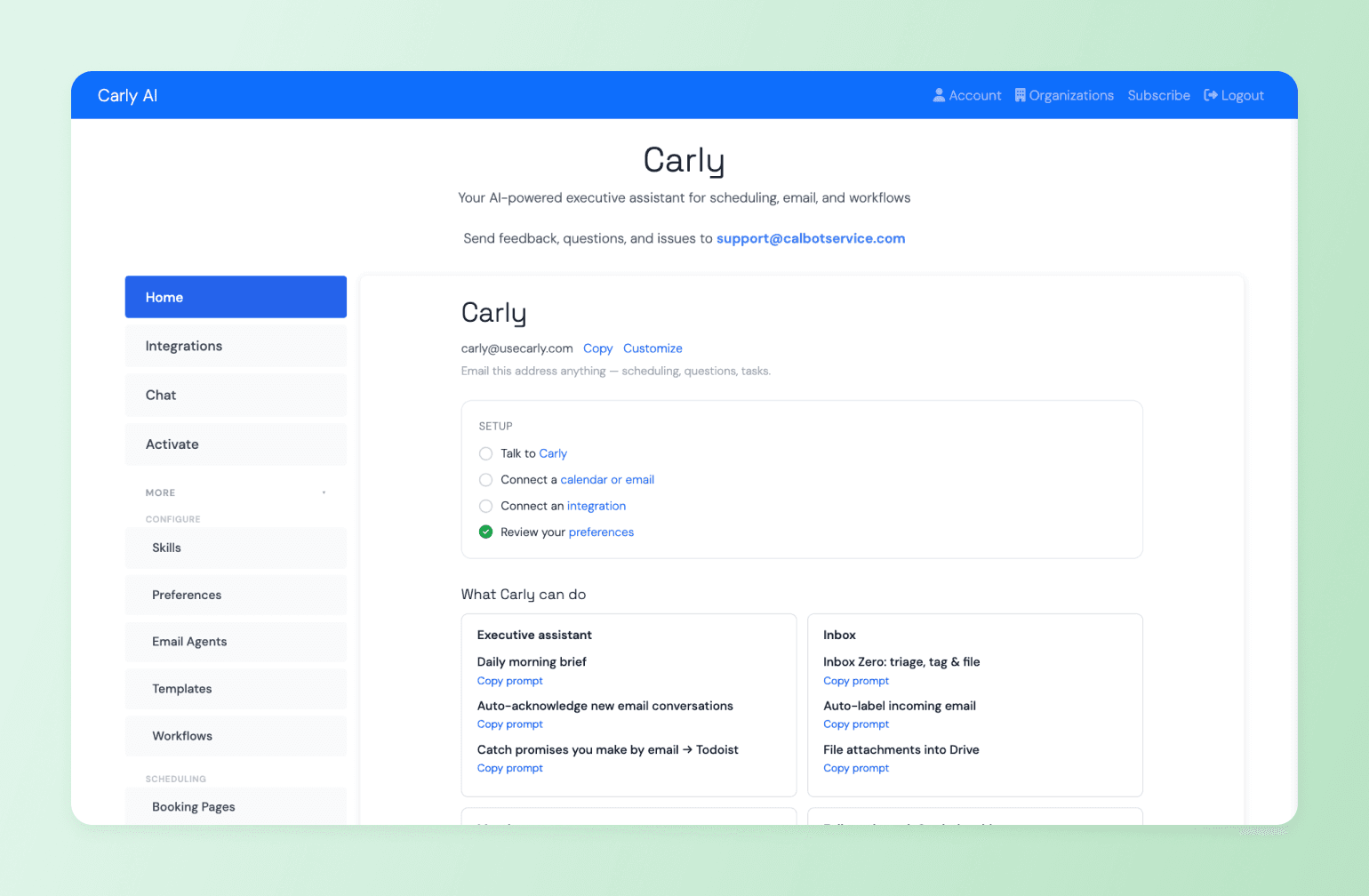
AI scheduling assistants like Carly take the back-and-forth off your plate: booking calls, handling reschedules, chasing no-shows, even reaching out to prospects to set up discovery calls. For a solo coach drowning in calendar admin, that's real time back.
Carly works through email and text instead of a separate booking app: clients reply to a thread and it finds a time, rather than clicking a scheduling link. It also keeps a built-in CRM of client relationships and generates a pre-session briefing from earlier conversations before each call.
CoachAccountable — best for client management
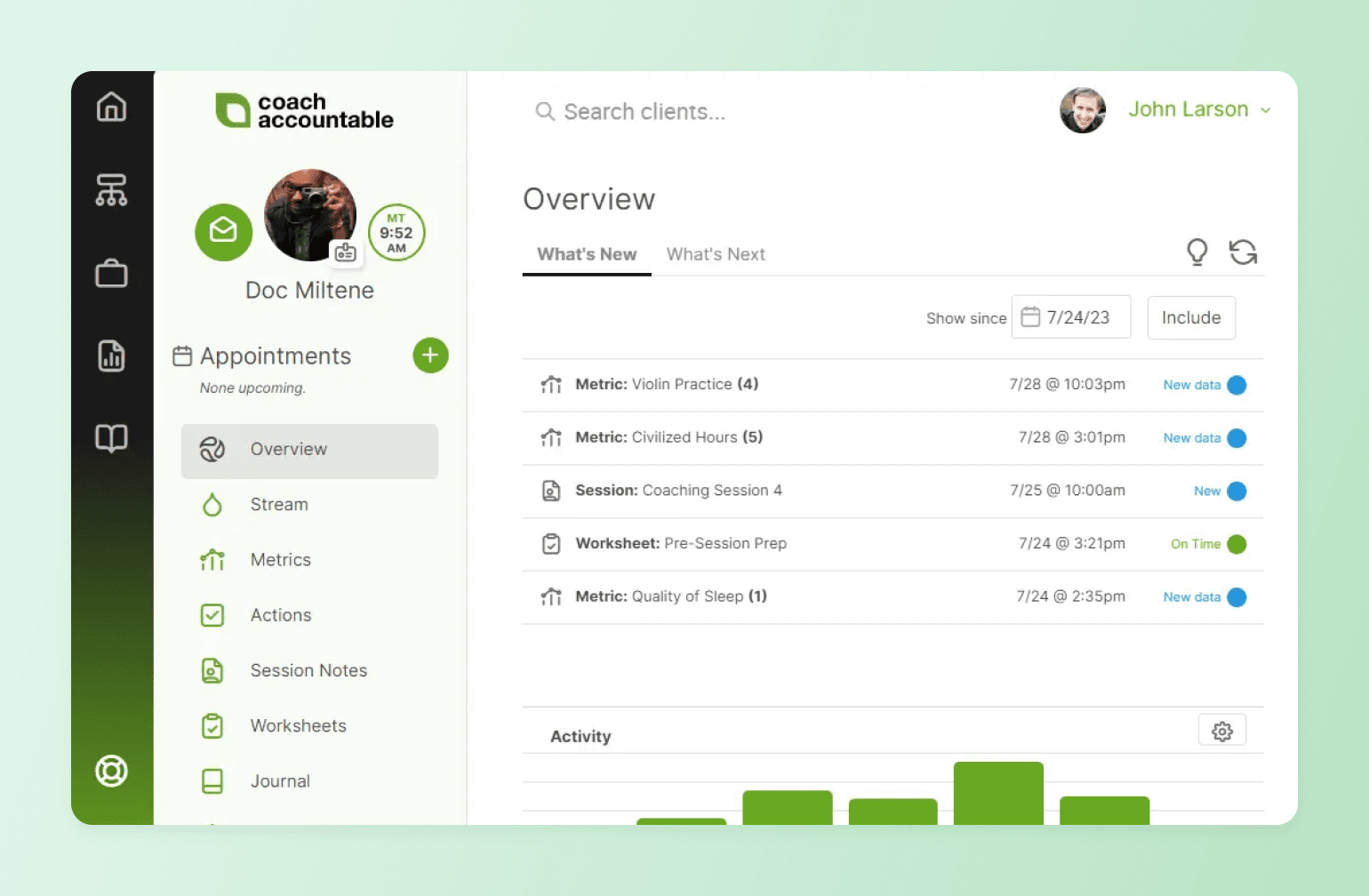
For coaches managing structured programs with larger client loads, CoachAccountable tracks goals, actions, and progress for each client. It automates follow-ups and accountability check-ins between sessions, and gives clients their own portal to log progress and complete worksheets between calls. For a coach running 5–10 clients through a structured program, it removes the manual overhead of tracking who's behind, who hasn't checked in, and what needs following up.
Where it stops is the business layer around the coaching. It handles the coaching admin well, but it doesn't run a community, host live events, send email broadcasts, or connect member activity to payments and course progress. Coaches who grow beyond 1:1 and 1:few work tend to find they need that connective layer. That's what Circle is built for.
Job 2 — Think and create faster
These tools are for coaches who are comfortable with AI and want to move faster on session prep, content, and client communication. They're powerful, but you're still the one doing the integration work: prompting, editing, copying, deciding what happens next.
ChatGPT — best for flexible, general-purpose AI assistance
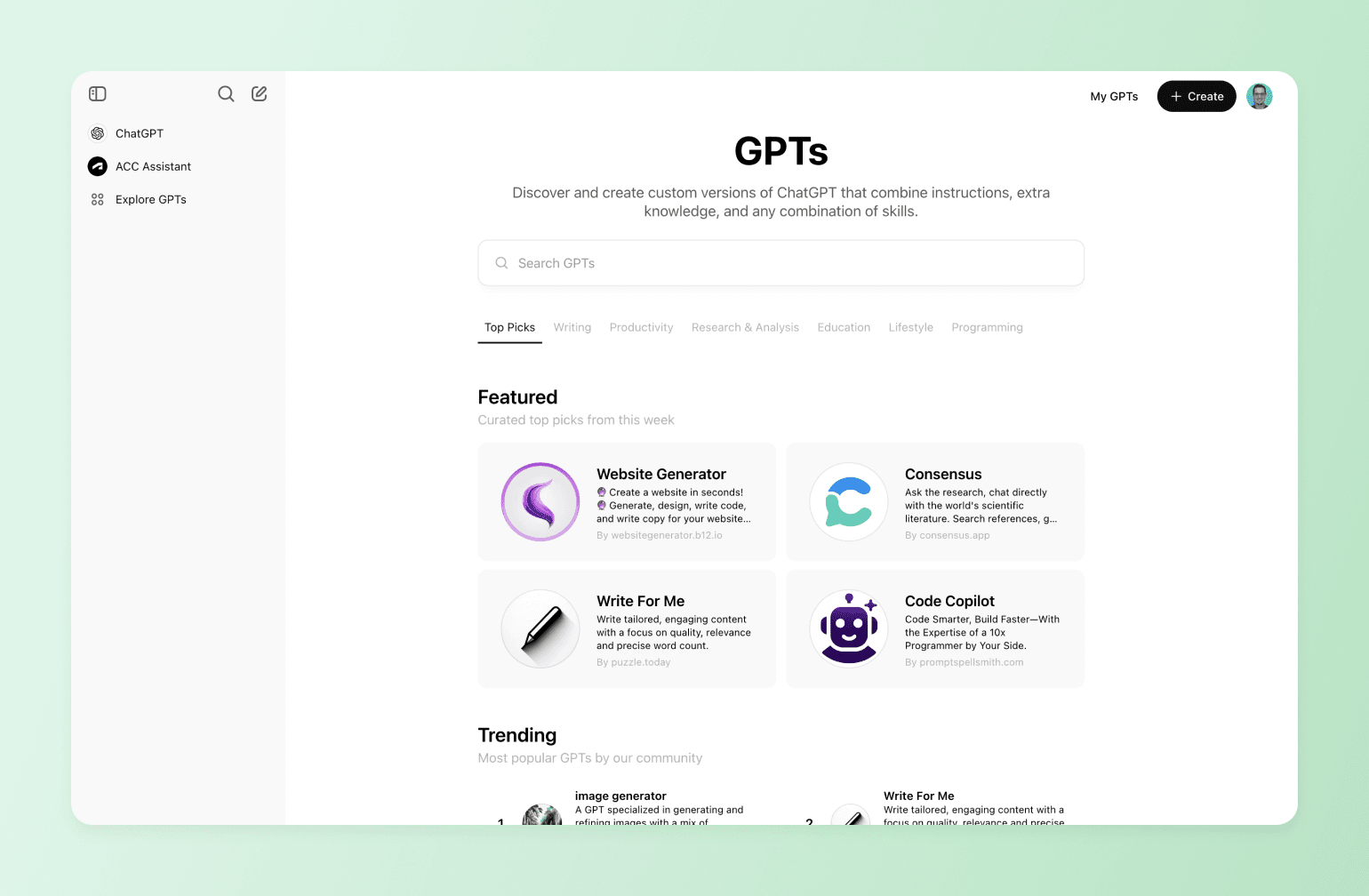
A general AI assistant is the Swiss Army knife of a coaching practice. Use it to talk through a tricky client situation, reframe a pitch that isn't landing, stress-test a program idea, or work out what to say when a client is stuck. For a blank-page thinking problem, nothing beats it, which is why it shows up in almost every coach's stack.
Two features make ChatGPT more useful over time than a basic chat tool. Memory builds up context about your practice across conversations, so you're not re-explaining your methodology every session. Custom GPTs let you build a reusable configuration once — a session-prep assistant trained on your frameworks, say — so you don't have to re-prompt from scratch every time you sit down to use it.
Claude — best for long-form thinking, session prep, and document-heavy work
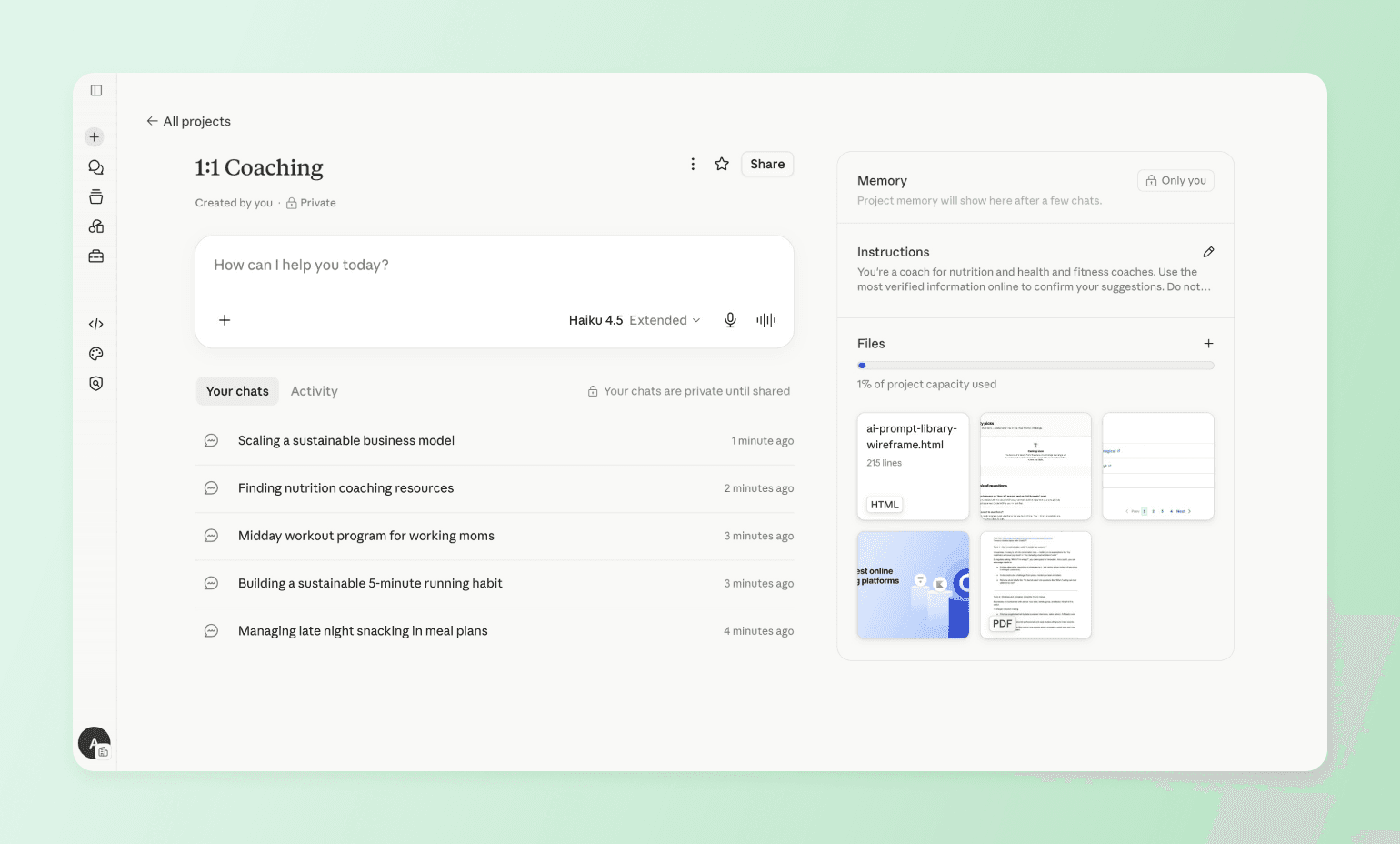
Coaches produce a lot of written material — proposals, program guides, follow-up frameworks, client notes — and Claude handles long documents, complex drafts, and creative writing well. It's particularly strong when the task requires holding a lot of context at once: reviewing a client's 10-page program guide while drafting a follow-up email, or working through a nuanced situation where the right response depends on understanding the full relationship history, not just the last message.
The Projects feature is useful for exactly that. Load a client's full history into one persistent workspace and Claude carries that context across every session — no re-explaining, no hunting through old notes before a call.
Canva AI — best for visual content creation
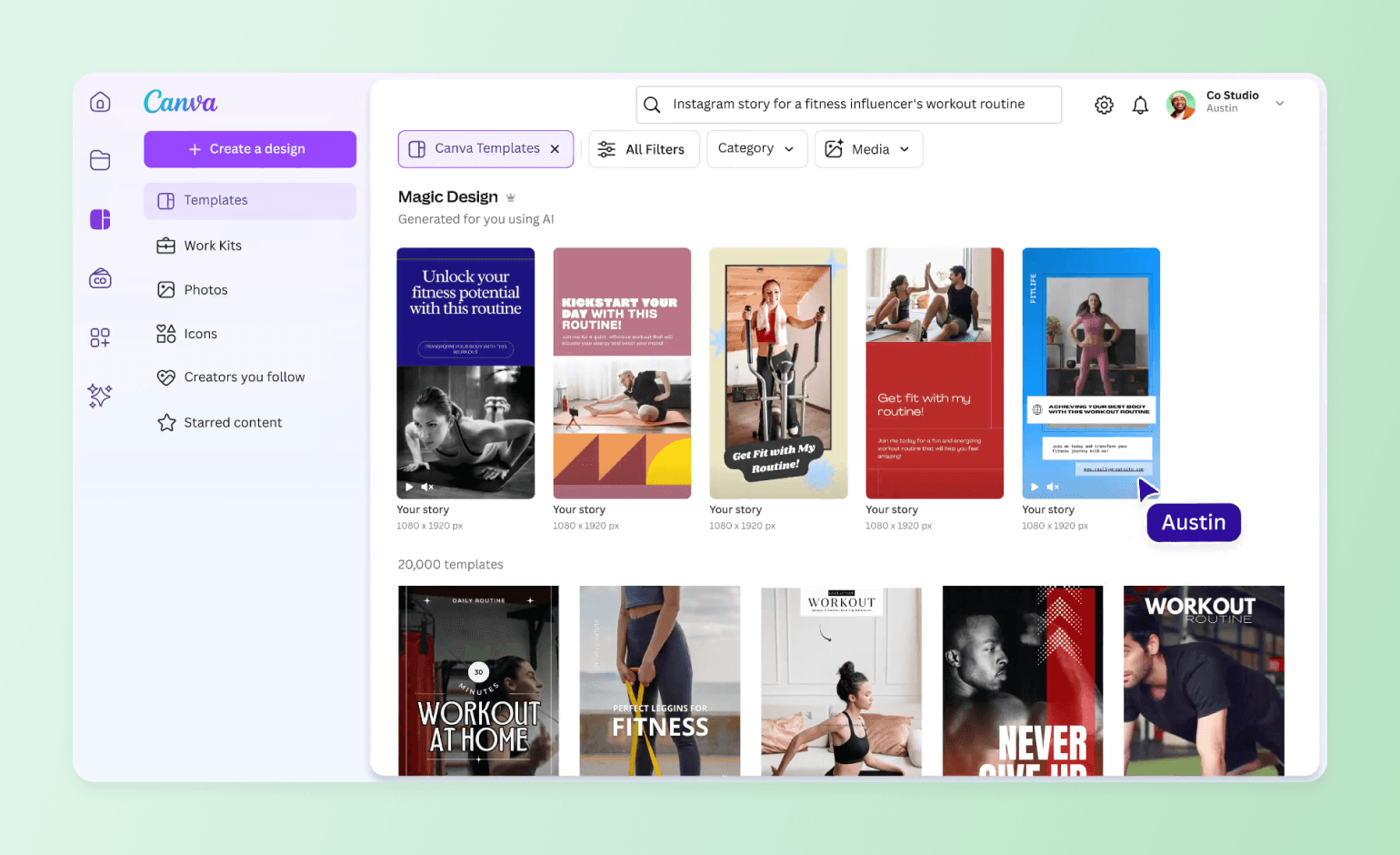
Canva AI is built for coaches who need to look professional without being designers. Describe what you need — a workshop slide deck, a lead magnet, a social post — and Magic Design generates a full layout in seconds. Magic Resize then reformats that design for every platform automatically, so you're not rebuilding the Instagram version, the LinkedIn version, and the email header from scratch. Set up your Brand Kit once with your colours, fonts, and logo, and every design applies them consistently without you having to enforce it manually.
Descript or Fireflies.ai — best for turning calls into content
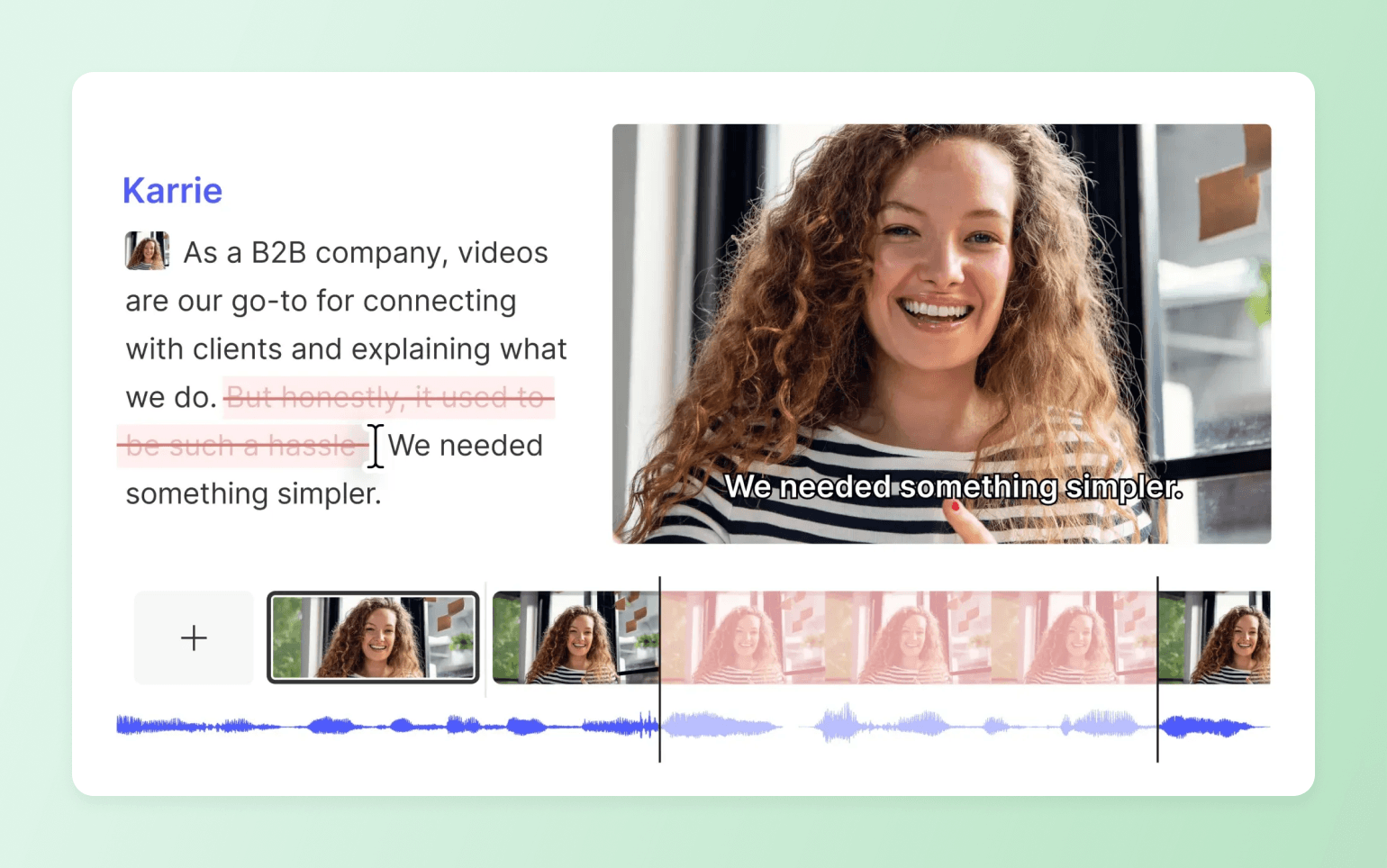
If you record calls, workshops, or lessons and want to turn that footage into content, the editing process is usually where it stalls. Descript removes most of that friction: you edit the video by editing the transcript, so deleting a sentence in the text cuts that moment from the recording. For a coach who isn't a full-time editor, that's the difference between footage that sits on a hard drive and a clip, recap, or lesson that gets published.
For coaches who want raw material rather than finished output, Fireflies.ai is the better fit. It transcribes calls and stores a searchable history of everything discussed across sessions. Its built-in AI assistant, AskFred, lets you query individual calls or search across your entire meeting history. Ask it "what objections have clients raised most often?" and it pulls answers from across all your transcripts, with timestamps. That makes it a useful source layer for spotting recurring themes and turning them into content.
Job 3 — Run and scale your coaching business
Coaches who've validated their model and are ready to stop carrying every operational task manually belong here. The coaching stays yours — this is about building the infrastructure around it that doesn't require you to be the system.
Circle — best all-in-one platform for coaches who are ready to scale
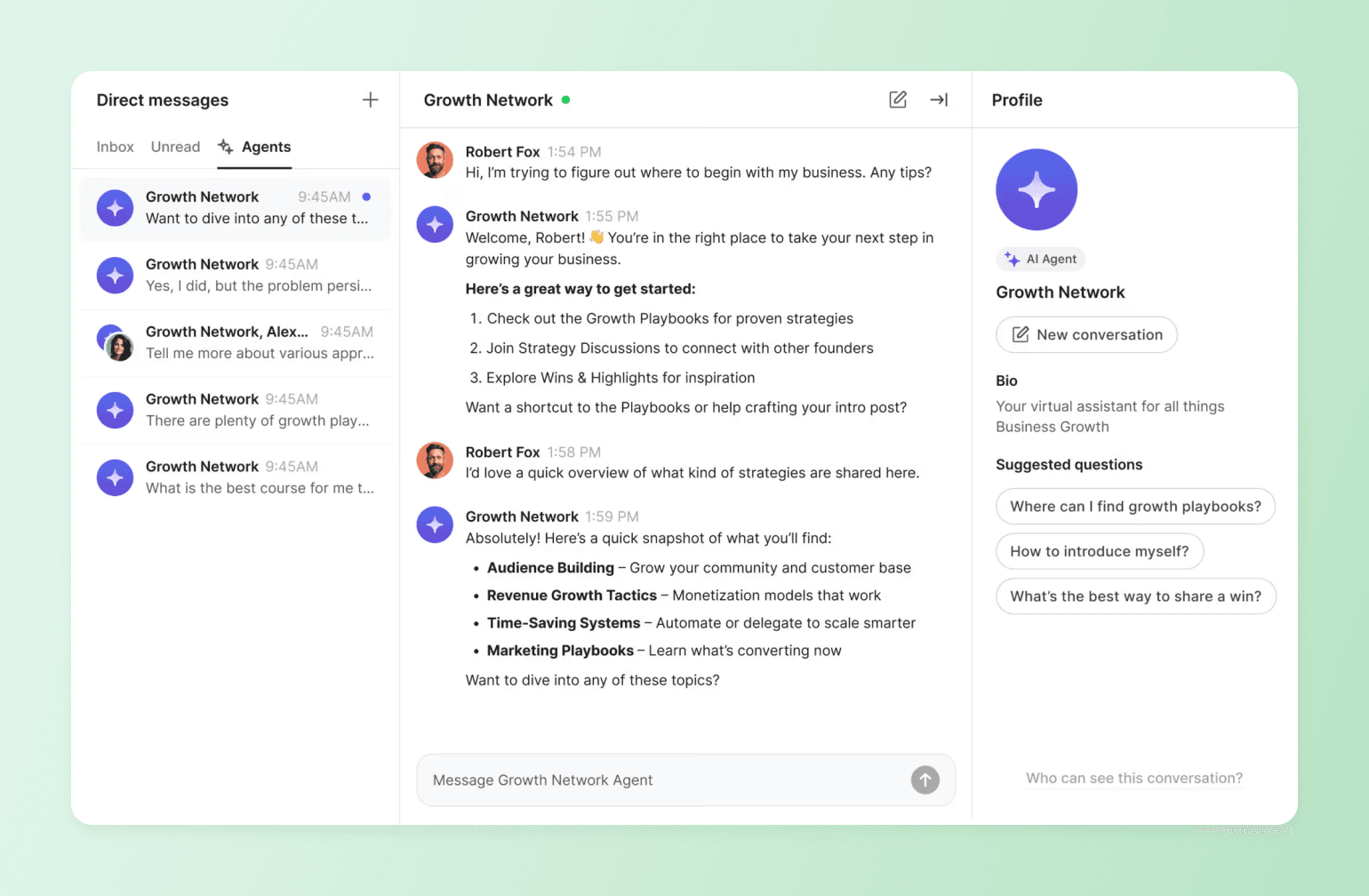
Most coaching businesses run on too many tools. Scheduling in one app, courses in another, payments in a third, community somewhere else. Circle puts all of it under one roof, under your brand.
With its latest release — Eclipse — Circle introduced Circle AI: an AI partner built into the platform that you direct in plain language. Because everything runs on one system, it has a complete picture of your business to work from — not a partial view synced from somewhere else. Ask it to set up a Space, draft a workflow, or tell you what needs attention today, and it works from the same data your members and payments live in.
On the member-facing side, that same connected system powers:
- AI Inbox: Every agent conversation lands in a shared inbox, so you can see what your agents are telling members, escalate when a question needs you, and learn exactly where your members keep getting stuck.
- AI Agents as 24/7 support: Build up to 10 member-facing AI Agents, each with its own role, voice, and trained knowledge from your courses, Spaces, posts, and files. Tier them by membership level so free members can't surface premium answers. When an agent hits a Pause AI keyword, it steps back and hands the conversation to you.
- AI Workflows: Tied to member behavior (a finished course, an RSVP, a stretch of silence), the member journey runs on its own with proactive DMs and onboarding sequences, so the right message lands at the right moment.
The AI is part of a real coaching business, and that's the difference. Because community, courses, payments, and email share one system, an agent answering a member at 2 a.m. sees their full history, and a workflow fires on what a member did, not a stale sync from another tool.
Augment Business School ran courses on Thinkific and community on Circle for two years, but the split setup created friction. Students toggled between platforms, the mobile app wasn't working, and a fragmented experience undermined a premium brand positioning itself as the MBA alternative. When they consolidated everything onto Circle, workflows took over the operational load: automated DMs route new students to WhatsApp groups by geography, onboarding sequences run without manual input, and a 10-person team now manages 6,000+ students across 94 countries. They doubled their student base in four months without adding headcount.
How Circle compares to Kajabi
Kajabi sells the course — strong funnels, landing pages, and email sequences, built for coaches whose business is getting people to buy. Circle is built for what happens after: social, cohort-based learning with an AI teaching assistant on call, so members finish what they started instead of drifting off. And because you own and brand the platform, no algorithm decides your reach.
How to choose
The right tool is the one that solves your biggest bottleneck today. If admin is eating your coaching hours, start with Otter, Carly, or CoachAccountable. If you're producing content and need to move faster, add ChatGPT, Claude, Canva AI, or Descript. If you're ready to scale a program, a cohort, or a paid community and need the infrastructure to run it properly, Circle is built for exactly that.
Close the four tabs.
AI tools for coaches FAQ
Which AI features matter for coaches?
The ones that take operational work off your plate: agents that answer member questions and onboard new clients, AI that drafts outlines and emails, and workflows that nudge members at the right moment. The catch is that an agent only gives good answers when it can see the right context, which is why connected delivery, content, and client activity matter once your coaching business starts to scale.
Are member-facing AI agents available on entry-level plans?
No. On Circle, AI Agents and AI Workflows — the features that let AI answer members directly and run behavior-triggered sequences — are only available on Circle Plus, the platform's custom-priced top tier. Professional ($89/mo) and Business ($199/mo) both include Circle AI, the admin-facing assistant that helps you set up and run your community, but not member-facing Agents or Workflows. If member-facing AI support is core to how you coach, plan for Plus rather than assuming it's standard on an entry-level plan.
Will AI replace the human side of coaching?
No, and you shouldn't want it to. AI should handle the repetitive operational layer — onboarding sequences, FAQ answers, scheduling nudges — so your hours go to the high-value coaching, judgment, and connection your clients and members pay for. The platforms that get this right augment you rather than automate you out. On Circle, every AI conversation is visible in the shared AI Inbox, you can pause an agent with a keyword, and agents only respond when a member asks first.
How do AI agents stay accurate to what I teach?
Circle's AI Agents are trained on the content you give them: your Spaces, courses, posts, uploaded files, and automatic video transcripts — not a generic model pretending to know your method. You can also tier agents by membership level so free members can't surface answers reserved for your paid clients.
Can AI help me improve a program that's already running?
Yes, and this is where most coaches underestimate AI. Circle's AI Inbox shows you exactly what members are asking your agents, which surfaces the lessons where your content is unclear and the questions worth turning into new material. It's a continuous read on where your members get stuck that no static course tool can give you.

Head of Performance Marketing
Marcus is the Head of Performance Marketing at Circle—and Circle's main demand gen nerd.